Procedures for Testing with the DX Host
megger.com 121
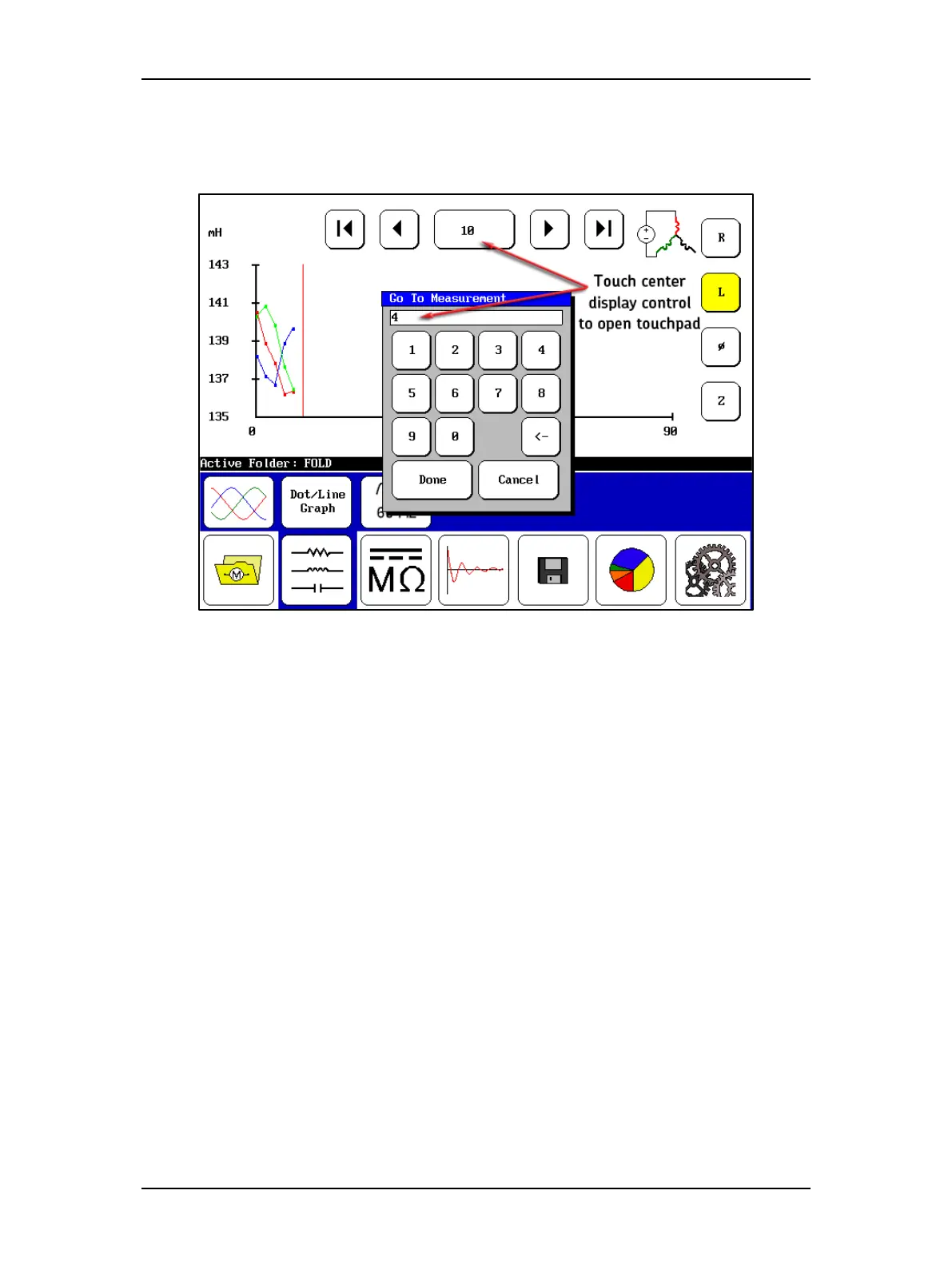
During your testing process, if you decide that you want to go back and view a previous test, you
can use the Next and Previous display controls to step incrementally through the tests, or you
can touch the center display control to open a touchpad as shown below.
Figure 135. RIC test screen with Touchpad to select target test.
You can simply view the results if you like, or you can retest at that point by pushing the Start
(PTT) button. The rotor will have to be repositioned to be accurate for the retest. The tests will
be executed and the results will be written over the results currently stored for that test position.
You can then go to other tests as needed and replace their results in the same manner, or you
can touch the far-right display control to return to the next test position and continue your
testing.



 To Next Page