Procedures for Testing with the DX Host
megger.com 87
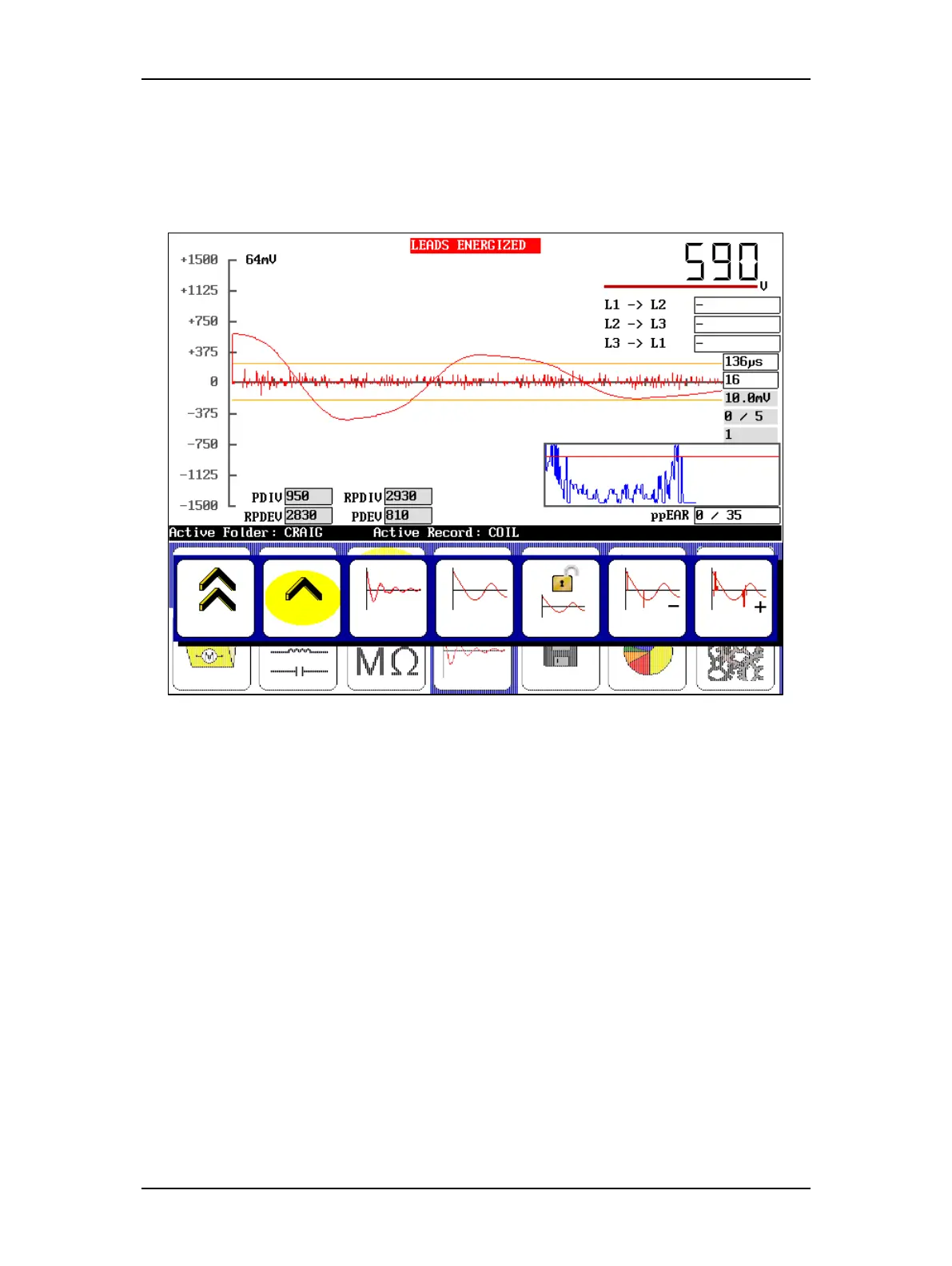
As the voltage decreases, the PD pulses decrease. At the point where less than 50 percent of the
surge pulses have a PD pulse, the software records the current surge voltage level as RPDEV. As
the voltage continues to ramp down, the software continually records the current surge voltage
level at which a PD pulse is detected. The last recorded value is saved as the PDEV (the lowest
voltage at which the detector sees a PD pulse).
Figure 95. Example of acquired extinction voltages (PDEV and RPDEV).
9. When you acquire the extinction thresholds for the first phase, discontinue the test and
save the results.
10. Touch the Lead 2 icon and repeat the process for the second phase then Lead 3 in turn.
Testing the second and third phases is identical to testing the first phase. If you want to capture
a waveform that illustrates PD activity in each phase, a short process is added to the end of
testing each phase.
The Baker DX reporting function stores the last waveform captured during testing. To capture a
screen shot for each test phase that displays PD activity, ramp voltages back up to at least the
PDIV level for each phase after acquiring the extinction voltages. After you reach the PDIV level,
stop testing, save results, and move to the next phase. After completing phase 3 testing, save
your results.



 To Next Page