Universal Plug and Play
Lynx II DSA User's Manual – 7096089 161
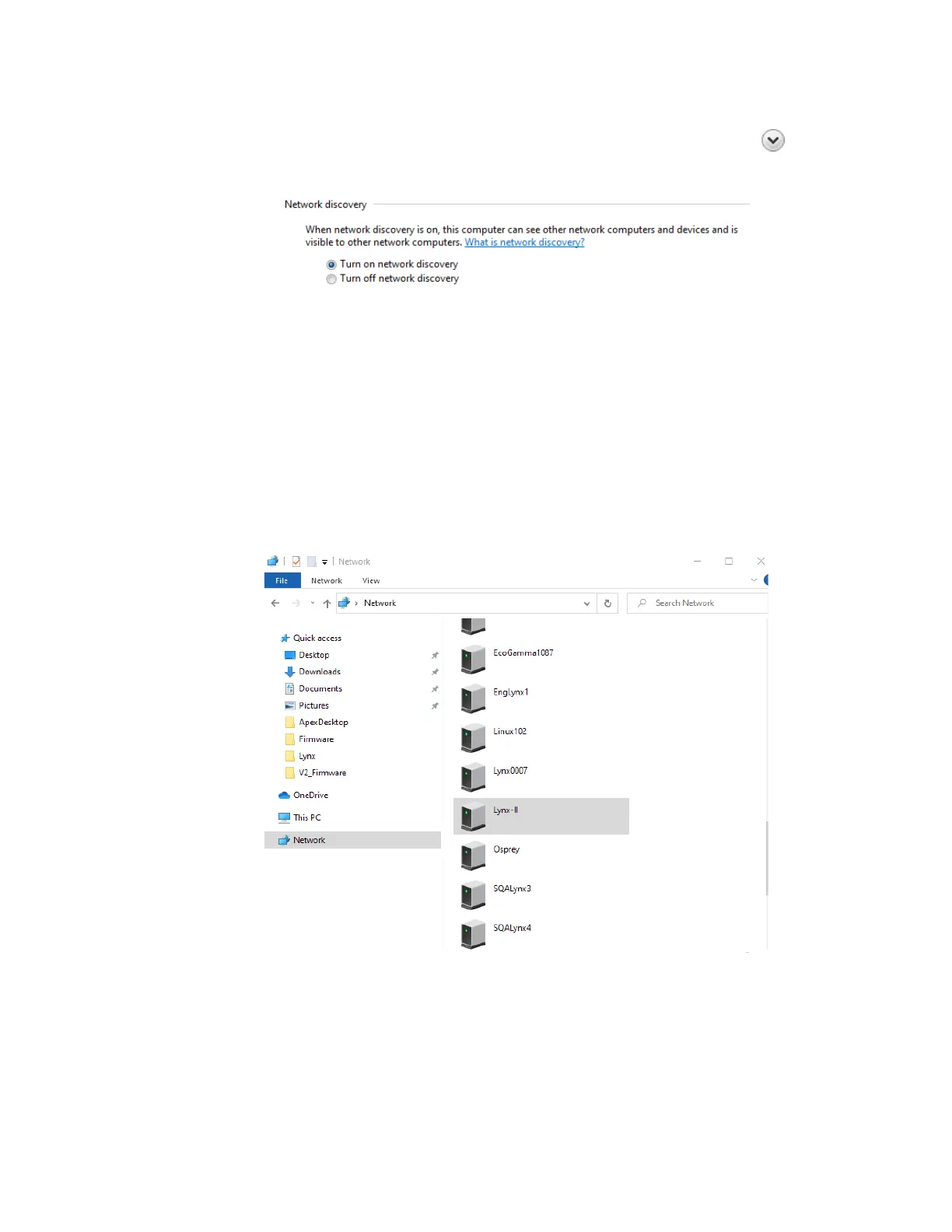
4. Windows will display the sharing options for each network profile. Expand each
profile appropriate for your network by clicking on the chevron symbol
and enabling the network discovery, as shown below:
5. Click Save changes and exit dialog to complete the installation.
Network discovery requires that the DNS Client, Function Discovery Resource
Publication, SSDP Discovery, and UPnP Device Host services are started, that network
discovery is allowed to communicate through Windows Firewall, and that other firewalls
are not interfering with network discovery. Contact your network administrator if
necessary.
Once the UPnP features have been enabled on your PC, the Lynx II should be visible by
clicking on the Network icon through Windows Explorer, as shown below:
Double click on the desired Lynx II icon to launch your browser and run the Web-based
control application.



 To Next Page
 Loading...





