Chapter 5: Installation
Upgrading System and Application Software
Inter-Tel
®
5000 Installation Manual – Issue 2.4, May 2008 Page 5-139
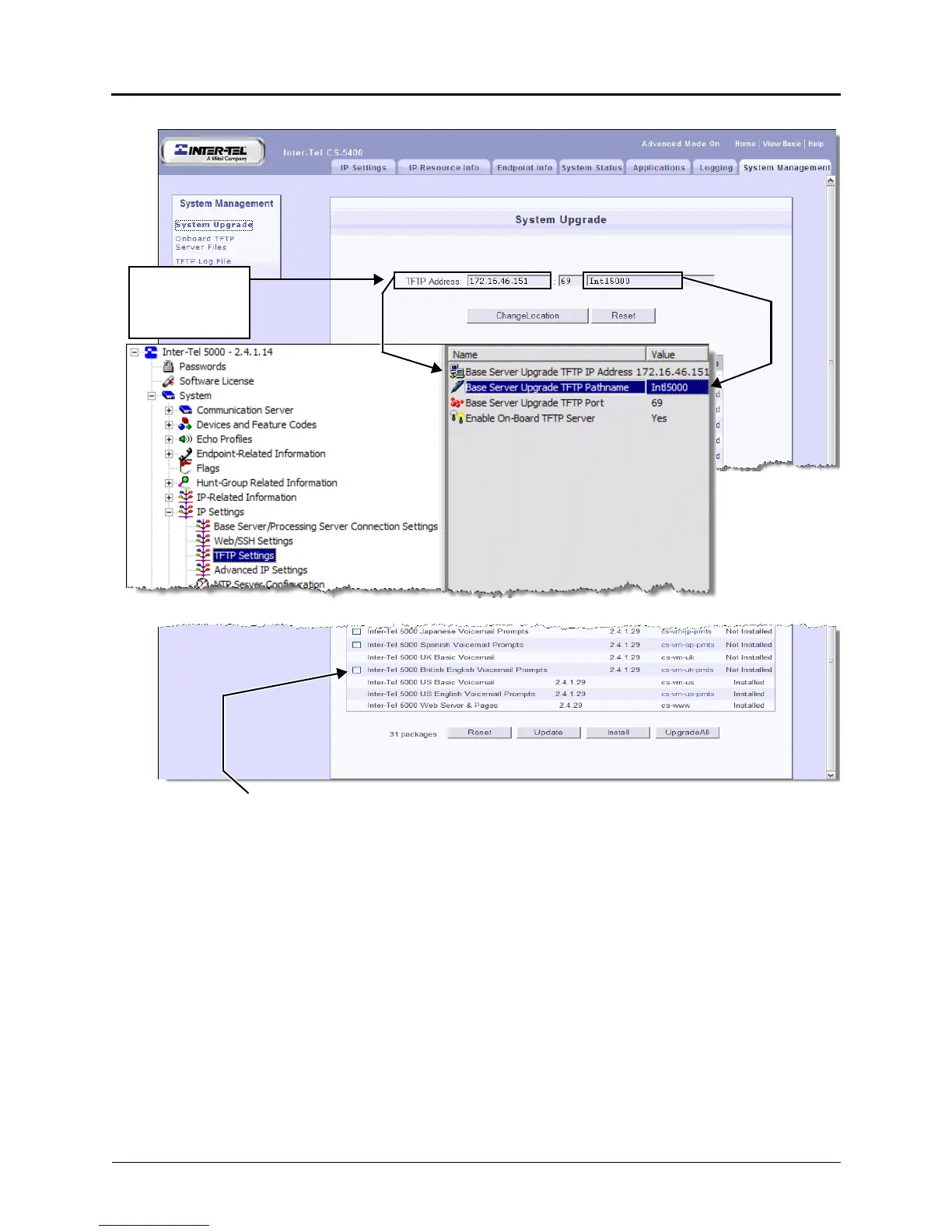
Figure 5-59. Example Inter-Tel 5200 Upgrade Administrative Web Session
6. Click Update to refresh the list of packages in the display.
7. Select the application or package you want to upgrade. Packages with a check box are
not currently installed.
If a package or application is available for upgrade, a check box is available next to the
package name. Some applications can be individually selected/deselected. If an
application requires another application or is otherwise dependent on any part of the
package, you cannot deselect that component. Please read the important note on the
next page.
DataBase Programming
An empty checkbox indicates a
package that is not installed.
This is a
display of what is
also in DB
Programming.



 To Next Page