© 2014 Mold-Masters (2007) Limited. All Rights Reserved.
Revised 1 Oct, 2014
E-4
SEQUENCE VALVE GATE
How many Gate operations within a cycle - contd.
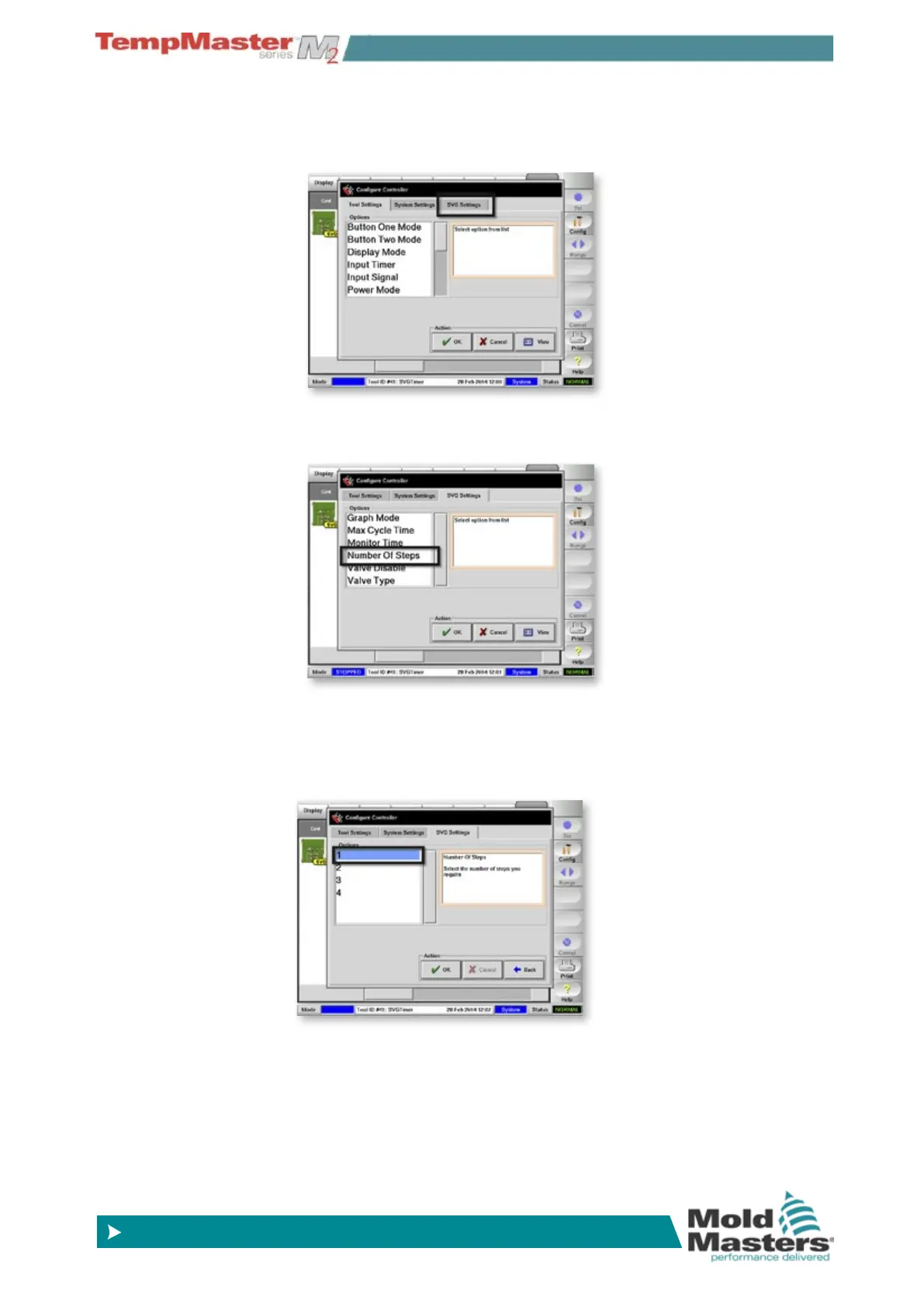
2. In the “Congure Controller” panel that opens, choose [SVG
Settings
].
3. Within the SVG settings options choose [
Number of steps].
4. Choose how many steps, i.e. how many times you want the gates
to open and close within one complete cycle.
Choose [
OK] to conrm your selection
Choose [
OK] to close the “Congure Controller” panel



 To Next Page