© 2014 Mold-Masters (2007) Limited. All Rights Reserved.
Revised 1 Oct, 2014
E-5
SEQUENCE VALVE GATE
Part 3. Enabling Screw Input
Before you can set any gate control to respond to screw position you
must rst set and calibrate your screw sensor.
Before starting at the touch screen, rst check the electrical interface
connections with regards to the SVG Connections Diagram. Then
proceed to set and calibrate as detailed below.
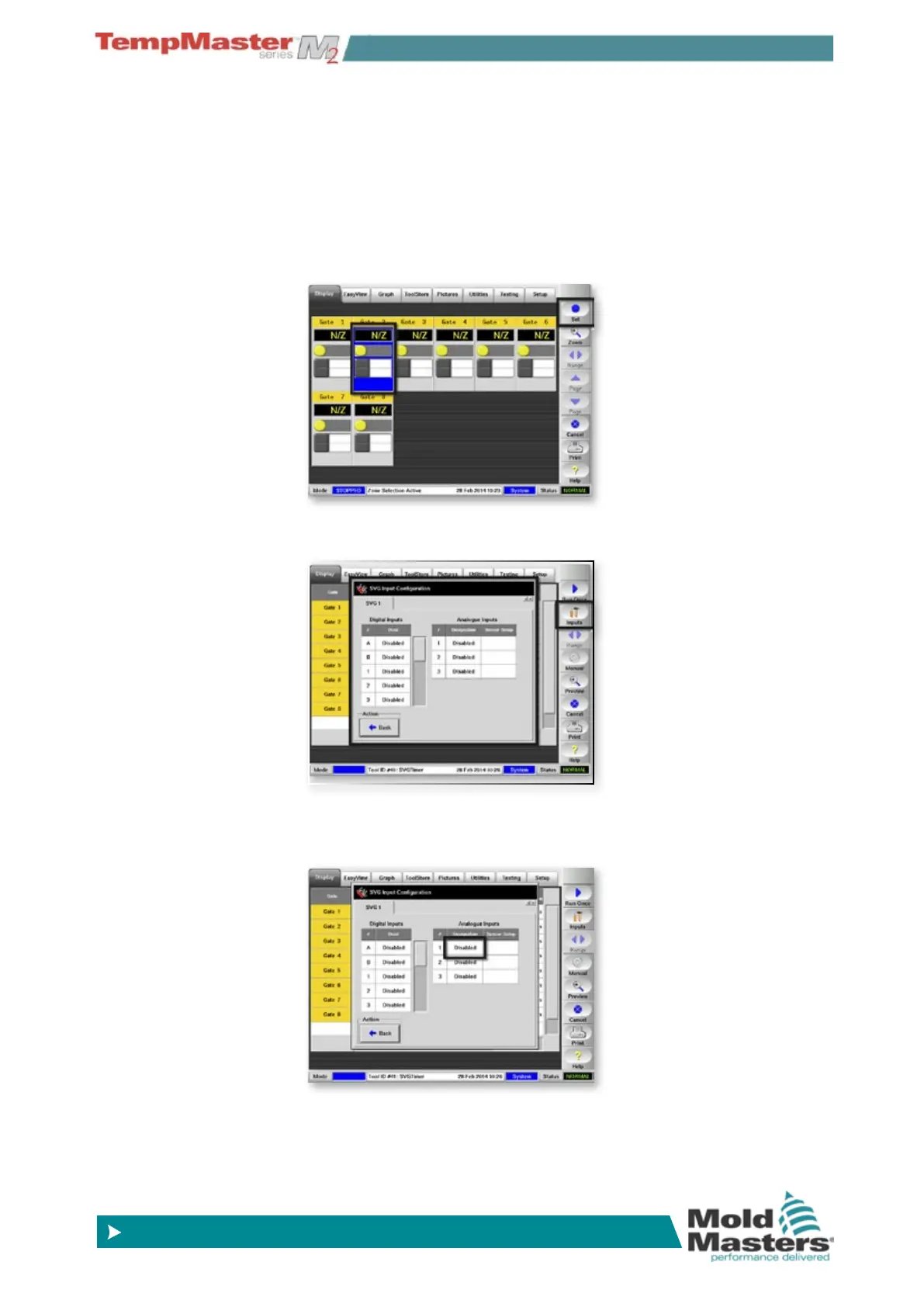
1. At the Display page and choose any zone then choose [
Set].
2. Choose [
Inputs] to open the Input Conguration panel.
3. First you must activate an input. In the “Analogue Inputs” box
touch [
Disabled] .



 To Next Page