OPERATION
© 2014 Mold-Masters (2007) Limited. All Rights Reserved.
Revised 1 Oct, 2014
6-19
6.14.2 Status Window
The right hand Status window shows NORMAL if all the zones are at
their set temperature and no faults have been detected. If any zone
detects a fault then the Status window changes its display and colour
as detailed below:
NORMAL
Green text
in Black
box
Controller is running normally
WARNING
Black text
in Yellow
box
A zone’s Temperature exceeds the
warning limits
ALARM
White text
in Red box
This shows either a Fatal Error or a
zone’s temperature exceeds alarm
limits
Note that the status alarm is only active when in Run Mode – so sys-
tems, whose temperature rises slowly such as a Master-follow, will not
raise spurious alarms. Once they switch over to Run mode at their set
temperature then the alarm becomes active.
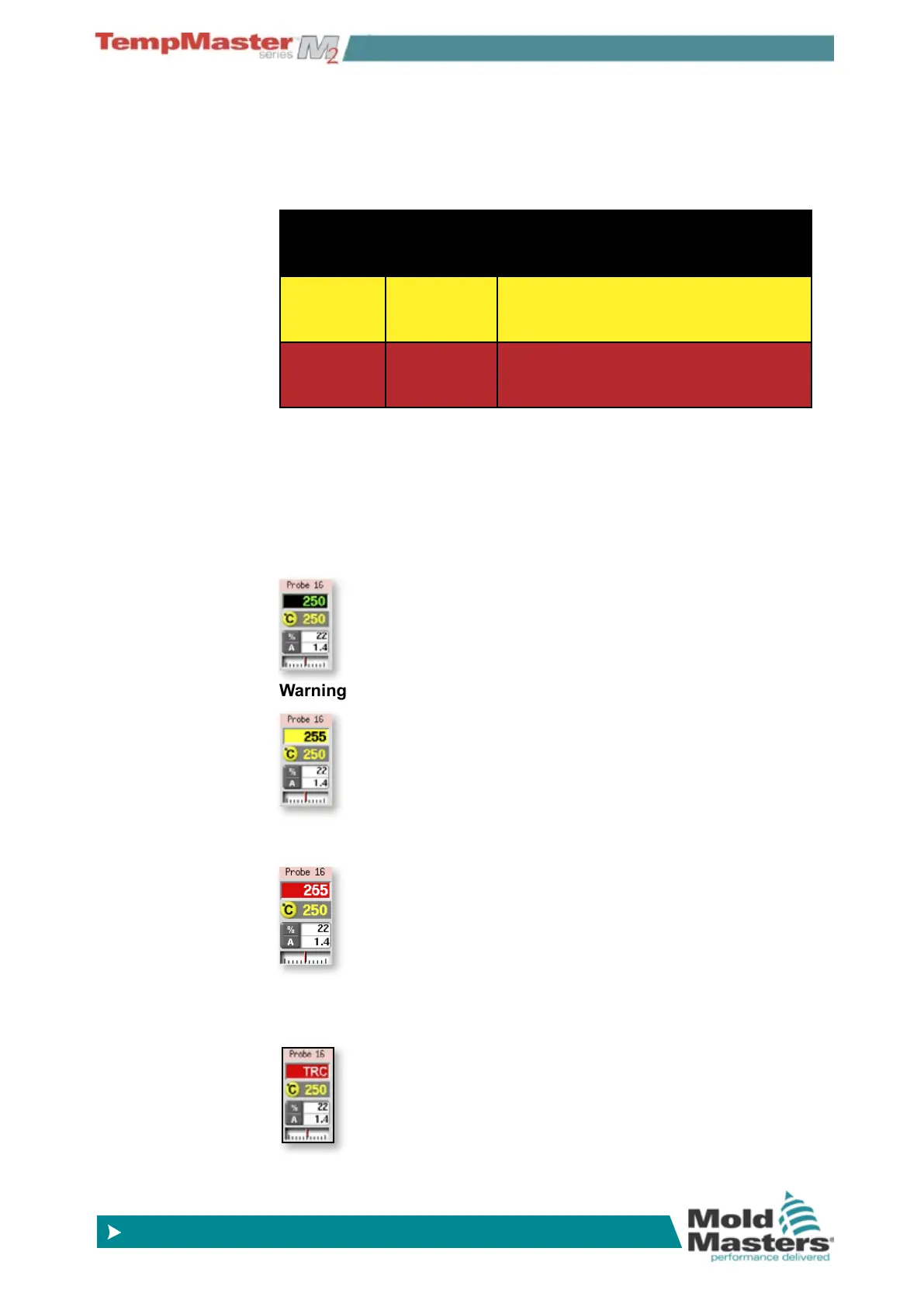
6.14.3 Identifying Zone alarms
Normal Zone - this shows a healthy zone.
Warning Zone - this shows a rst stage warning.
Alarm Zone - this shows a second stage alarm.
Fatal Error - this shows an abbreviated Error message. For a list of all
Error messages see page 8-1.



 To Next Page