User’s Guide Kona cutting plotter
Basics
52 AP-75380 - Revision 1.2
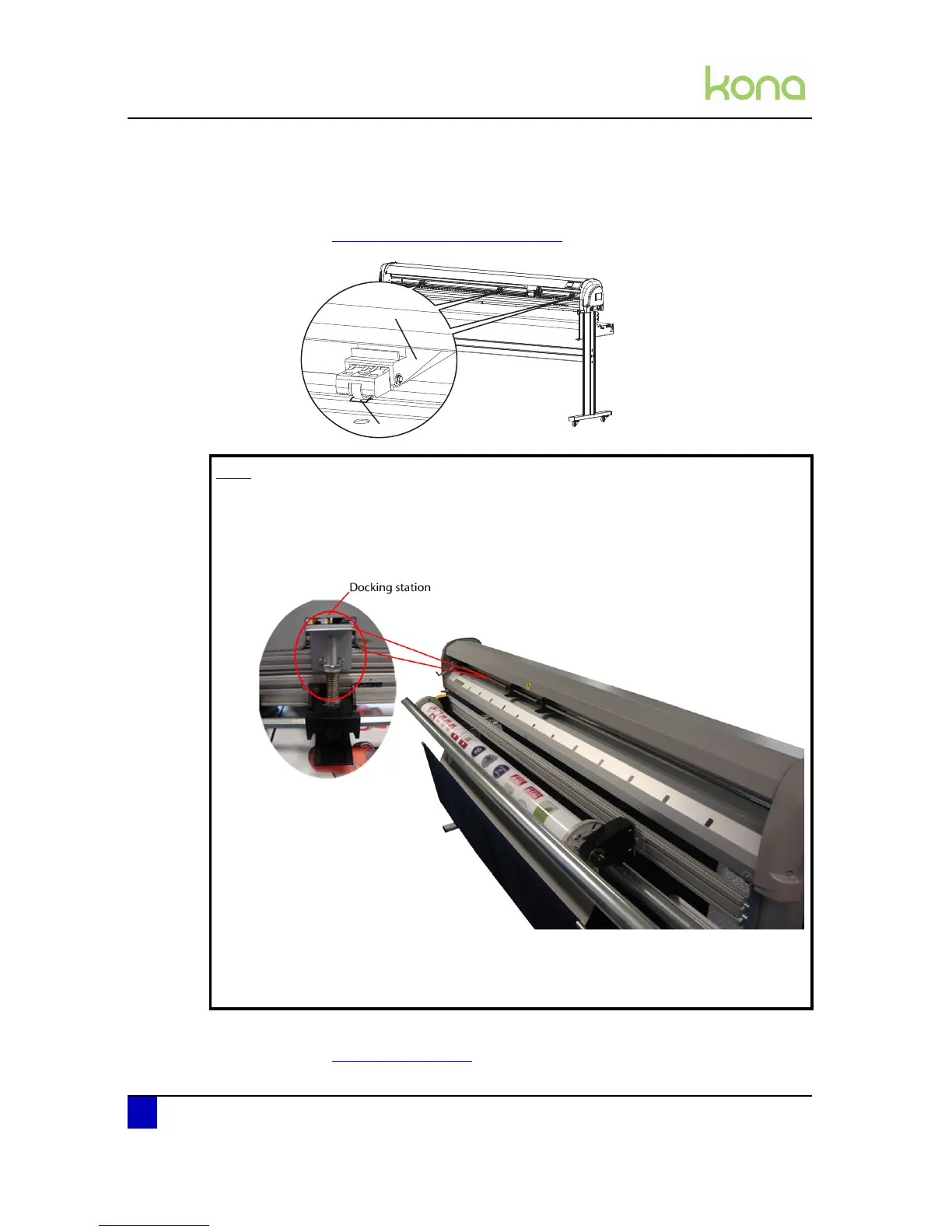
Step 2: Position the pressure rollers (1) so that every pressure roller faces a grit roll (2).
Each pressure roller has a tactile and audible click system which makes it easier to
position them correctly.
Refer to Pressure roller positioning on page47
z
Step 3: Select the media measure method.
Refer to Load mode on page85
Note
When working on a Kona 1400 or Kona 1650 with sensitive media files where it
is not wanted to leave any pressure roller marks, it is possible to disable the
middle grit roller. To do so, move it to the docking station. The pressure roller
will be disabled as soon as you lower them.
Be aware that the cutter may have less tracking when doing this.
Be aware that when working on full media width, the 3 pressure rollers must be
used.












 To Next Page