User’s Guide Kona cutting plotter
Basics
AP-75380 - Revision 1.2 57
3
Step 4: Load the media properly:
It is best that you hold the front edge of the media in the middle with one hand
and with the other hand the roll itself.
As you are holding the roll firmly into position, pull the front edge of the media
forward so that there is an even tension across the whole width of the roll (=
equal tension method)
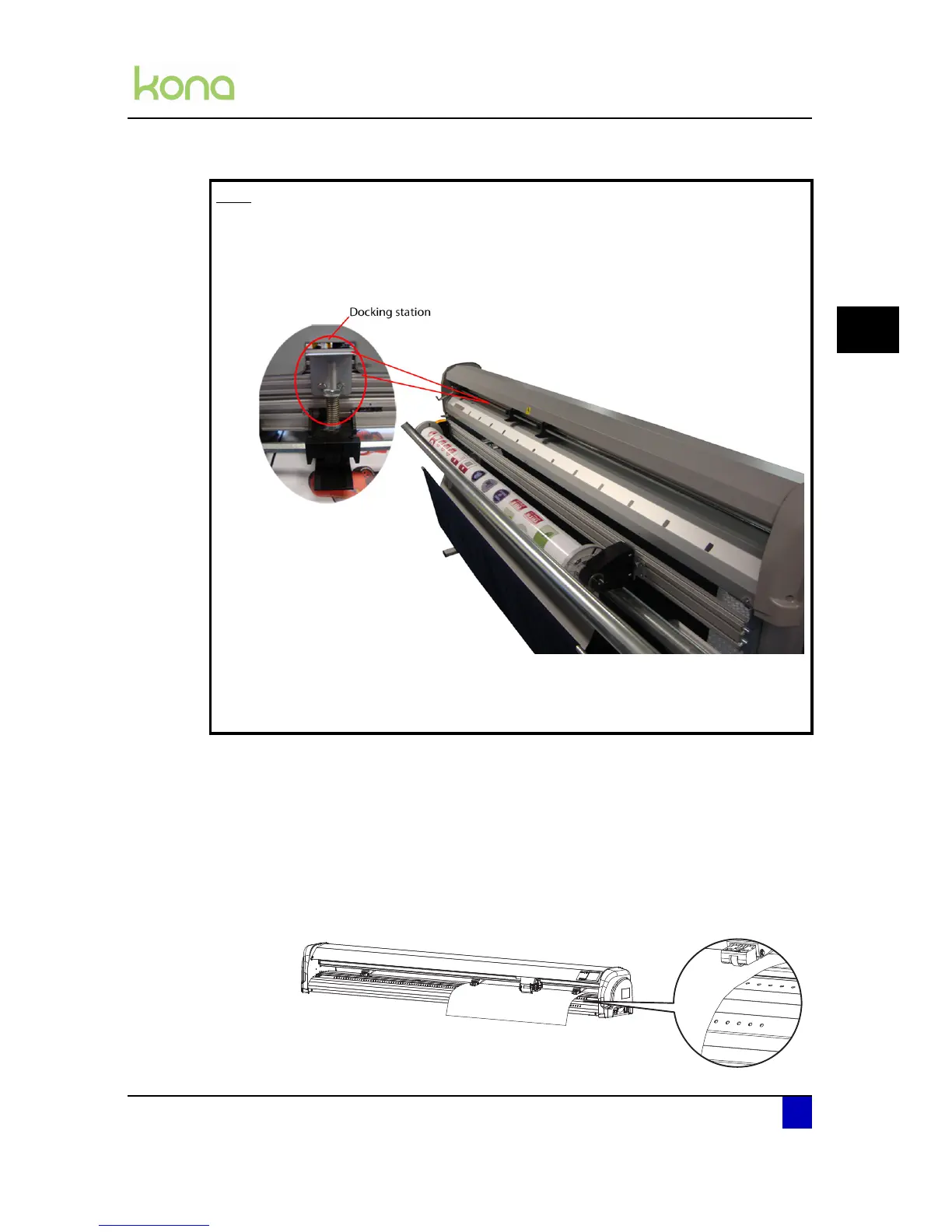
Do NOT use the drilled holes to align a roll of media! They are for use with
sheets only. Rolls can only be correctly installed using the equal tension method.
The holes will help you monitoring if the media is not meandering too much.
Note
When working on a Kona 1400 or Kona 1650 with sensitive media files where it
is not wanted to leave any pressure roller marks, it is possible to disable the
middle grit roller. To do so, move it to the docking station. The pressure roller
will be disabled as soon as you lower them.
Be aware that the cutter may have less tracking when doing this.
Be aware that when working on full media width, the 3 pressure rollers must be
used.












 To Next Page