Section 2 NS Series Functions 2-11 Multifunction Objects
2-211
NS Series Programming Manual
Four-channel Video Input Units (NS-CA001)
3
1
2
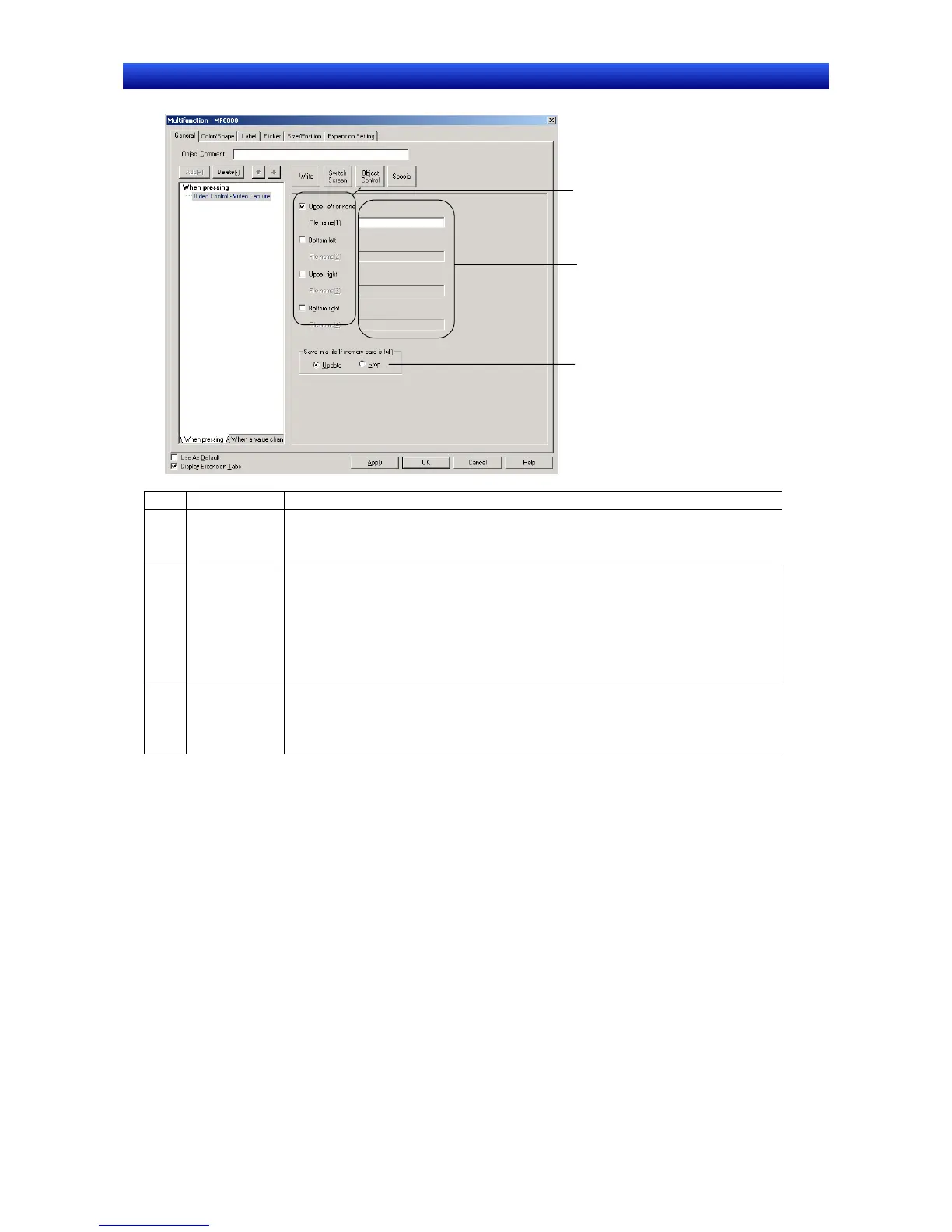
No. Item Details
1 Capture posi-
tion
Sets the video display position for capture.
Select Upper left or none for video display objects with a 640 x 480 display size.
Video images with a display size of 800 x 600 cannot be captured.
2 File name Sets the file name for saving the captured data (up to 32 characters).
Each time the save operation is executed, the numbers 001 to 999 will be auto-
matically appended to the file name, in order. Capture data will be saved to the
Memory Card in bitmap format.
Example: If the file name is set to Video_LT, the files Video_LT001.bmp to
Video_LT999.bmp will be saved to the Memory Card.
Refer to 2-9-3 Command Buttons for information on captured data.
3 Save in a file
(if Memory
Card is full)
Sets the action for when video capture is executed when the Memory Card is full.
• Update: Deletes the oldest file with the same file name and saves the data as the
newest file name +1.
• Stop: Does not save the data.


 To Next Page
 Loading...










