EasyManua.ls Logo

Omron ZW Series - User Manual

Omron ZW Series
247 pages
Print Icon
To Next Page IconTo Next Page
Loading...
Users Manual
Z322-E1-01A
Cat. No.
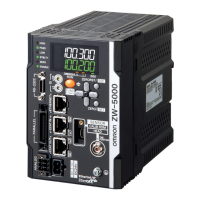
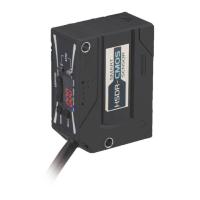
Displacement Sensor
Confocal Fiber Type
ZW Series

Table of Contents

Other manuals for Omron ZW Series

Questions and Answers

  • H
    Heather SmithAug 23, 2025
    What causes fluctuating measured values in Omron ZW Accessories?
    • D
      David WalkerAug 23, 2025
      Fluctuating measured values can be caused by: 1. The average count is not set correctly: Set the average count correctly. 2. The target to measure and the Sensor Head are vibrating: Implement a vibration-control countermeasure. 3. The fiber cable edge or the lens surface of the Sensor Head is dirty: Clean the surface. 4. The connection between the Sensor Head and the controller or the connection with the extension fiber cable is not normal: Check the fiber cable connections. 5. The fiber cable is disconnected: Replace the fiber cable. 6. Water and/or oil droplets are attached: Perform air purging and so forth to remove the droplets.
  • J
    Jerry CampbellAug 26, 2025
    Why does the main display remain on "- - - - - -" on Omron ZW?
    • A
      areedAug 26, 2025
      The main display might remain on "- - - - - -" because: * The target to measure is not in the measuring range: Place the target to measure in the measuring range. * TIMING is not input: Enter a TIMING signal. * The trigger level is not appropriately set for self-trigger: Set the self-trigger level to an appropriate value. * A system error has occurred: Identify the cause of the error based on the error code displayed on the sub-display and take an appropriate action.
  • V
    vanessahartmanAug 28, 2025
    What to do if Omron ZW outputs measured values even though there is no target?
    • T
      theodore32Aug 28, 2025
      If measured values are being output even without a target, it could be due to: * The fiber cable edge or the lens surface of the Sensor Head being dirty: Clean the surface. * The connection between the Sensor Head and the controller or the connection with the extension fiber cable not being normal: Check the fiber cable connections. * Intense ambient light being present: Shield the ambient light and increase the background removal level. * Mutual interference occurring: Check the Sensor Head installation position.
  • B
    bruceemilyAug 30, 2025
    How to fix no judgment output to external on Omron ZW Accessories?
    • L
      Lori GomezAug 30, 2025
      If there is no judgment output to external, check the following: * Cables are not connected correctly: Check the output circuit and the wiring for proper connection. * The non-measurement setting is set to "Clamp" and measurement cannot be performed: Set the non-measurement setting correctly. By selecting the non-measurement setting to "Keep", the judgment result before measurement is disabled can be output.
  • S
    Scott ButlerSep 1, 2025
    How to troubleshoot Omron ZW when the logical beam does not come out of the Sensor Head?
    • J
      Jason SimonSep 1, 2025
      If the logical beam does not come out of the Sensor Head, check: * The connection between the Sensor Head and the controller or the connection with the extension fiber cable is not normal: Check the fiber cable connections. * The fiber cable edge or the lens surface of the Sensor Head is dirty: Clean the surface. * The fiber cable is disconnected: Replace the fiber cable. * The LED_OFF input line is short-circuited: Check the wiring.
  • A
    Alyssa SnowSep 3, 2025
    How to resolve Omron ZW Accessories binary output is not correct?
    • A
      allisonbradleySep 3, 2025
      If the binary output is not correct, check: * Cables are not connected correctly: Check the output circuit and the wiring for proper connection. * The load timing is not correct: Check the timing charts.
  • J
    James HunterSep 5, 2025
    What causes abnormal distances displayed on Omron Accessories?
    • K
      Kristin BanksSep 5, 2025
      Such phenomena are characteristic of the sensor. Check the target to measure and the measuring distance. Lowering the expose time setting value may improve the situation.
  • S
    Sandy ObrienSep 7, 2025
    How do I fix no input signal received on my Omron Accessories?
    • T
      Tina BushSep 7, 2025
      If no input signal is being received, it may be because the cables are not connected correctly. Check the input circuit and the wiring for proper connection.
  • R
    Rebecca PotterSep 9, 2025
    How to resolve RS-232C communication issues with Omron ZW?
    • M
      milleramberSep 9, 2025
      If RS-232C communication cannot be established, it may be due to: * Incorrect cable wirings or cables not connected correctly: Check the wiring to ensure proper connection. * Incorrect communication settings: Set the same communication setting for both the controller and the external devices.
  • A
    Aaron HoltSep 10, 2025
    Why does my Omron ZW device restart during operation?
    • D
      David HarperSep 12, 2025
      The device might be restarting because the power supply device is not connected correctly. Ensure that the power supply device conforms to the power supply specifications.

Summary

Introduction

Precautions for Safe Use

Essential safety guidelines for proper product installation and operation.

Precautions for Correct Use

Guidelines to prevent product failure and ensure correct operation.

Chapter 1 MEASUREMENT SETUP

About Installation and Connection

Details on checking environment, site, and connection procedures.

Calibrating Sensor Head

Procedure for calibrating the sensor head for accurate measurements.

Chapter 2 BASIC OPERATION

Setting Threshold Value

Details how to set high and low threshold values for judgment.

Chapter 3 SETTINGS FOR FUNCTIONS

Setting Sensing

Configures sensor parameters like material type and exposure control.

Setting Measurement Items

Defines measurement parameters like height, thickness, and calculations.

Setting the Filter

Applies filters (Median, Average, Differ, Frequency) to smooth or analyze data.

Chapter 4 I;O SETTINGS

I;O Terminal Names and Functions

Describes the functions of the controller's I/O terminals.

I;O Signal Functions

Explains the functionality of various I/O signals (Analog, Judgment, Binary).

Chapter 5 Ethernet;RS-232 C COMMUNICATION

Chapter 6 SPECIFICATIONS AND EXTERNAL DIMENSIONS

Chapter 7 APPENDIX

Troubleshooting

Provides common problems and their possible solutions for hardware issues.

Error Messages and Countermeasures

Lists error codes, causes, and recommended actions for system errors.

Omron ZW Series Specifications

General IconGeneral
BrandOmron
ModelZW Series
CategoryAccessories
LanguageEnglish

Related product manuals