4-18
Chapter 4 I/O SETTINGS
ZW
User’s Manual
Chapter 4
Settings for I/O
Settings for Judgment Output
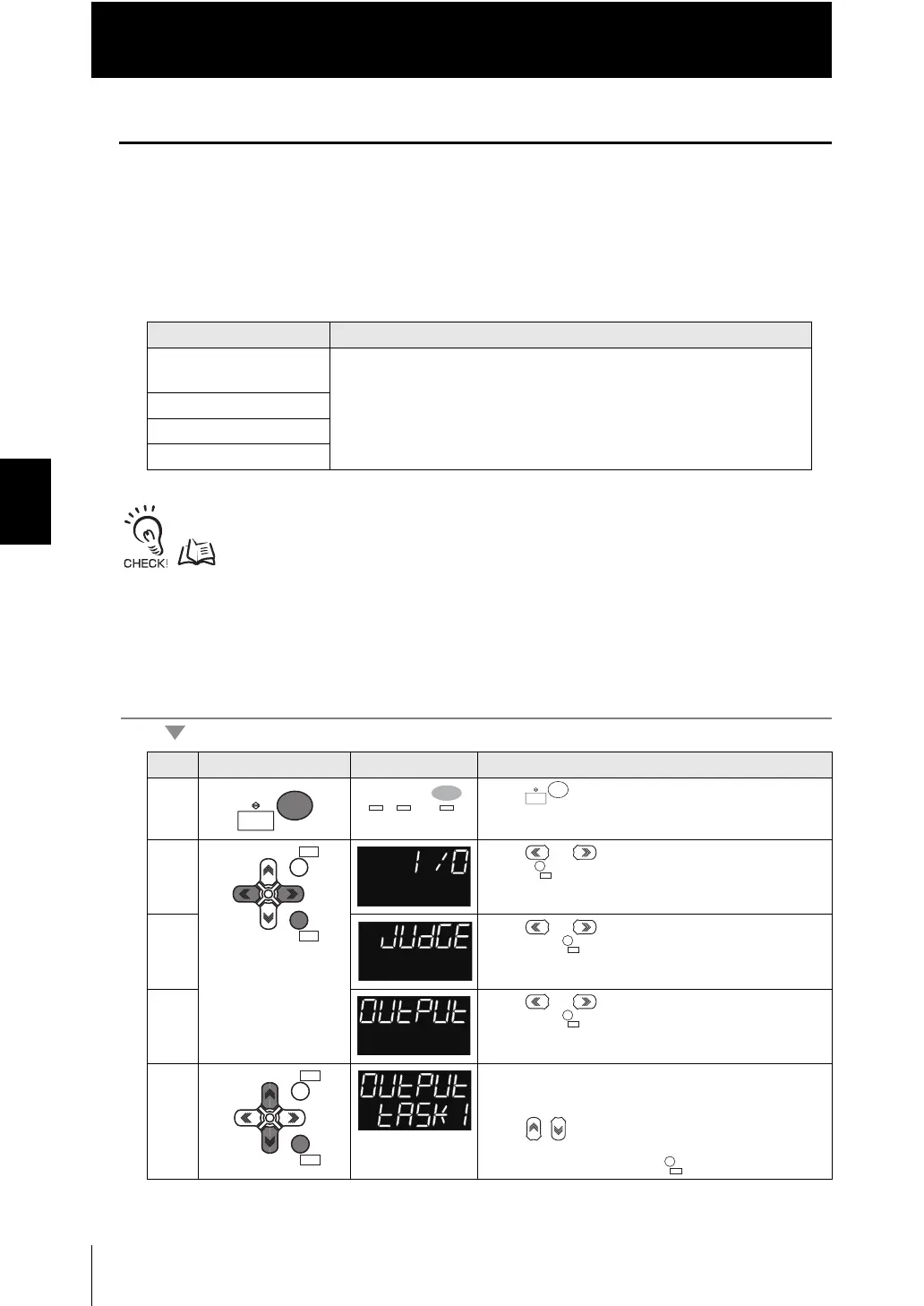
The following describes the settings for outputting the judgment results from the judgment
output of the 20-pole terminal block.
■ Assignment of judgment output
Sets the task for which to output the judgment results.
With binary output, judgment results for all the tasks can be output.
Settings for Binary Output p.4-22
As an example, here is an explanation of the procedure for outputting the judgment
results for TASK1.
Operating procedure
Setting [Display] Description
TASK1 [TASK1]
(Default value)
The judgment results for the selected task are output from the following
output terminals of the 20-pole terminal block.
•HIGH1
• PASS1
• LOW1
• BUSY1
TASK2 [TASK2]
TASK3 [TASK3]
TASK4 [TASK4]
Steps
Key operation Display Description
1 Press key for two seconds to enter the FUN
mode.
2 Press or keys to select either of "I/O" and
press key.
3 Press or keys to select either of "JUDGE"
and press key.
4 Press or keys to select either of "OUTPUT"
and press key.
5 Select "TASK1" as the task to output judgment for.
The current setting value is displayed on the sub-
display.
Press / keys to enter the editing mode, and the
sub-display blinks.
Select "TASK1" and press key.
RUN
FUN
TEACH
RUN
FUN
TEACH
ZERORST/
ESC
ZERO/
SET
ZERO/
SET
ZERORST/
ESC
ZERO/
SET
ZERO/
SET


 To Next Page
 Loading...