Chapter E: CALIBRATIONS 1 ADJUSTING AND CALIBRATING X-RAY BEAM
Technical manual Planmeca ProOne 107
1.8.1 Adjusting the layer light position
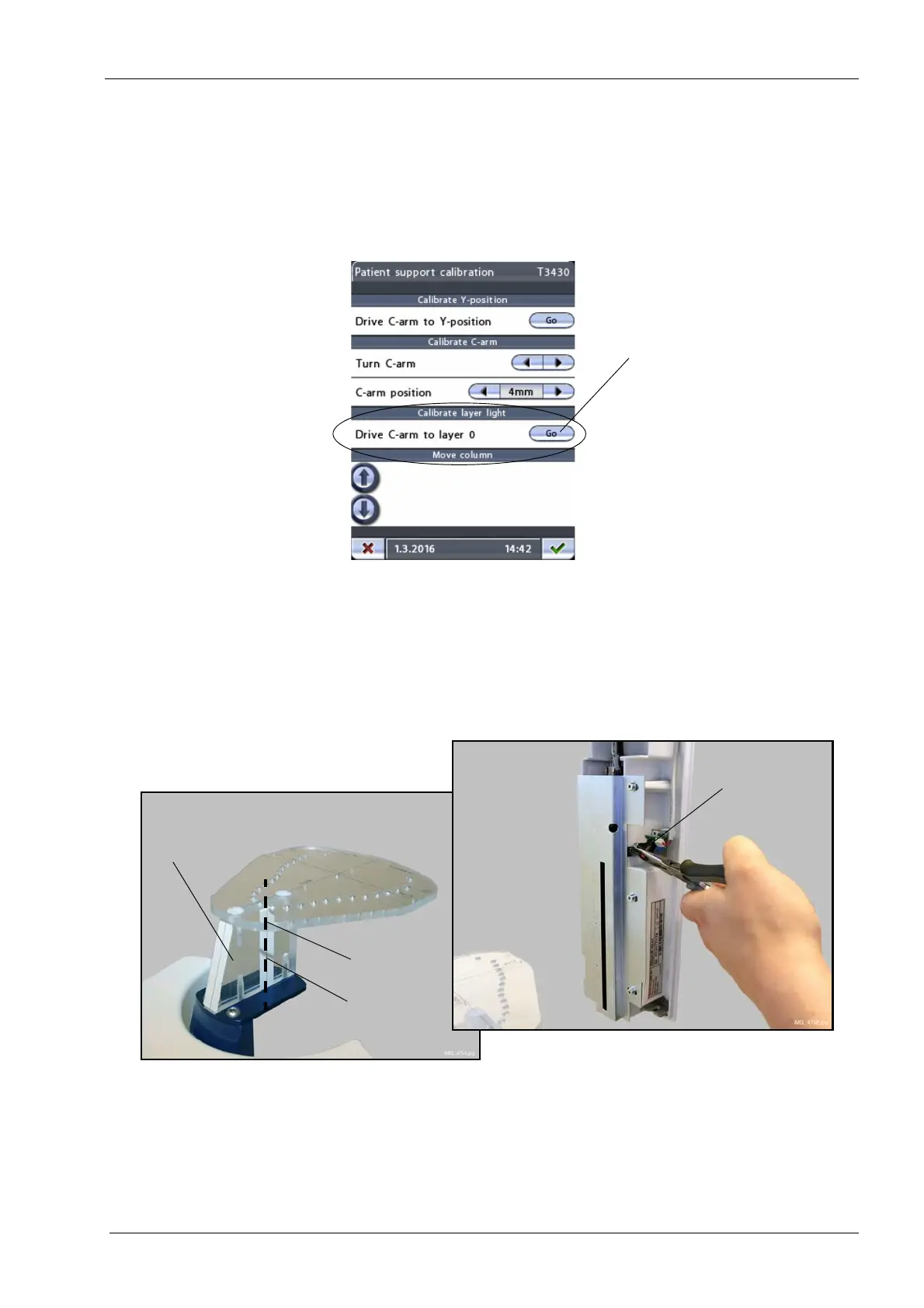
Leave the ball phantom in place.
On the
Patient support calibration (T3430)
display, touch the Go button in the field
Drive
C-arm to layer 0.
This will move the C-arm to the position where the layer light beam has
to hit the reference line on the ball phantom support plate (see figure below). The three
patient positioning lights will be automatically switched on.
Carefully adjust the position of the layer light by using a pair of pliers or a similar tool.
Adjust the layer light position until the light beam coincides with the reference line on the
ball phantom support plate.
Layer light
Sensor head
Ball phantom
support plate
Reference line
Ball phantom
Layer light
beambeam














 To Next Page