2 USER SETTINGS Chapter B: SETTINGS
34 Planmeca ProOne Technical manual
2.1 User: Set time and date (U1100)
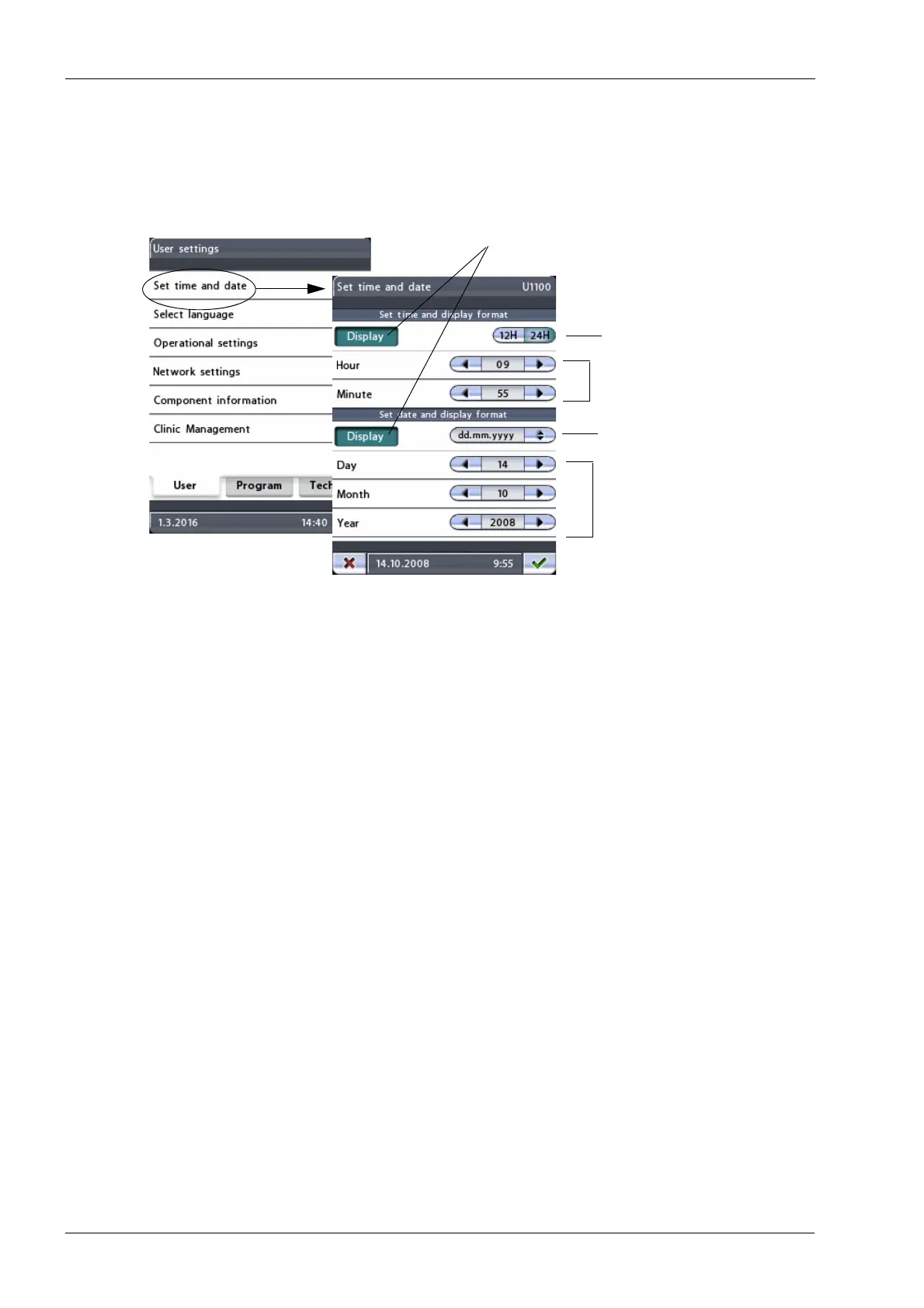
To set the X-ray unit so that the current time and/or date will be shown at the bottom of the
control panel display, first select the Set time and date (U1100) option on the
User settings
display. The
Set time and date (U1100)
display will appear.
• Set time and display format
First touch the
Display
button to set the X-ray unit so that the current time will be
shown at the bottom of the control panel display. The
Display
button will be
highlighted.
You can choose between 12 and 24 hour system for the time display. Touch the
12H
or
24H
button to select the format you wish to use. The selected format will be
highlighted.
Then set the time by touching the arrow buttons in the
Hour
and
Minute
fields.
• Set date and display format
First touch the
Display
button to set the X-ray unit so that the current date will be
shown at the bottom of the control panel display. The
Display
button will be
highlighted.
The date can be displayed in following formats: dd.mm.yyyy, mm.dd.yyyy or
yyyy.mm.dd. When you touch the date format button a display will appear where you
can select the format you wish to use.
Then set the date by touching the arrow buttons in the
Day
,
Month
and
Year
fields.
Accept the new date and time by touching the green check mark button in the bottom right
corner of the display. To exit the display without saving the changes, touch the red cross
button in the bottom left corner of the display.
Set time
Select date format
Select time format
Set date
Display time and/or date














 To Next Page