Chapter B: SETTINGS 4 TECHNICAL SETTINGS
Technical manual Planmeca ProOne 65
4.4 Technical: Calibrations (T3400)
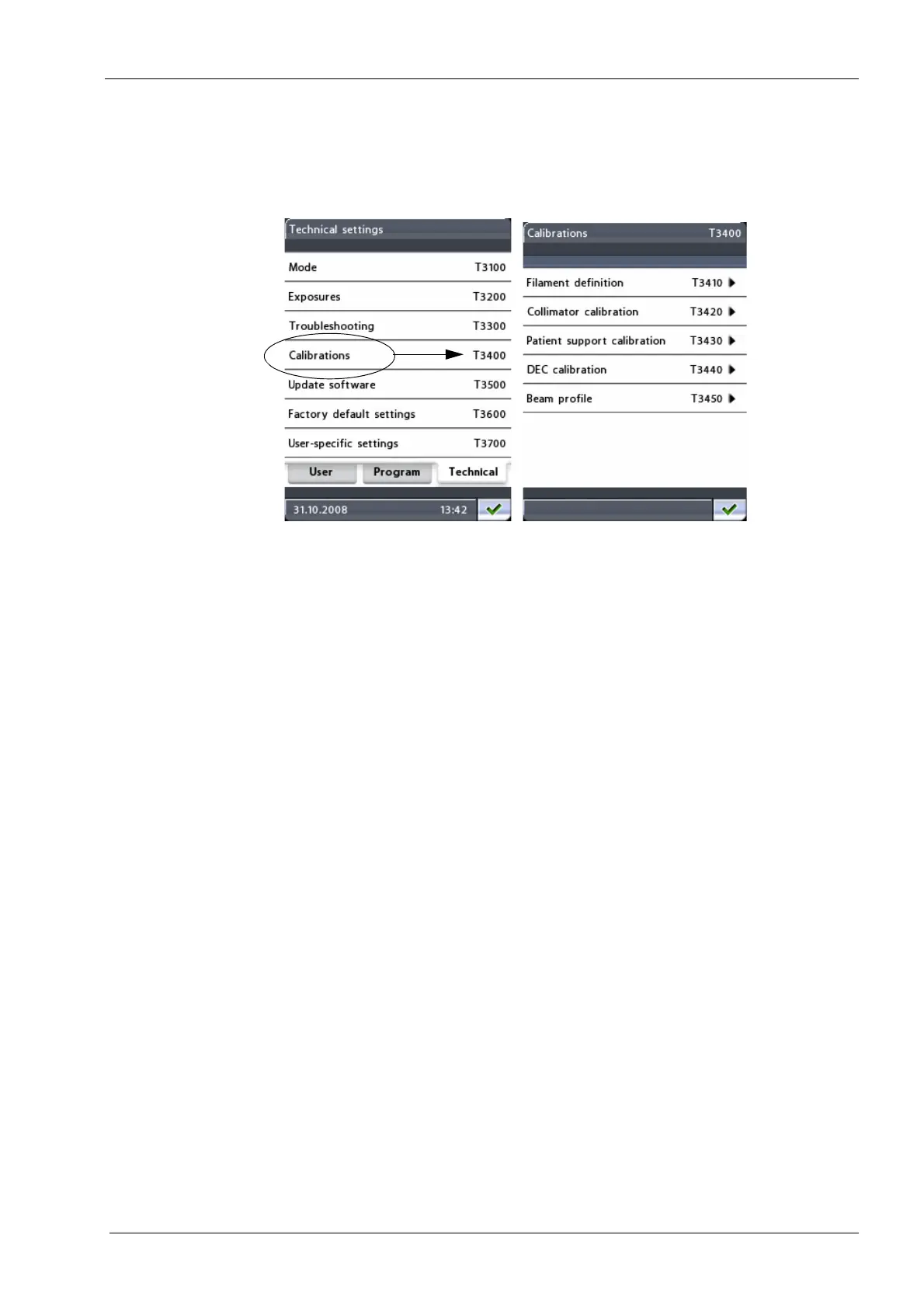
To perform filament definition, collimator calibration, patient support calibration, DEC
calibration or to monitor the beam position, first select the option Calibrations (T3400) on
the
Technical settings
display. The
Calibrations (T3400)
display will appear.
• Filament definition (T3410)
The X-ray tube filament definition must be performed when the Power Supply Unit
(PSU) assembly and/or tube head is replaced. The tube head must be cold when the
filament definition is performed.
Refer to section 4.3.1 "Filament definition" on page 159 for a detailed description on
how to perform the calibration.
• Collimator calibration (T3420)
Collimator calibration must be performed when the position of the X-ray beam is
adjusted and checked.
Refer to section 1.4 "Step 1: Adjusting the X-ray beam position" on page 92 for a
detailed description on how to perform the calibration.
• Patient support calibration (T3430)
Patient support calibration must be performed when the positions of the patient
support table and C-arm are adjusted and checked.
Refer to sections 1.5 "Step 2: Adjusting the patient support table position (ball
phantom y-line)" on page 97, 1.6 "Step 3: Adjusting the C-arm position (ball phantom
x-line)" on page 101 and 1.7 "Step 4: Checking symmetry (ball phantom x-line)" on
page 104 for a detailed description on how to perform the calibration.
• DEC calibration (T3440)
DEC (Dynamic Exposure Control) calibration must be performed before the DEC
function can be used.
Refer to section 2 "CALIBRATING DYNAMIC EXPOSURE CONTROL (DEC)" on
page 112 for a detailed description on how to perform the calibration.
NOTE: DEC calibration will be shown on the
Calibrations (T3400)
display only if DEC
has been activated on the
Program licences (P2100)
display.














 To Next Page