Chapter F: PARTS REPLACEMENT AND REPAIR 3 COLUMN PARTS REPLACEMENT
Technical manual Planmeca ProOne 127
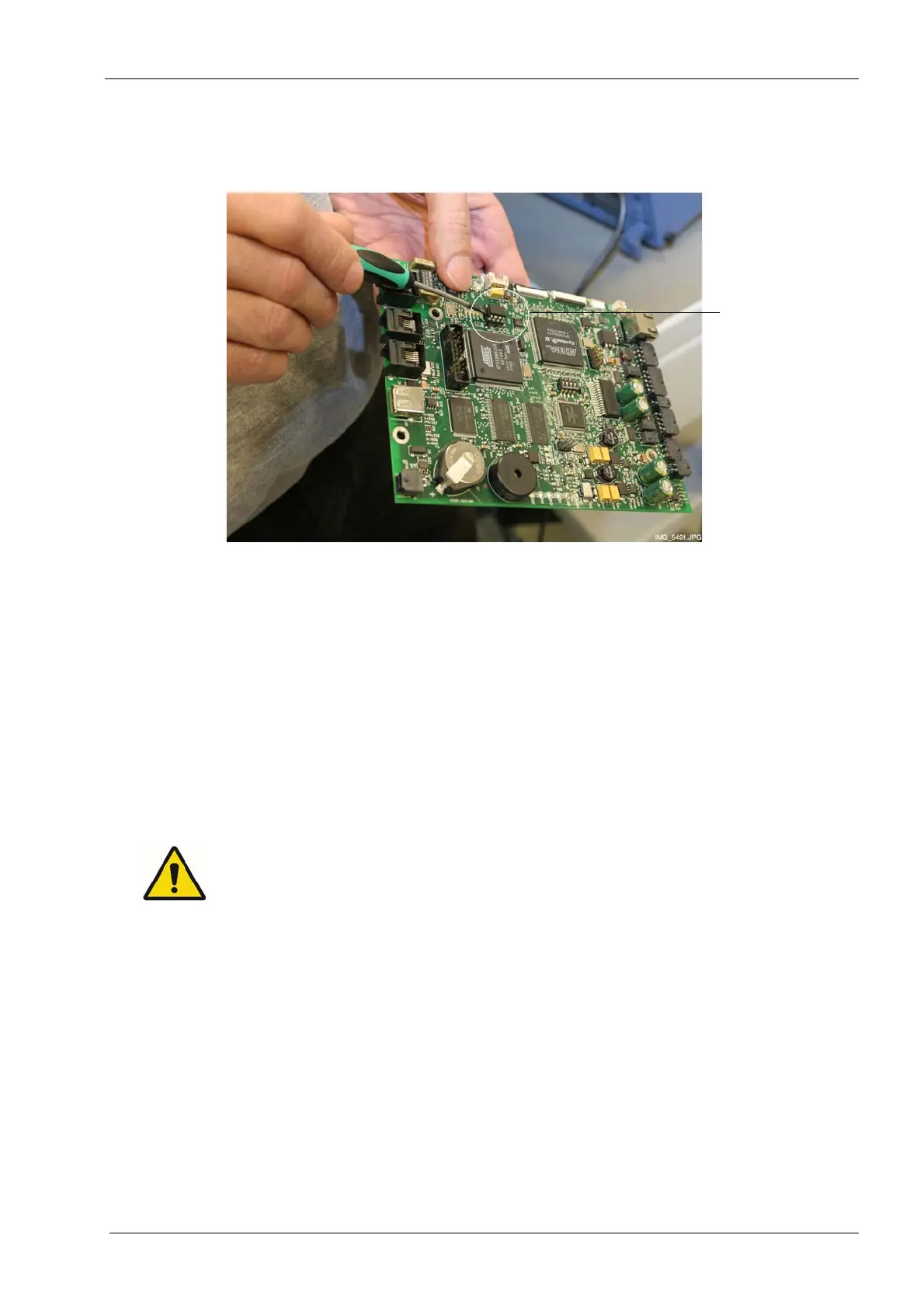
Take care not to damage the pins on the EEPROM chip or the mating socket when you
detach the chip.
Carefully attach the old EEPROM memory chip to a new CPU PCB. Install the new CPU
PCB in reverse order.
All cables and cable connectors are labeled for easy reference and assembly.
When connecting the control panel flat cable, ensure that the cable does not get twisted
and that the side with the coloured mark faces outward as shown in figure on previous
page.
3.4 Replacing battery on CPU PCB
Always turn the X-ray unit off before replacing the battery.
1. Turn off the unit from the mains switch.
2. Open the front panel of the moving column as described in section 1.1 "Opening the
front panel" on page 117.
EEPROM chip
(IC17)
Do not
damage pins!














 To Next Page