Chapter B: SETTINGS 3 PROGRAM SETTINGS
Technical manual Planmeca ProOne 53
3.6 Program: Imaging without PC (P2600)
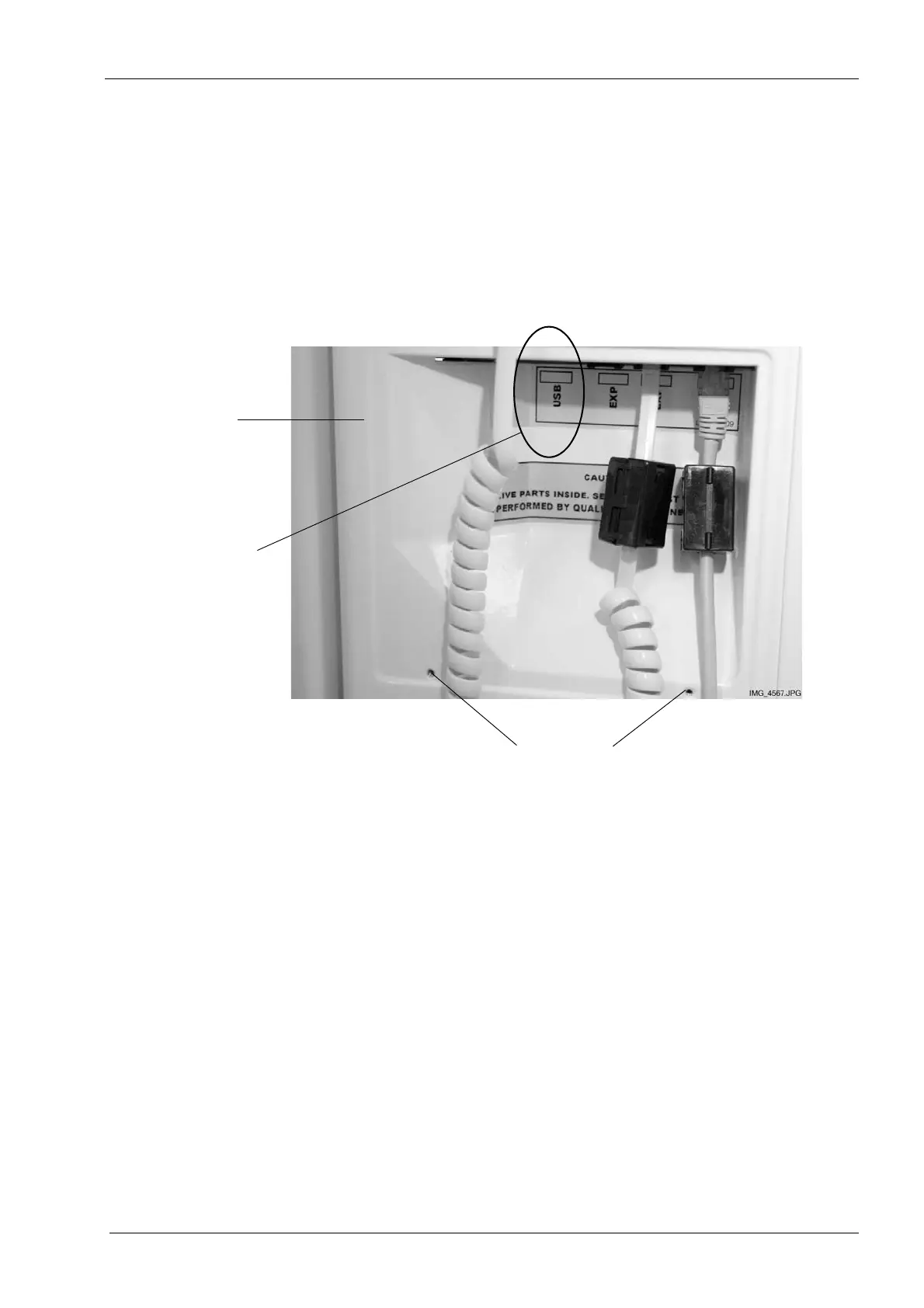
Plug a USB memory stick into the USB port on the back of the moving column as follows:
Switch the X-ray unit off. The on/off switch is located on the back of the moving column.
Remove the cover that protects the terminals by unscrewing the two screws at the bottom
and then unlatching the cover at the top. Insert a USB memory stick into the USB port
(marked USB).
Do not plug any other USB devices into the USB port.
Reattach the protective cover by first latching the cover in place at the top and then
fastening the two screws at the bottom. Then switch the X-ray unit back on.
The USB memory stick must be plugged into the USB port by a service technician only.
Select the option Imaging without PC (P2600) on the
Program settings
display. The
Imaging without PC (P2600)
display will appear.
Back of
moving column
Screws that hold the protective cover in position
Insert USB
memory stick
here














 To Next Page