1 ADJUSTING AND CALIBRATING X-RAY BEAM Chapter E: CALIBRATIONS
92 Planmeca ProOne Technical manual
1.4 Step 1: Adjusting the X-ray beam position
Remove the sensor head and tube head covers as described in sections 2.2 "Removing
the sensor head cover" on page 120 and 2.3 "Removing the tube head covers" on page
121.
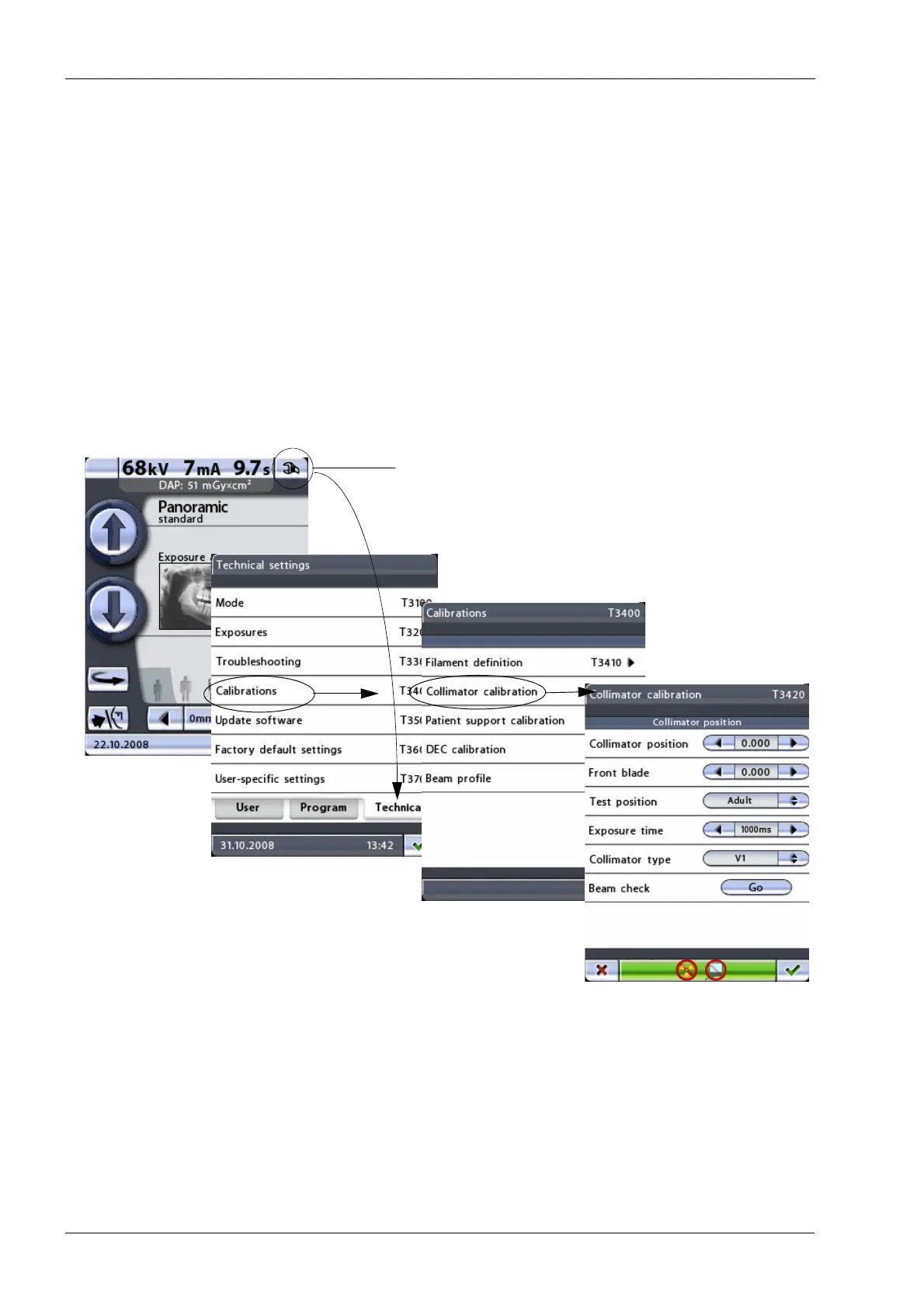
In order to prevent the C-arm from moving while you are checking the beam position, enter
the collimator calibration display as follows:
First touch the service spanner icon on the main display. The main display is the display
that is shown when the X-ray unit is switched on. Select the option Calibrations (T3400) on
the
Technical setting
s display. On the next display, select the option Collimator calibration
(T3420). The
Collimator calibration
(T3420)
display will be shown.
You need a password to gain access to the technical settings. The password needs to be
entered each time the X-ray unit is switched on. The password is 1701.














 To Next Page