Chapter E: CALIBRATIONS 1 ADJUSTING AND CALIBRATING X-RAY BEAM
Technical manual Planmeca ProOne 93
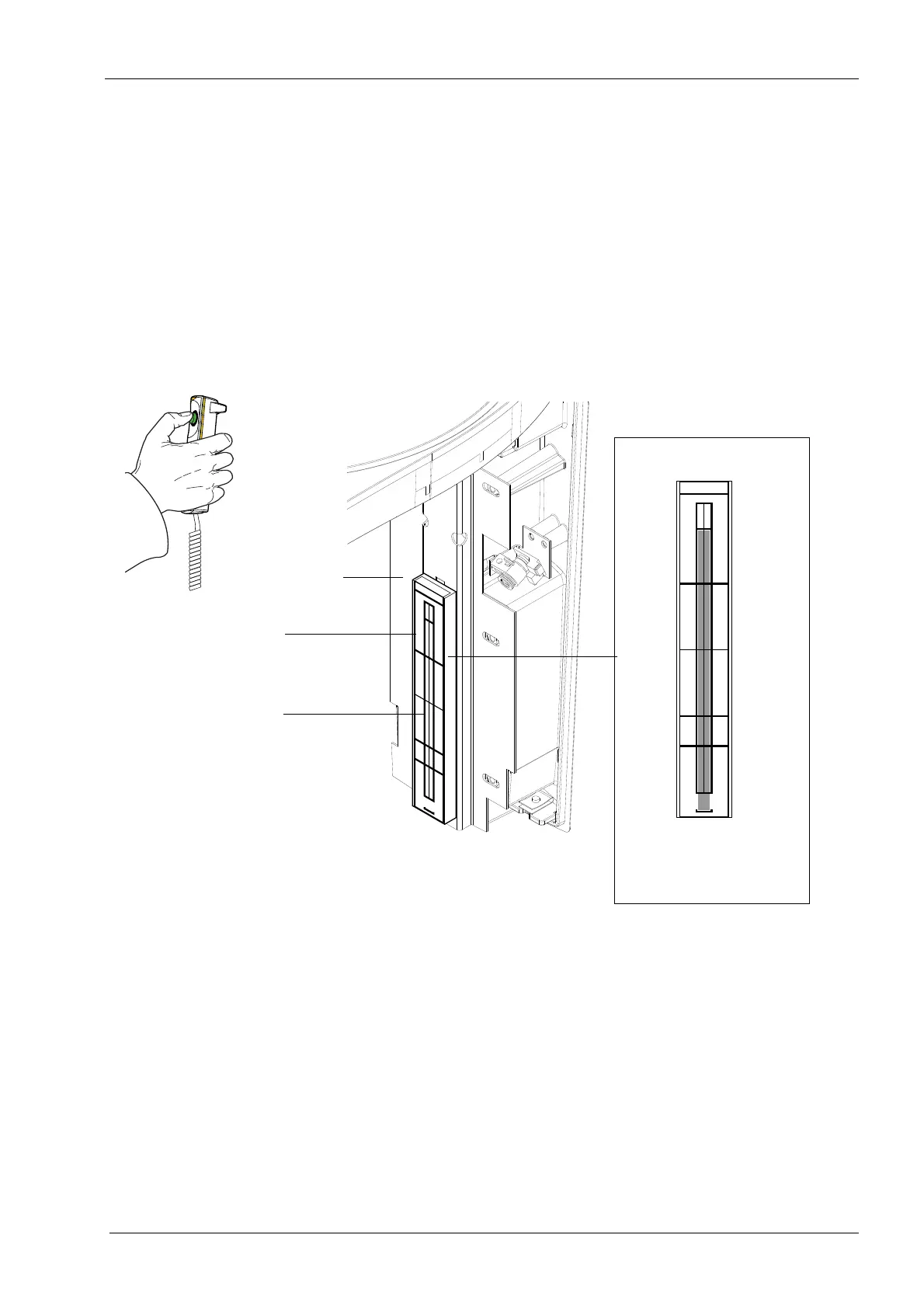
Manually position the C-arm to a convenient position for viewing the sensor head. Place
the beam alignment tool on the sensor head as shown in figure below.
Darken the room sufficiently so that you will be able to see the image of the radiation beam
on the alignment tool (it is fluorescent and will glow when the radiation beam strikes it), but
not so dark that you cannot see the borders of the alignment rectangle.
Take a test exposure. The beam image will appear on the alignment tool. Observe the
beam from behind the tube head.
Radiation is generated when the exposure button is pressed. Protect yourself from
radiation.
The beam must be vertical. Note that the correct beam position is slightly offset, i.e. the
beam has to extend outside the bottom of the alignment rectangle.
Pro_beam4.eps
No.50972
NOTE: Do not leave
the screen in daylight
PM Proline / ProMax / ProOne
x-ray beam alignment screen
DOWN
UP
Sensor head
Beam alignment tool
Alignment rectangle
No.50972
NOTE: Do not leave
the screen in daylight
PM Proline / ProMax / ProOne
x-ray beam alignment screen
DOWN
UP
Correct beam position
NOTE!
Beam outside
alignment rectangle














 To Next Page