1 ADJUSTING AND CALIBRATING X-RAY BEAM Chapter E: CALIBRATIONS
94 Planmeca ProOne Technical manual
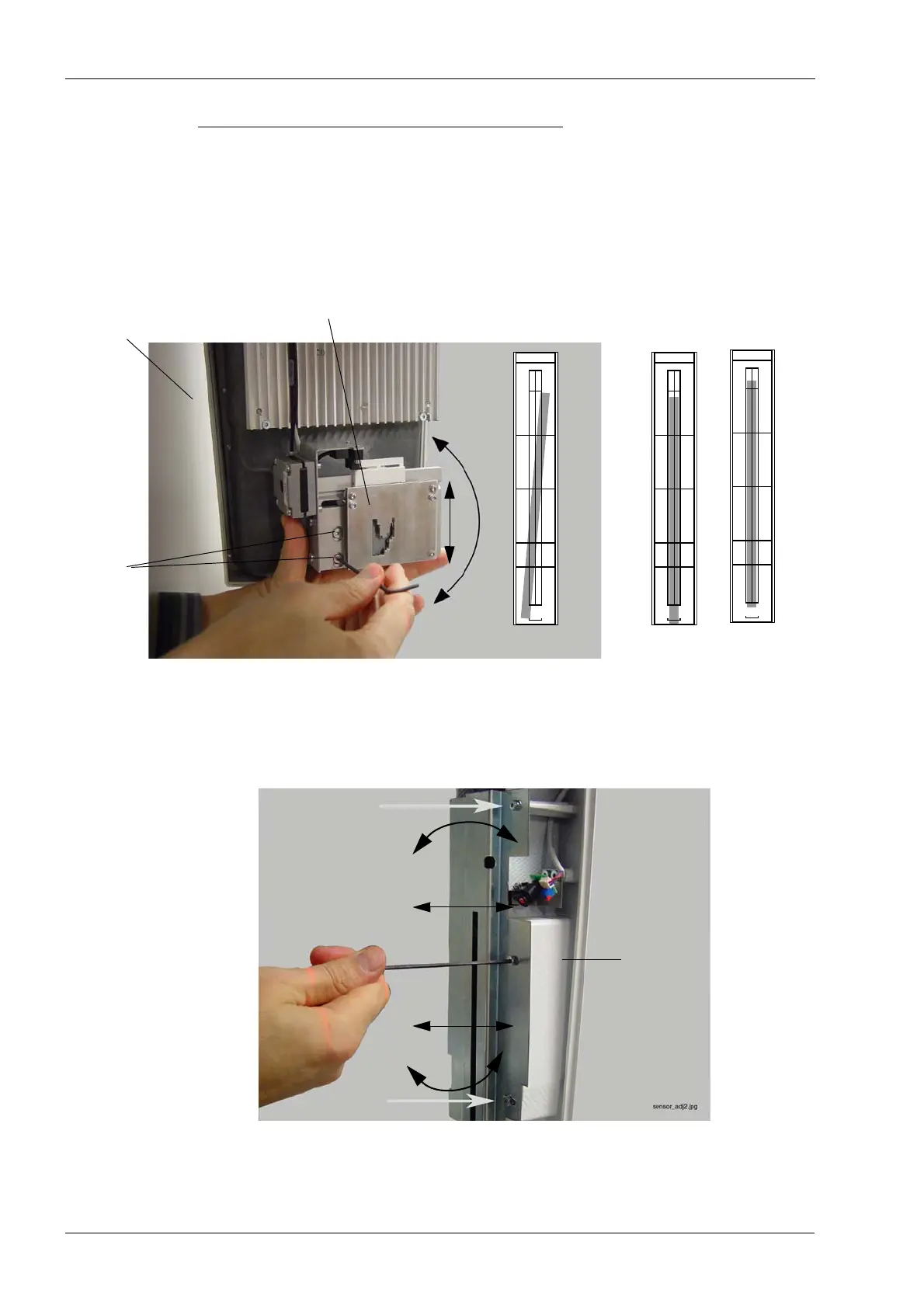
Beam not vertical, beam too low or high
If the beam is not vertical, adjust the collimator so that it is in a fully upright position. To do
this, loosen the two screws that hold the collimator in position and adjust the collimator
angle until the collimator is in a fully upright position.
If the beam is positioned too low/high, slightly move the collimator up/down accordingly.
Use a spirit level to ensure that the collimator is vertical.
If the beam is still not vertical, you will need to check and adjust the sensor position. To do
this, loosen the three screws that hold the sensor in position and reposition the sensor
until it is in a fully upright position.
Tighten the screws on both sides (collimator and sensor head) and recheck the beam
position. Repeat the procedure until the beam is correctly positioned.
Tube head
Collimator
Beam too low
Beam too high
Loosen
the screws
Beam not vertical
No.50972
NOTE: Do not leave
the screen in daylight
PM Proline / ProMax / ProOne
x-ray beam alignment screen
DOWN
UP
No.50972
NOTE: Do not leave
the screen in daylight
PM Proline / ProMax / ProOne
x-ray beam alignment screen
DOWN
UP
No.50972
NOTE: Do not leave
the screen in daylight
PM Proline / ProMax / ProOne
x-ray beam alignment screen
DOWN
UP














 To Next Page