Chapter E: CALIBRATIONS 1 ADJUSTING AND CALIBRATING X-RAY BEAM
Technical manual Planmeca ProOne 95
Do not adjust the collimator/sensor position while radiation is being generated, i.e.
when you press the exposure button. Check the beam position, make the adjust-
ments, and then recheck the beam position. If the beam is still misaligned, repeat
the procedure.
Beam too far to the left or right
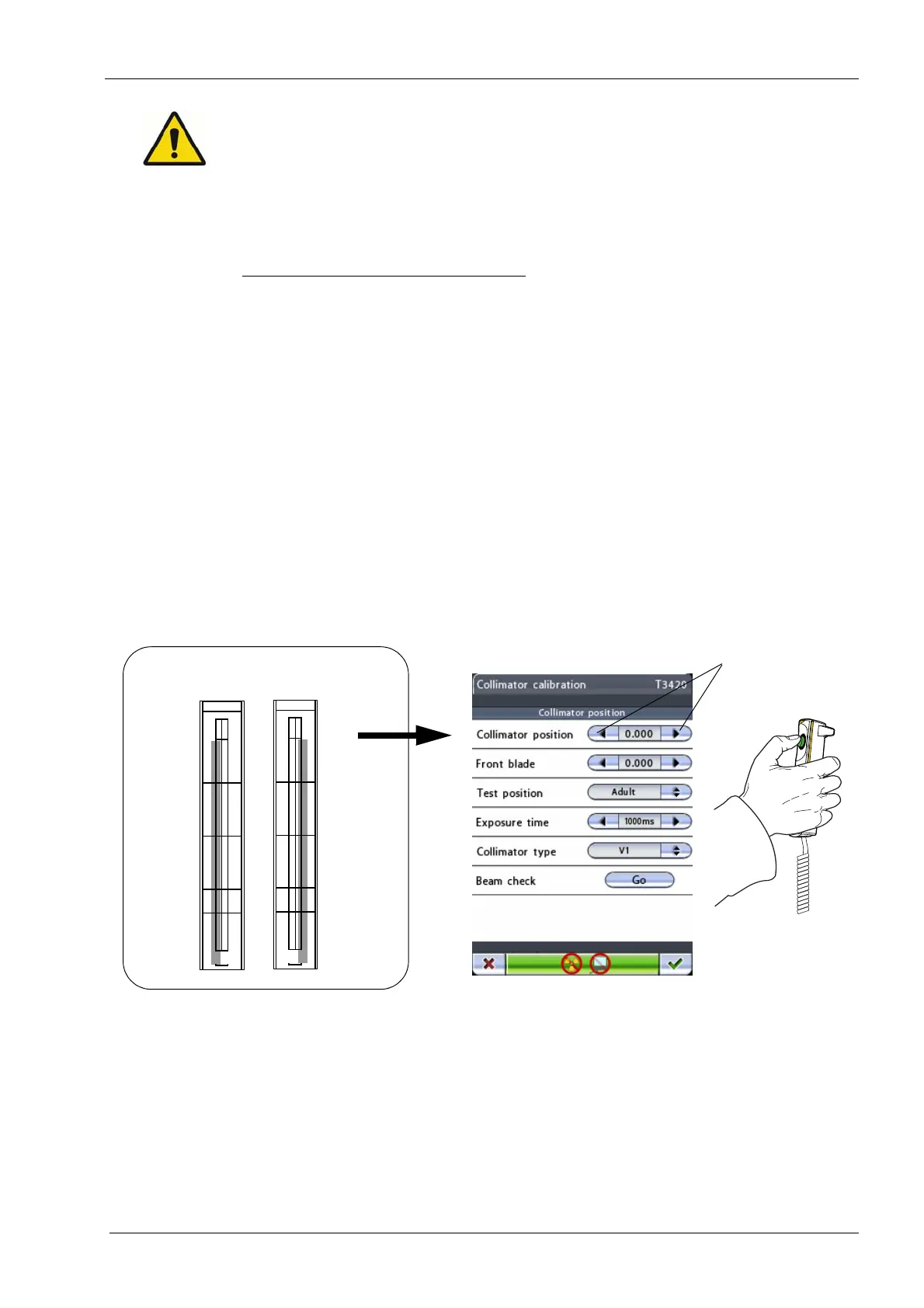
If the beam is positioned outside the alignment rectangle, i.e. the beam is too far on the left
or right, it must be centered. This is done by adjusting the values on the
Collimator
calibration (T3420)
display:
The
Collimator calibration (T3420)
display shows values for
Collimator position
and
Front
blade
.
Collimator position
centers the beam position in the horizontal direction, i.e. moves
the beam to the left or right.
Front blade
reduces the height of the beam for child
collimation.
Start by adjusting the value for
Collimator position.
Touch the left/right arrow button to
move the beam to that direction on the beam alignment tool. Move the collimator to the
selected position by touching the Go button.
Press the exposure button and check the beam position. The beam must be positioned
inside the vertical lines of the alignment rectangle. If necessary, repeat the procedure until
the beam is correctly positioned.
Radiation is generated when the exposure button is pressed. Protect yourself from
radiation.
Accept the new collimator position and exit the
Collimator calibration (T3420)
display by
touching the green check mark button in the bottom right corner of the display.
Now check the position of the front blade.
Beam too far
to the left to the right
No.50972
NOTE: Do not leave
the screen in daylight
PM Proline / ProMax / ProOne
x-ray beam alignment screen
DOWN
UP
No.50972
NOTE: Do not leave
the screen in daylight
PM Proline / ProMax / ProOne
x-ray beam alignment screen
DOWN
UP














 To Next Page