4 C-ARM AND UPPER ARM PARTS REPLACEMENT Chapter F: PARTS REPLACEMENT AND REPAIR
154 Planmeca ProOne Technical manual
4.2 Replacing the Power Supply Unit (PSU) assembly
Remove the tube head covers as described in section 2.3 "Removing the tube head
covers" on page 121.
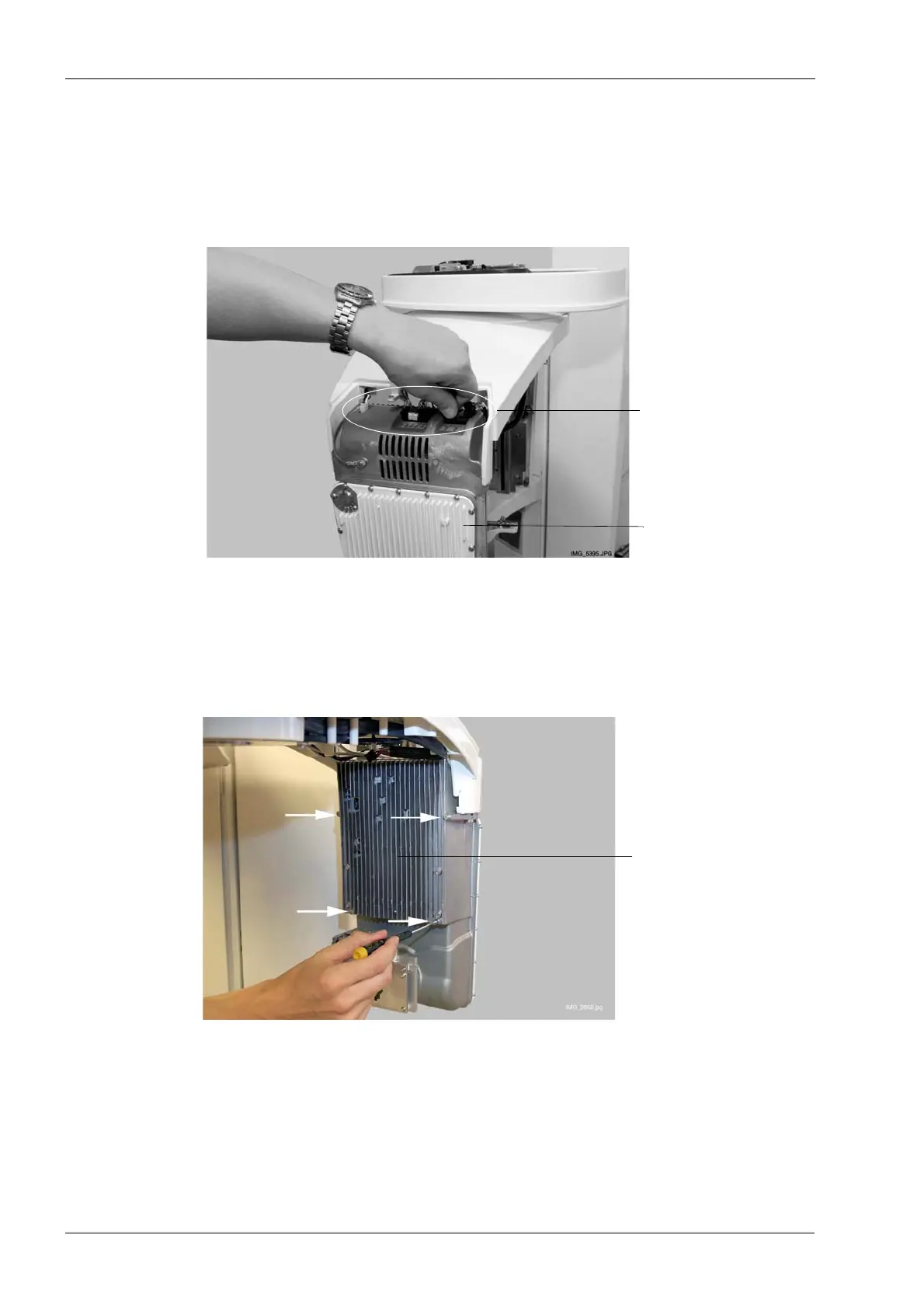
First carefully disconnect all eight cables connected to the tube head PSU PCB.
Use a 2.5 mm Allen key to unscrew the four screws that hold the Power Supply Unit (PSU)
assembly in position. The PSU PCB is attached to the PSU assembly on the rear side.
Tube head
Disconnect
eight cables
Power Supply Unit
(PSU) assembly














 To Next Page