Chapter F: PARTS REPLACEMENT AND REPAIR 3 COLUMN PARTS REPLACEMENT
Technical manual Planmeca ProOne 135
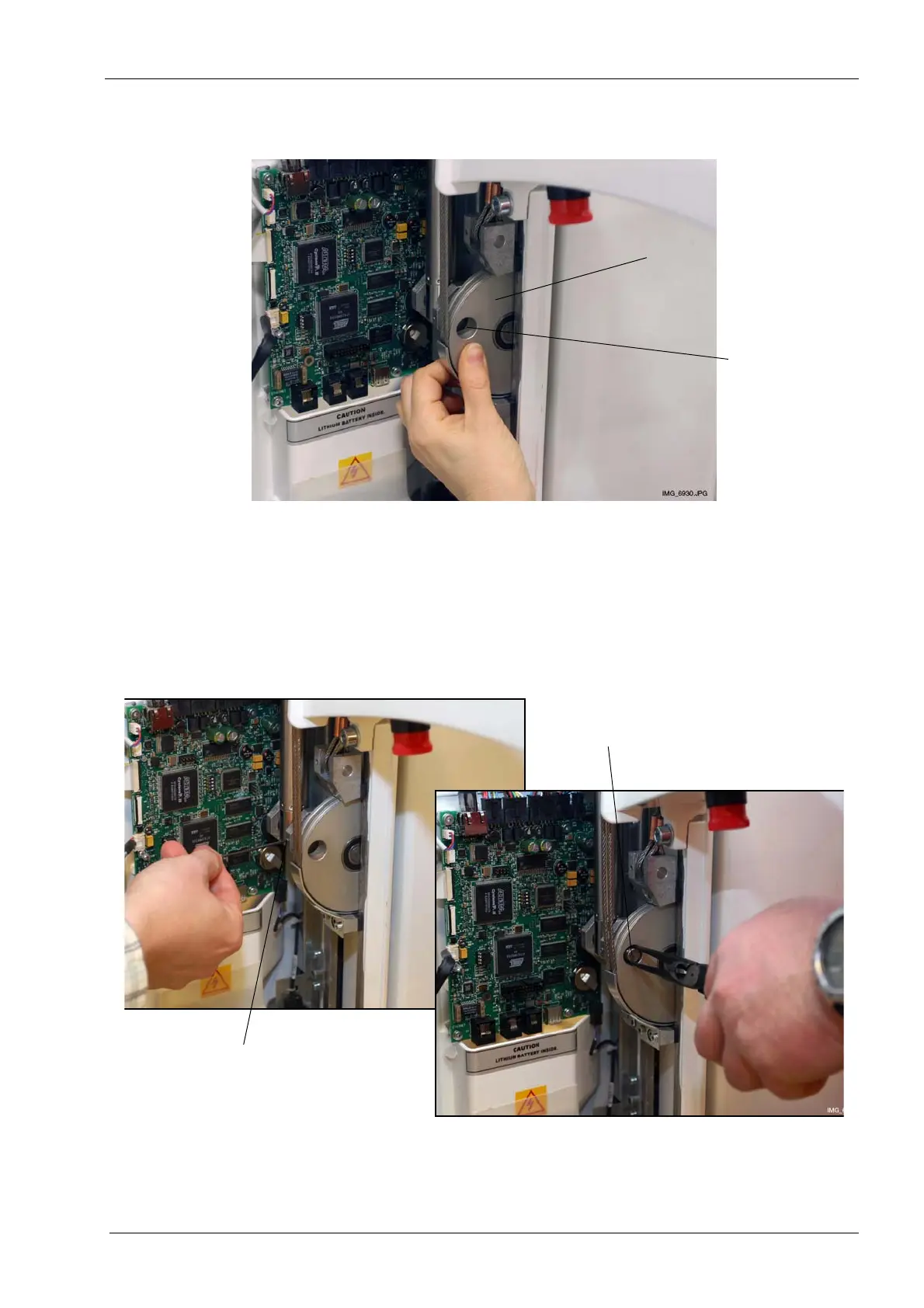
Rotate the lower steel cable pulley until the disc hole is positioned directly over the spindle
shaft.
Loosen the locking screw that holds the spindle shaft in place. Remove the spindle shaft
by firmly pushing it from the back and pulling it out at the front.
Make sure that the moving column is safely supported during this procedure; failure to
support the moving column properly might make the column fall causing a dangerous
situation and/or damage to the X-ray unit.
Lower steel cable pulley
Spindle shaft
Locking screw
Spindle shaft














 To Next Page