Chapter B: SETTINGS 4 TECHNICAL SETTINGS
Technical manual Planmeca ProOne 59
• Exhibition mode
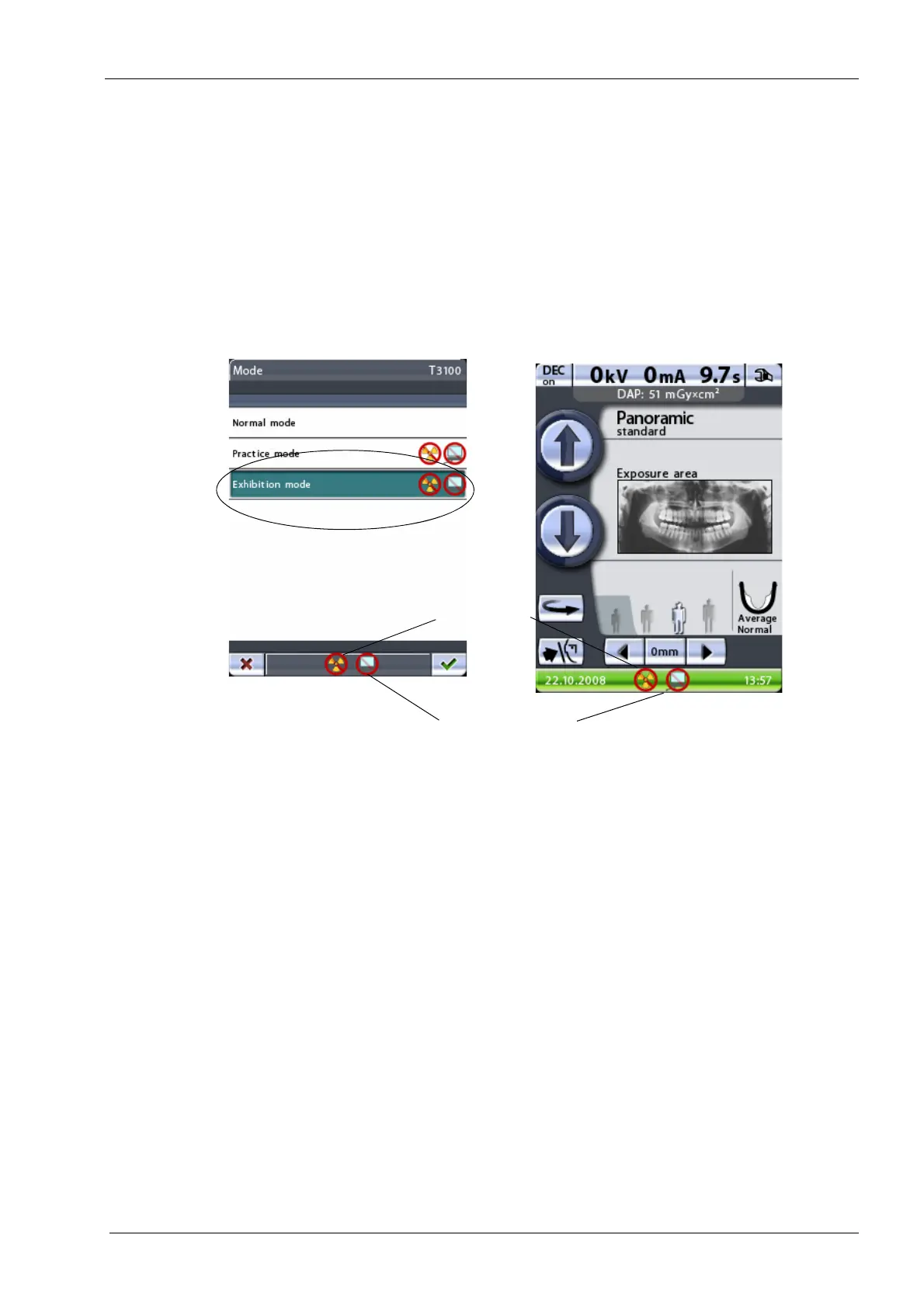
Exhibition mode enables you to demonstrate and promote all currently available
program functions to customers on exhibitions and similar events. Like in practice
mode, no radiation is generated when you press the exposure button and no
computer connection is required. The C-arm will move normally but no radiation will
be generated and no radiation warning signals will be given, i.e. this is a “dummy run”
function for demonstration purposes.
Touch the
Exhibition mode
field to switch exhibition mode on. When exhibition mode
is in use the
Exhibition mode
field is shown highlighted and symbols indicating that
radiation and PC connection are disabled will appear in the status bar on all displays.
To switch exhibition mode off, touch the
Normal mode
field.
Accept your selection by touching the green check mark button in the bottom right corner
of the display. To exit the display without saving the changes, touch the red cross button in
the bottom left corner of the display.
No PC connection
No radiation














 To Next Page