Loading Media
QL-30/60 User Guide 45
QL-30M, QL-60M, QL-30MP, QL-60MP
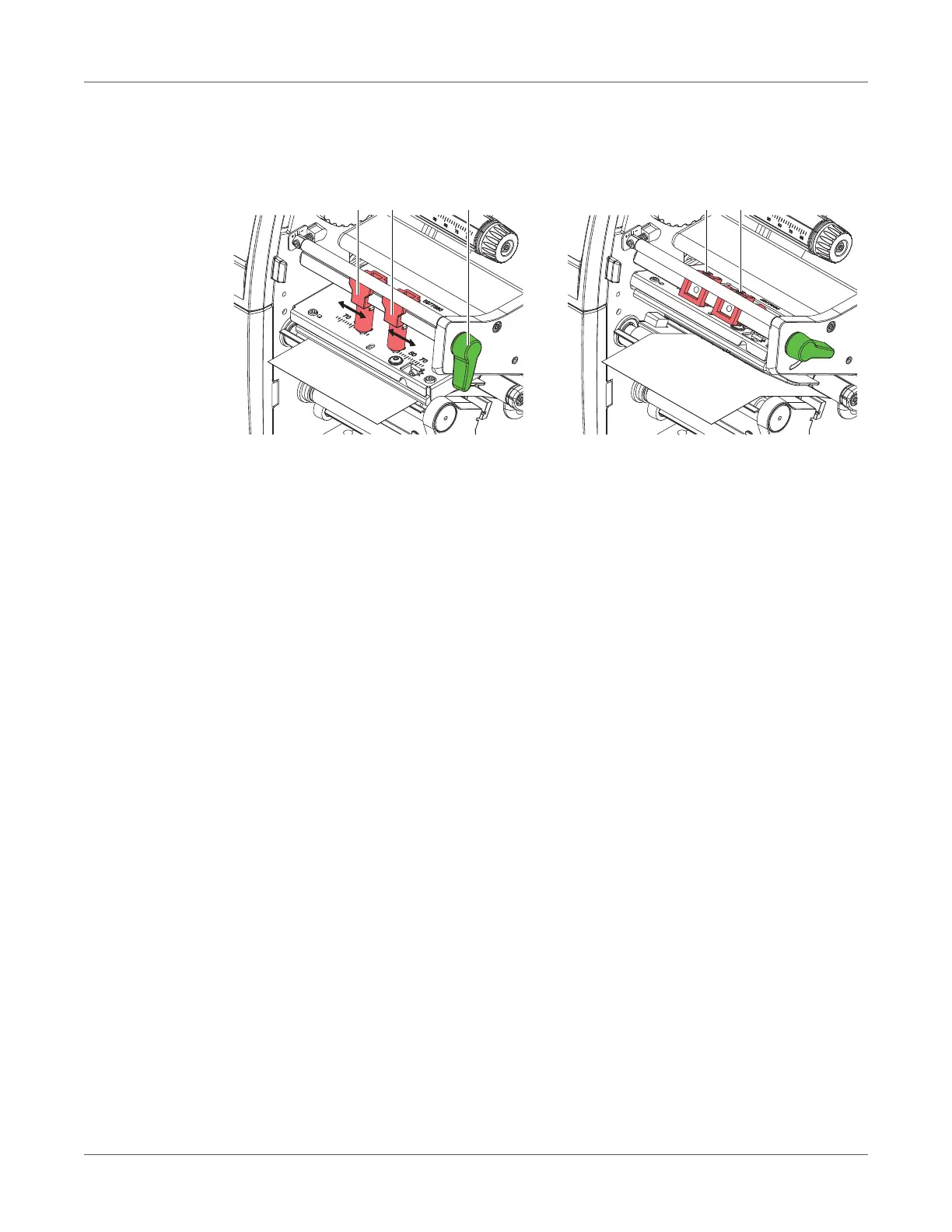
The printhead is pushed on via two plungers (1). In the basic setting the plungers are set in the
middle of the printhead retainer. This setting can be used for the most applications.
Figure 14: Setting the head locking system
If the print density decreases in the outer areas when using very large media, the plungers can
be displaced:
• Loosen threaded pins (3) at the plungers (1) with Allen key.
• Turn lever (2) clockwise to lock the printhead.
• Displace plungers to the scale value 70.
• Tighten the threaded pins (3).



 To Next Page