Loading Media
QL-30/60 User Guide 47
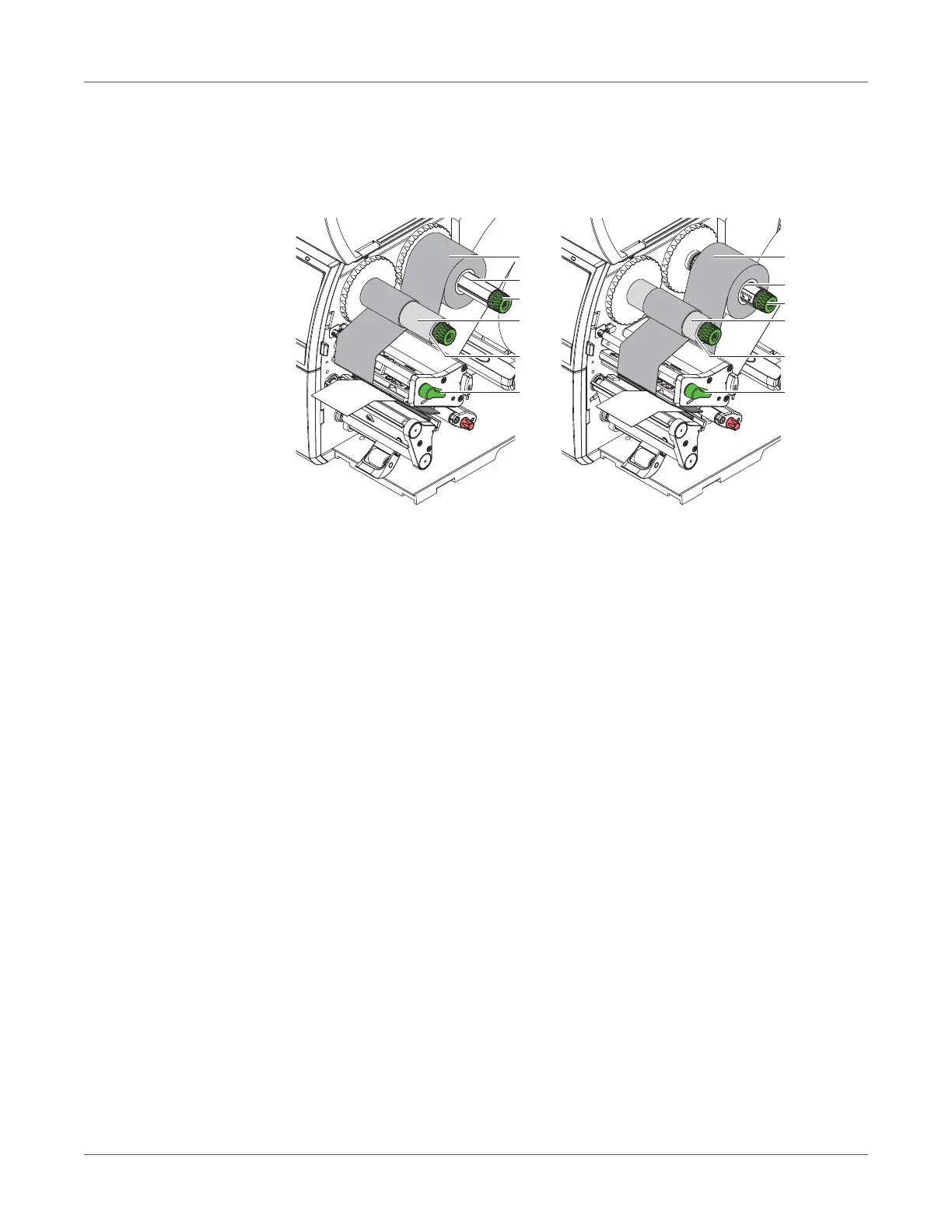
Loading Transfer Ribbon
Note: With direct thermal printing, do not load a transfer ribbon; if one has already been
loaded, remove it.
Figure 16: Loading transfer ribbon
1 Clean printhead before loading the transfer ribbon. See “Cleaning the Printhead” on page
51.
2 Turn lever (6) counterclockwise to lift the printhead.
3 Slide transfer ribbon roll (1) onto the ribbon supply hub (2) so that the color coating of the
ribbon faces downward when being unwound.
4 Position the roll.
• QL-30, QL-60, QL-30P, QL-60P - Slide the roll (3) until it stops.
• QL-30M, QL-60M, QL-30MP, QL-60MP - Position the roll in such a way that both ends
of the roll show identical scale values.
5 Hold transfer ribbon roll (1) firmly and turn knob on ribbon supply hub (3) counterclockwise
until the transfer ribbon roll is secured.
6 Slide suitable transfer ribbon core (4) onto the transfer ribbon take-up hub (5) and secure
it in the same way.
7 Guide transfer ribbon through the print unit as shown in Figure 17.
8 Secure starting end of transfer ribbon to the transfer ribbon core (4) with adhesive tape.
Ensure counterclockwise rotation direction of the transfer ribbon take-up hub here.
9 Turn transfer ribbon take-up hub (5) counterclockwise to smooth out the feed path of the
transfer ribbon.
6
1
2
3
4
5
6
1
2
3
4
5
QL-30, QL-60, QL-30P, QL-60P
QL-30M, QL-60M,



 To Next Page