Alteon Application Switch Operating System Application Guide
Load Balancing Special Services
Document ID: RDWR-ALOS-V2900_AG1302 289
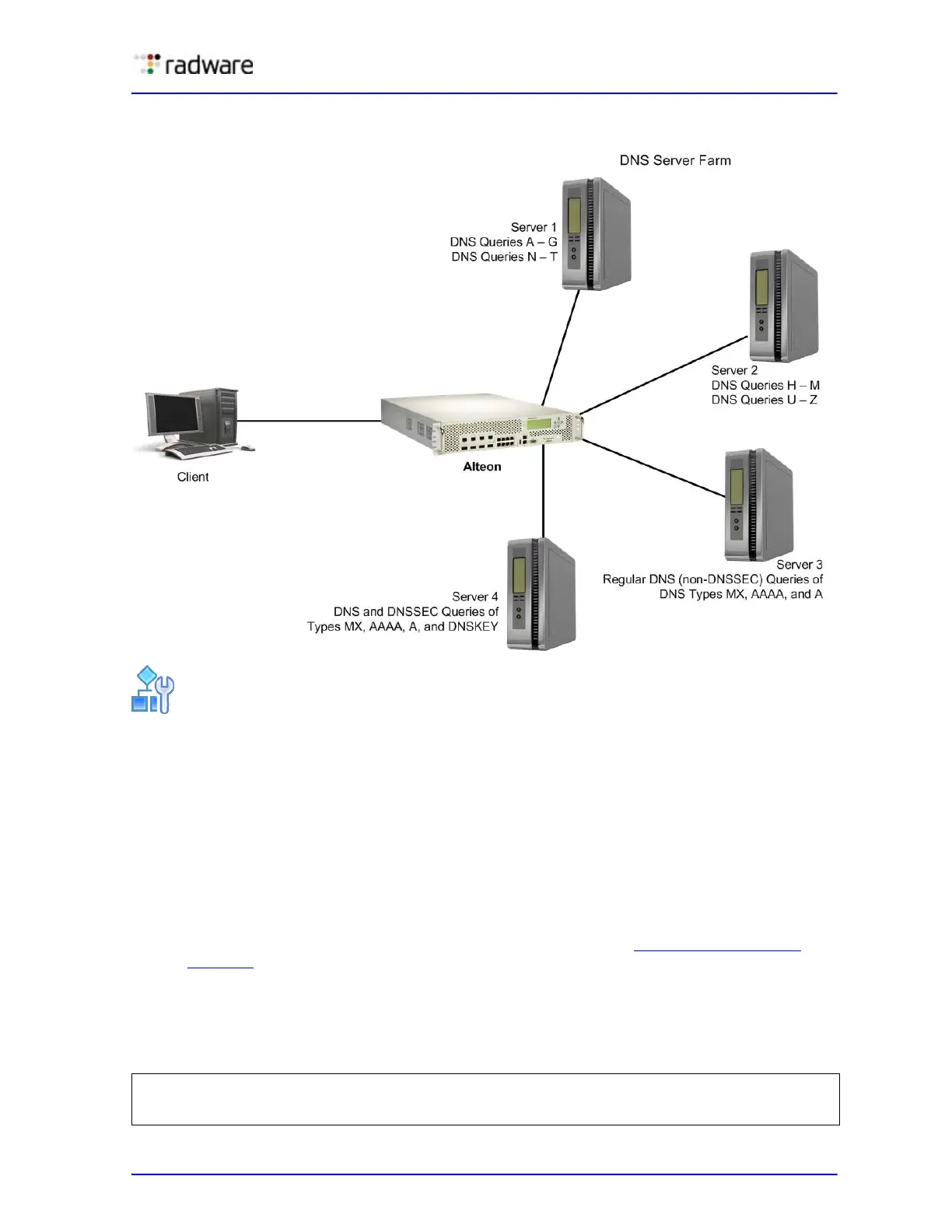
Figure 43: Load Balancing DNS Queries
To configure Alteon for DNS load balancing
1. Before you can configure DNS load balancing, ensure that Alteon is configured for basic SLB:
— Assign an IP address to each of the real servers in the server pool.
— Define an IP interface on Alteon.
— Define each real server (DNS server address).
— Assign servers to real server groups.
— Define virtual servers and services.
— Enable SLB.
— Define server port and client port.
For information on how to configure your network for SLB, see Server Load Balancing,
page 165
2. Enable DNS load balancing.
For servers 1 through 3, configure and enable a virtual server that supports only DNS load
balancing (default). Virtual Server 1 performs DNS SLB for regular DNS queries and serves
servers 1 through 3.
>> # /cfg/slb/virt 1
(Select the virtual server)
>> Virtual Server 1 # service 53
(Select the DNS service)



 To Next Page