Document ID: RDWR-ALOS-V2900_AG1302 89
Chapter 5 – Port Trunking
Trunk groups can provide super-bandwidth, multi-link connections between Alteons or other trunk-
capable devices. A trunk group is a group of ports that act together, combining their bandwidth to
create a single, larger virtual link. This chapter provides configuration background and examples for
trunking multiple ports together either in a static (manually configured) trunk group, or dynamic
trunk group using Link Aggregation Control Protocol (LACP).
The following topics are addressed in this chapter:
• Overview, page 89
• Static Port Trunking, page 91
• Link Aggregation Control Protocol Trunking, page 93
Overview
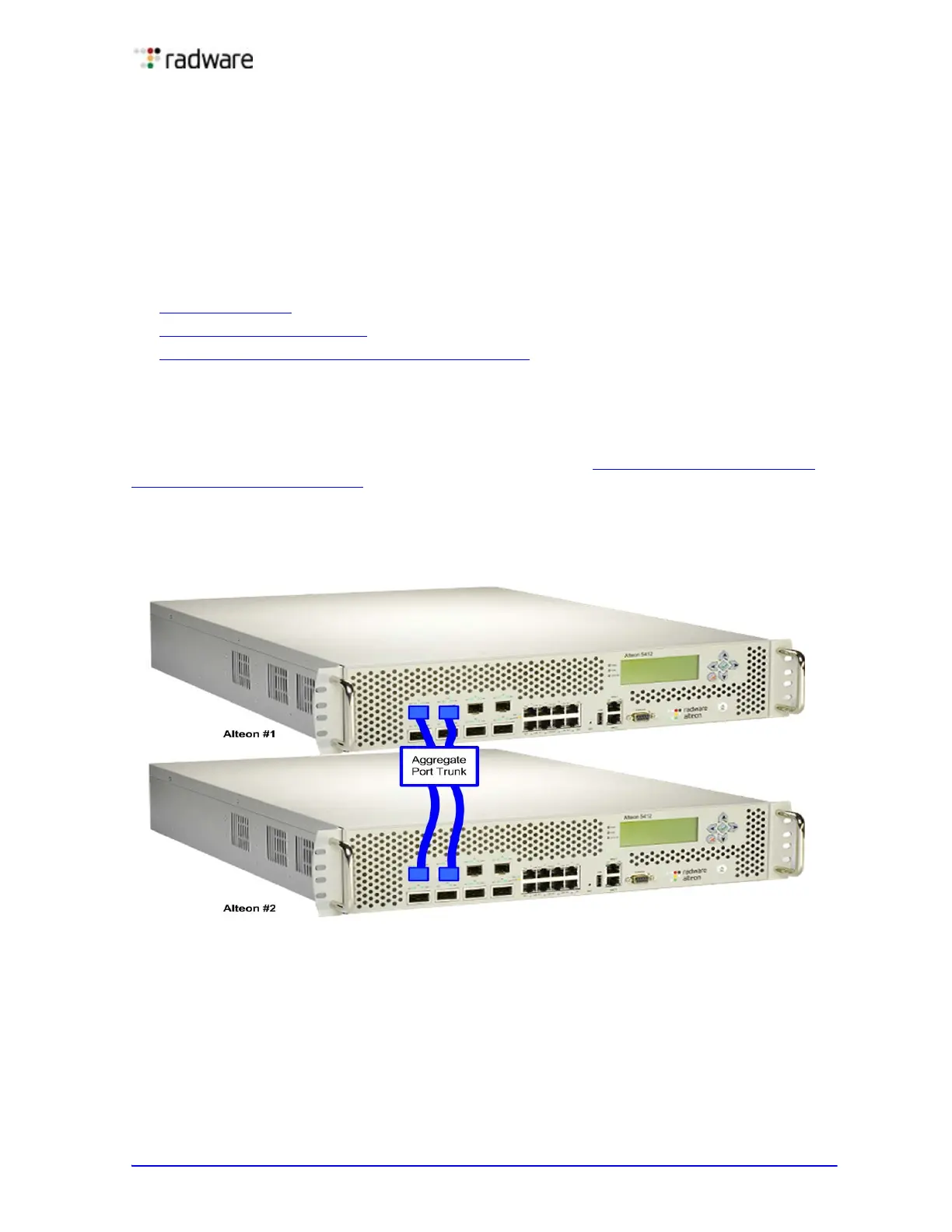
When using port trunk groups between two Alteons, as shown in Figure 5 - Example Port Trunk
Group Between Alteons, page 89, you can create a virtual link between Alteons operating up to 4
gigabits per second, depending on how many physical ports are combined. Alteon supports up to 12
static trunk groups per Alteon, each with two to eight ports per group.
Figure 5: Example Port Trunk Group Between Alteons
Trunk groups are also useful for connecting an Alteon to third-party devices that support link
aggregation, such as Cisco routers and switches with EtherChannel
®
technology (not ISL trunking
technology) and Sun's Quad Fast Ethernet Adapter. Trunk group technology is compatible with these
devices when they are configured manually.



 To Next Page