Alteon Application Switch Operating System Application Guide
VLANs
Document ID: RDWR-ALOS-V2900_AG1302 85
VLANs and Default Gateways
Alteon lets you assign different gateways for each VLAN. You can effectively map multiple customers
to specific gateways on a single Alteon. The benefits of segregating customers to different default
gateways are:
• Resource optimization
• Enhanced customer segmentation
• Improved service differentiation
Segregating VLAN Traffic
Deploy this feature in an environment where you want to segregate VLAN traffic to a configured
default gateway.
Example Segregation of VLAN Traffic
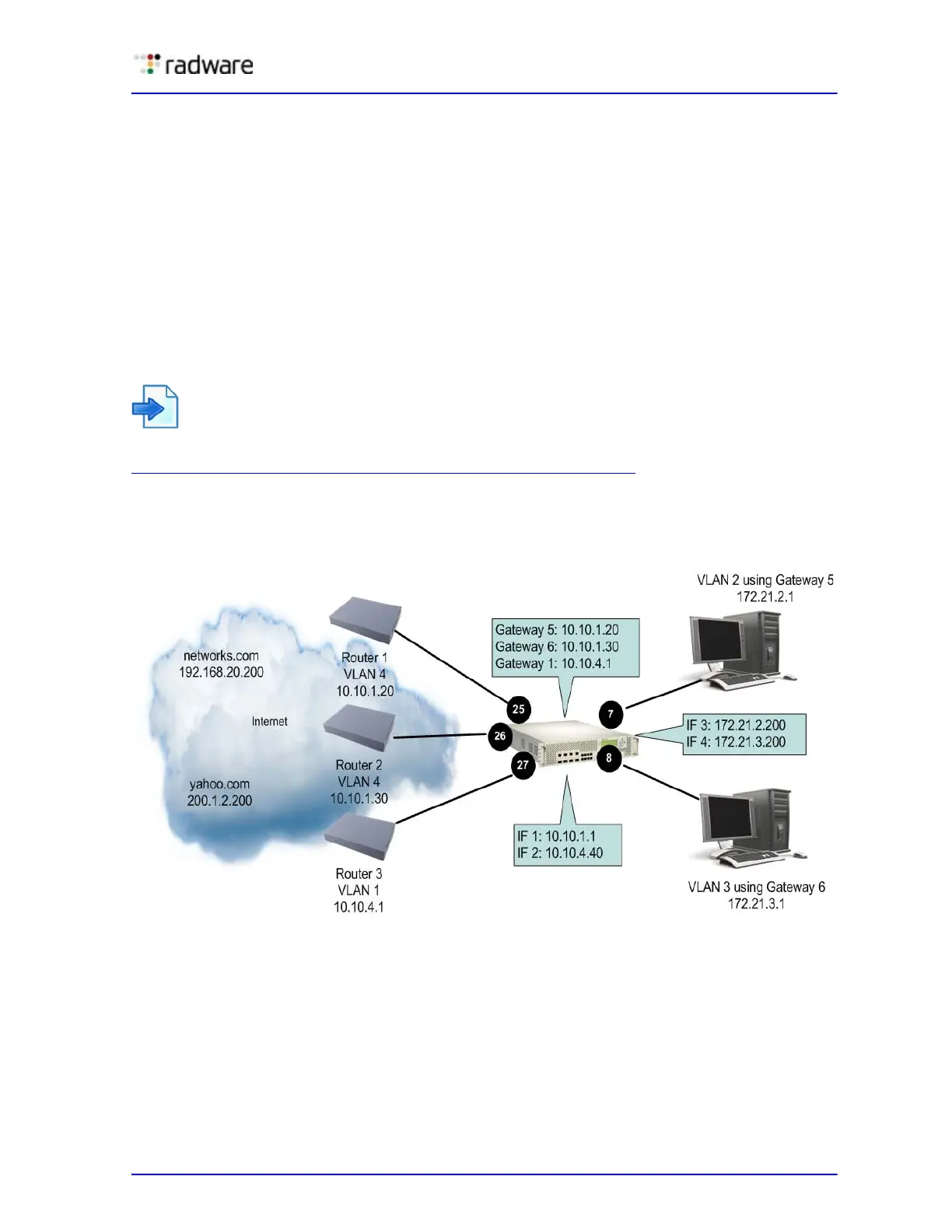
Figure 4 - Example Segregation of VLAN Traffic Configuration, page 85 illustrates a configuration
where VLANs 2 and 3 have different routing requirements. VLAN 2 is required to route traffic
through default gateway 5 and VLAN 3 is required to route traffic through default gateway 6.
Figure 4: Example Segregation of VLAN Traffic Configuration
You can configure up to 255 gateways with one gateway per VLAN with values starting from 5
through 259. If the gateways per VLAN fail, then traffic is directed to default gateways 1 through 4.
Default gateways 1 through 4 are used for load balancing session requests and as backup when a
specific gateway that has been assigned to a VLAN is down.
If gateways 5 or 6 fail, then traffic is directed to default gateway 1, which is configured with IP
address 10.10.4.1. If default gateways 1 through 4 are not configured, then packets from VLAN 2
and VLAN 3 are discarded.



 To Next Page