100 • secamVSA 535/seca mBCA 525
17-10-05-353-002g_10-2020 B
Viewing details
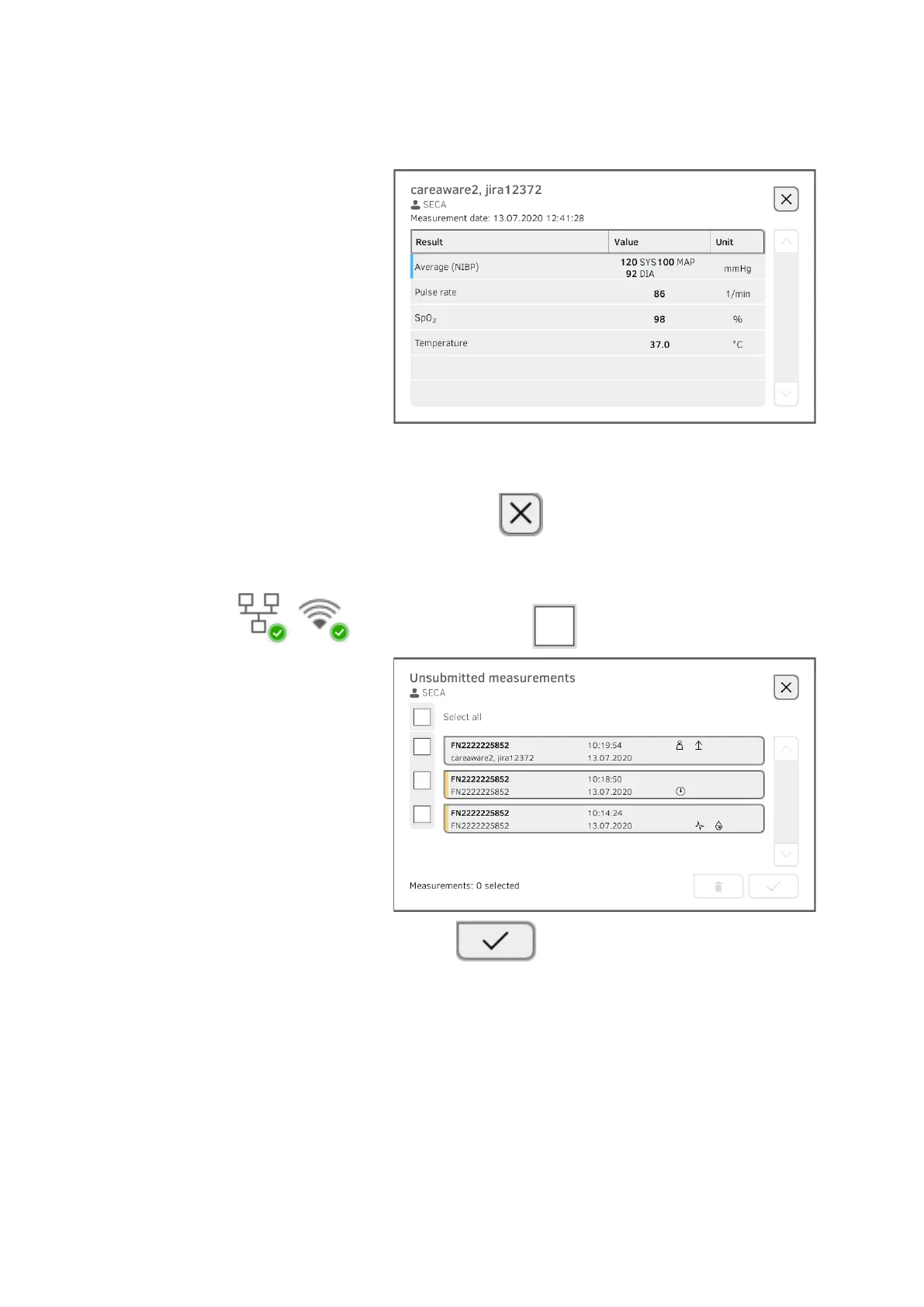
1. Press a measurement.
The details of the measurement are displayed:
NOTE
Measurements marked blue contain mean values. If you press the
measurement, you can view the individual results.
2. Press the button to close Detail view.
Submitting the measurement
1. Ensure that the connection to the EMR system is active:
2. Press the checkboxes of the measurements to be submitted:
3. Press the button.
The measurements are submitted to the EMR system.
The measurements are deleted from the list.
NOTE
In the EMR system, measurements from the Unsubmitted measure-
ments list are not assigned to the user who performed the measure-
ments, but to the user who submitted them.



 To Next Page