Setting up peripherals • 171
English
17-10-05-353-002g_10-2020 B
Activating the WiFi connection 1. Ensure that the measuring mat – if present – is correctly suspended in the
magnetic catch of the monitor.
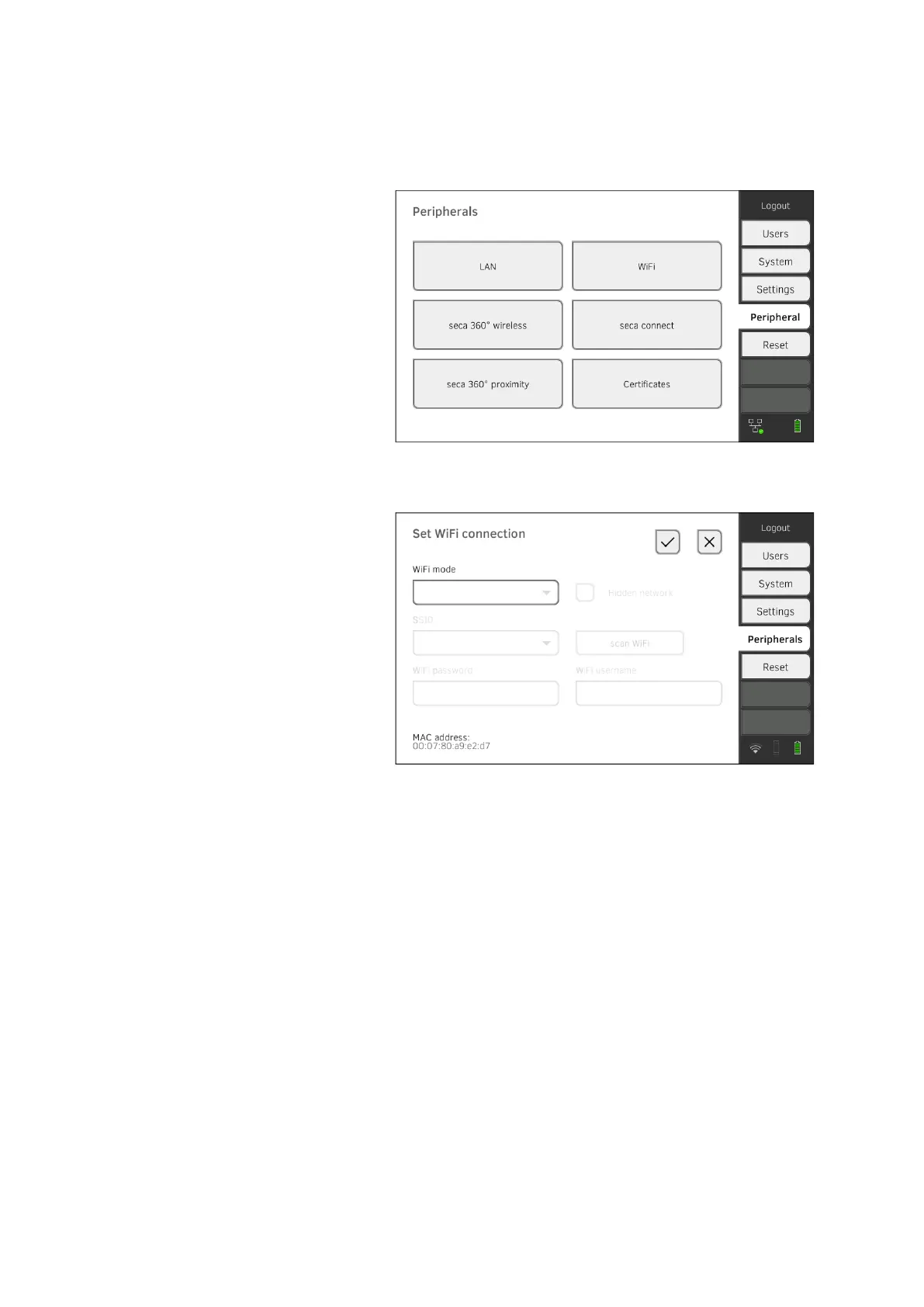
2. Press the Peripherals tab.
3. Make sure that the LAN connection to the network is not active
➔ Deactivating the LAN connection.
4. Press the WiFi button.
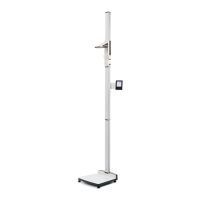
5. In the WiFi mode drop-down menu, press the WiFi client (network)
setting.
6. Make the setting applicable to your WiFi network:
► Visible network: Press the Scan WiFi button
► Hidden network: Press the Hidden network button
7. Enter the SSID for your network:
► Visible network: Select SSID from drop-down menu
► Hidden network: Enter SSID manually
8. Enter the user name and password for the network.
NOTE
In some networks, no user name is required. In this case, the input
field is grayed out.



 To Next Page