Connecting to an EMR system • 185
English
17-10-05-353-002g_10-2020 B
6.2 Assigning a clear device name
For the device to be connected to an EMR system, it needs to be assigned a
clear device name. Under this device name, the device transmits a heartbeat
to the network every 30 seconds.
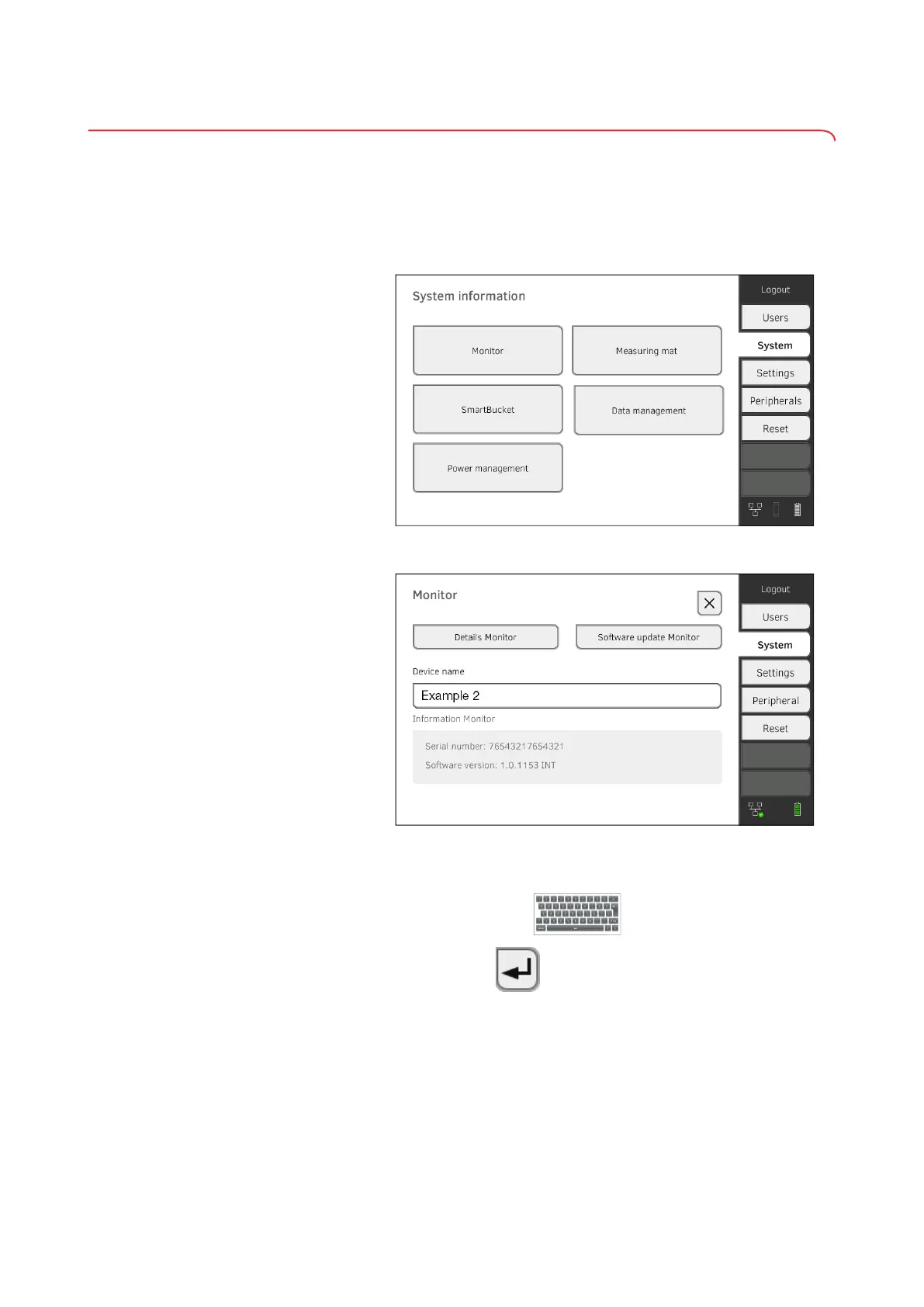
To assign a device name, proceed as follows:
1. Log in as administrator.
2. Press the System tab.
3. Press the Monitor button.
The Monitor dialog window is shown:
4. Enter a clear device name in line with the naming conventions of your
institution:
a) Press the Device name input field
b) Use the keypad : Enter the device name
c) Press the button: Confirm entry



 To Next Page