Connecting to an EMR system • 187
English
17-10-05-353-002g_10-2020 B
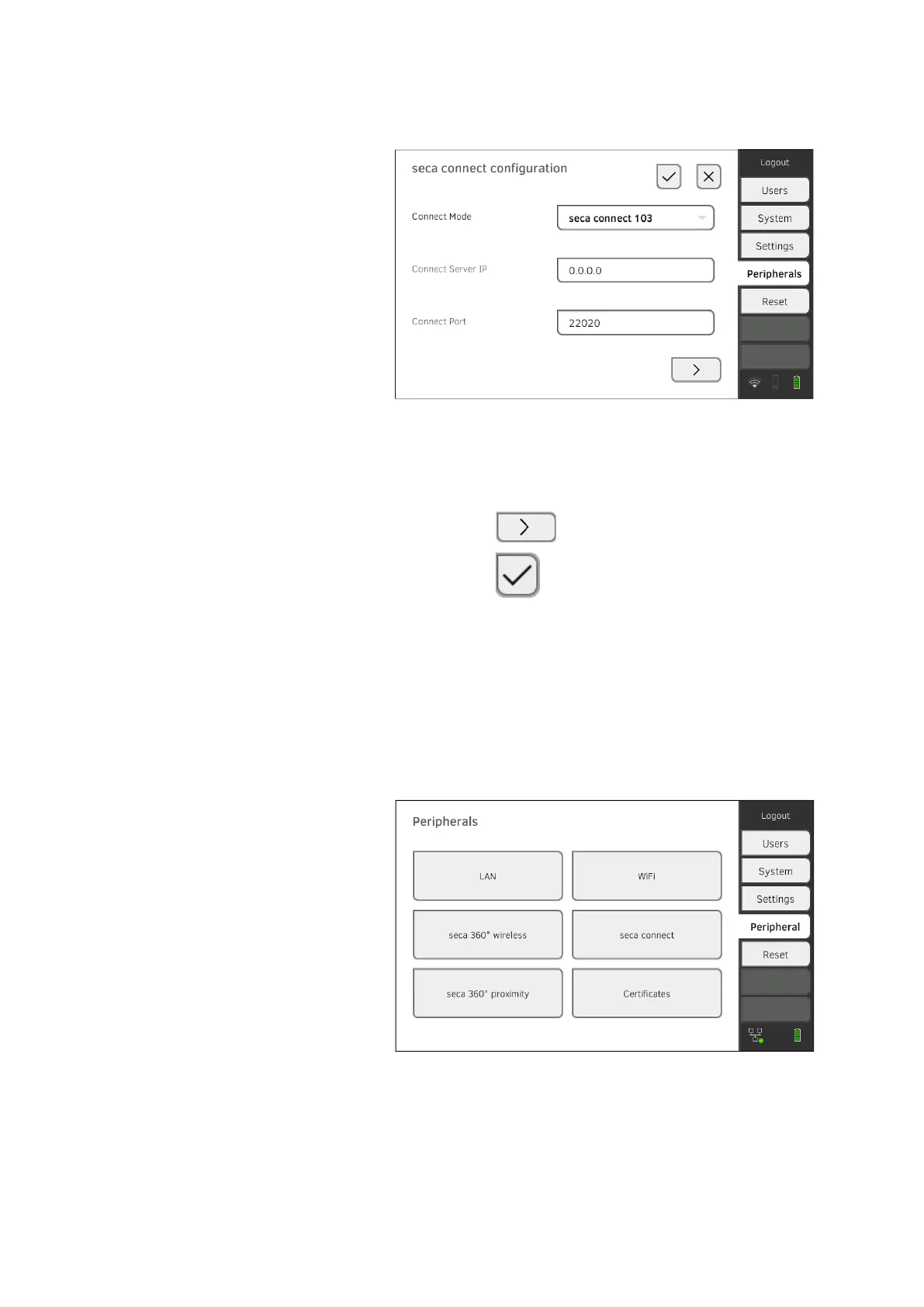
3. In the Connect Mode drop-down menu, select the option
seca connect 103.
4. Enter the connection data for the
seca connect 103 software:
► Enter the IP address of the server on which the
seca connect 103
is installed
► Enter the port for the
seca connect 103 (recommended: 22020)
You have the following options for continuing:
► Press the button: ➔ Making workflow settings
► Press the button: Adopt settings
Making workflow settings You can specify the following settings for the measuring sequence and
communication with the EMR system:
• Password settings for the user ID
• Scan sequence for user and patient ID
• Permit offline measurements if the EMR system connection is interrupt-
ed (recommended for mobile use or difficult WiFi reception conditions)
• Enter an organization ID – to assign the device to a department in your
institution, for example
1. Press the Peripherals tab.
2. Press the seca connect button.
3. Ensure that in the Connect Mode drop-down menu the option
seca connect 103 is selected.



 To Next Page