Cirklon Sequencer User Manual
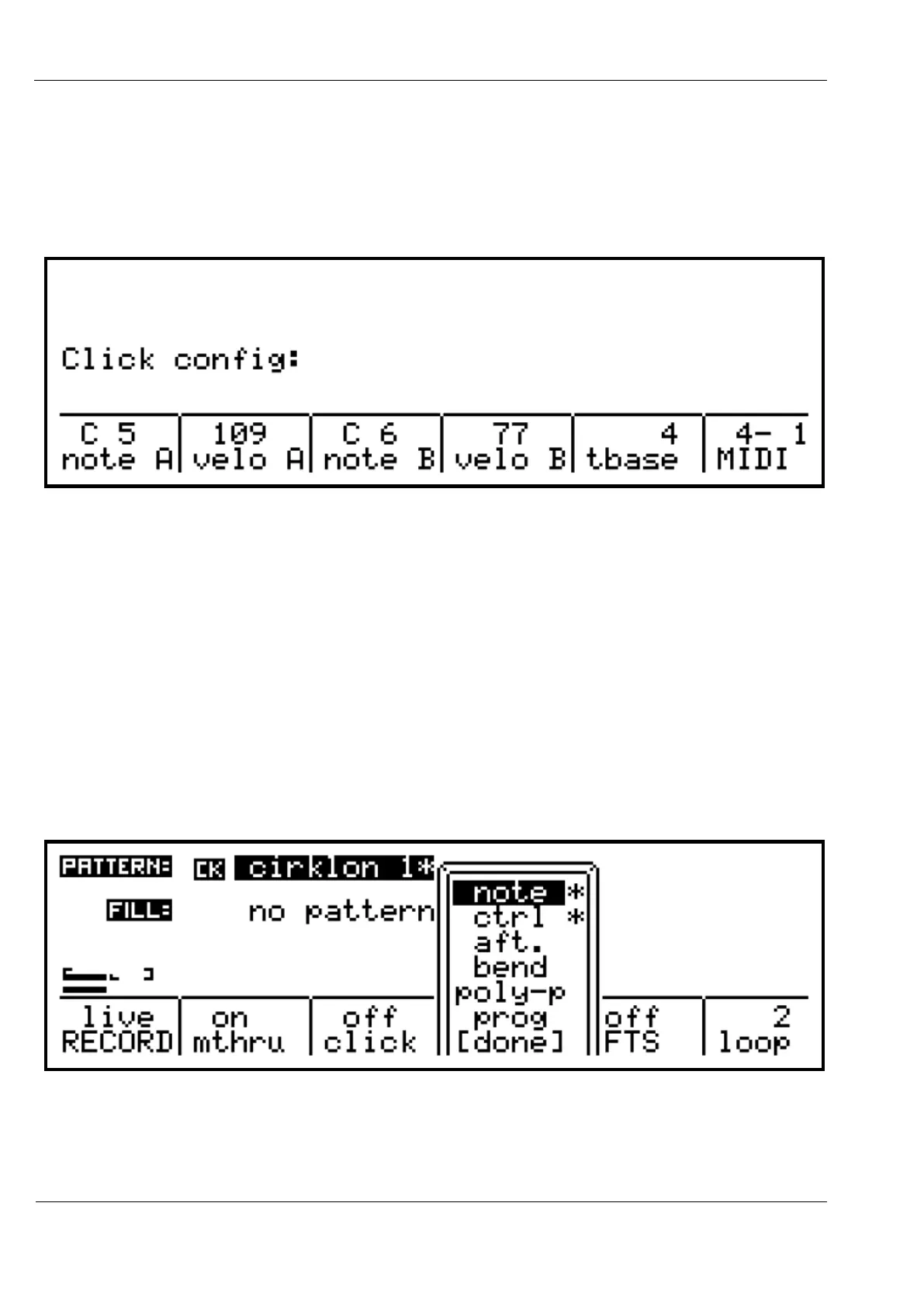
The “click” function provides a metronome reference by sending MIDI notes.
You can configure exactly which notes are sent, their velocity, timing and output MIDI
channel using the click config page.
This page is accessed by holding SHIFT while pressing encoder 8 under the “click” option:
Note and velocity A are sent on the first beat of each bar.
Note and velocity B are sent on subsequent beats. The number and spacing of the beats is set
by the “tbase” option.
Finally, the MIDI option sets the port number and channel on which the metronome signal
should be sent.
The next record menu option is “filter”.
This is an inclusion filter – only events which are enabled in the filter list will be recorded.
The text above the “filter” label gives a shorthand indication of which events will be recorded.
Turning the encoder will pop-up a more detailed list of the event types.
You can scroll through the list, and press the encoder to enable or disable recording of each
event type:
Scroll down to [done] or press the MENU key to hide the filter selection list.



 To Next Page