Cirklon Sequencer User Manual
Once the correct MIDI port and channel have been set, press the SAVE key to store the new
instrument. This will return you to the TRACK page, with the newly created instrument
assigned to the current track:
If you wish to create and assign instruments for other tracks, press another track encoder.
The display will switch to the new track, with the instrument assignment field still active for
selection.
Press ENTER to access the instrument selection for the new track. Then choose the “create
new…” option once more.
If you wish to edit the settings for a previously created instrument, access the instrument list
as normal, scroll to the instrument you wish to edit as if to assign it, then hold the SHIFT key
while pressing ENTER. This will return to the instrument definition page for the stored
instrument, where you can change any of its values.
Press SAVE to confirm the changes, or MENU to cancel the changes and restore the previous
settings.
For the example song, we would continue to create the instruments synth 2, drum mch and
vsti 1.
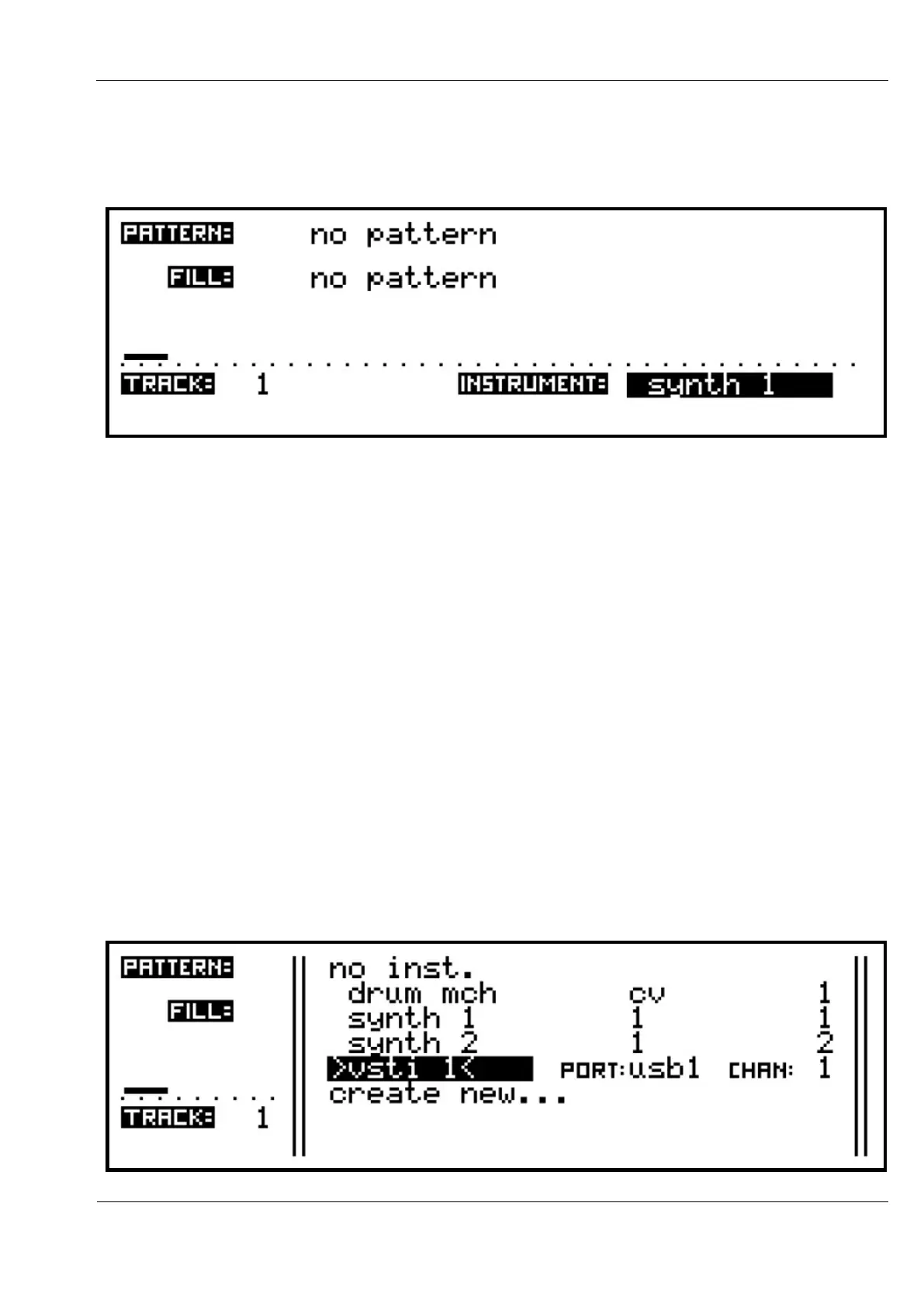
As each new instrument is defined, they will appear in the instrument list, along with their
port and channel values, like this:



 To Next Page