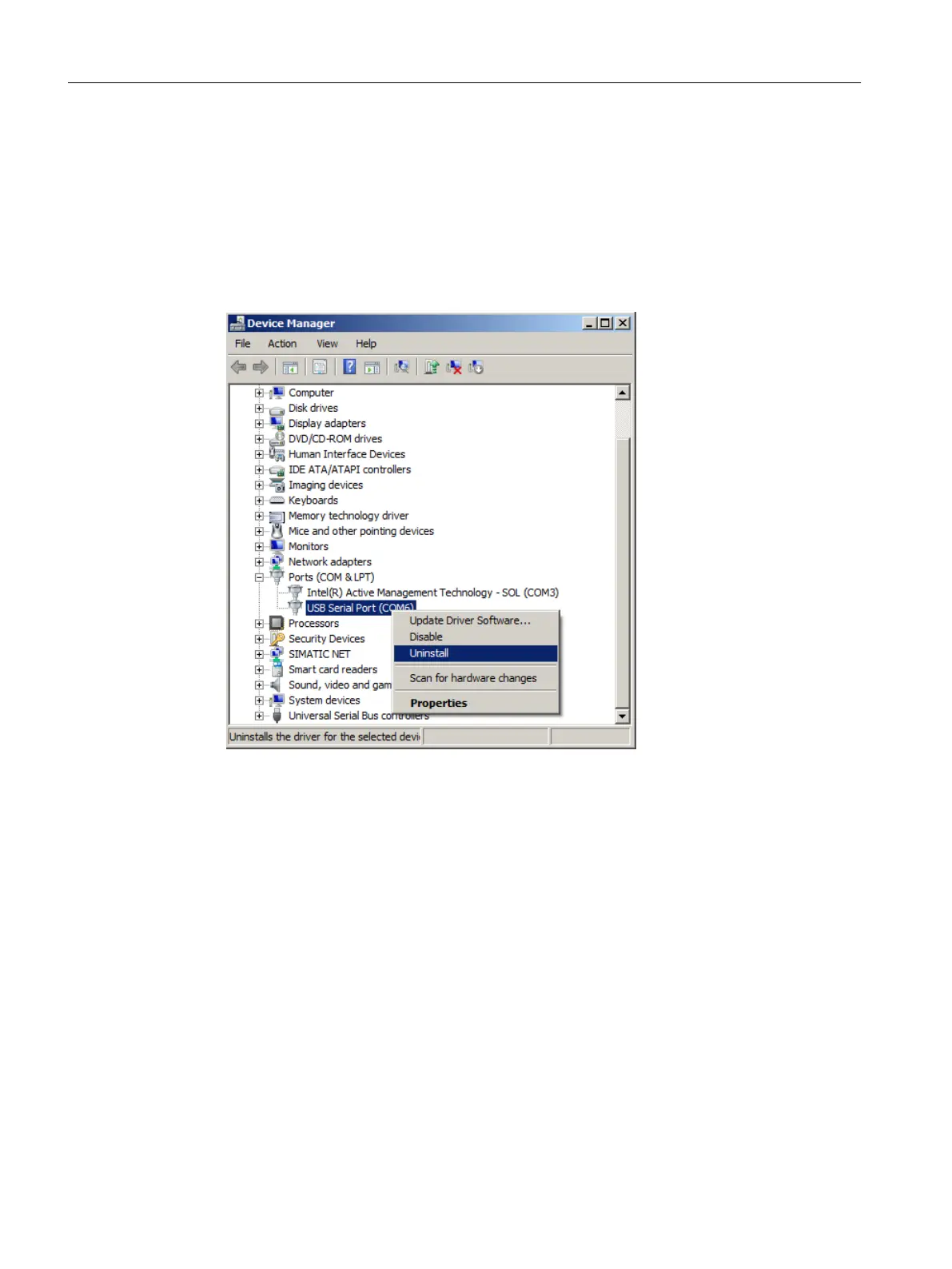
9.3.1 Uninstalling USB drivers
Procedure
1. Select "Ports (COM & LPT)" > "USB Serial Port (COMx)" in the Windows Device Manager.
2. Right-click on "USB Serial Port (COMx)".
3. Select "Uninstall" from the shortcut menu.
4. Select "USB Controller" > "USB Serial Converter" in the Windows Device Manager.
Service and maintenance
9.3 Maintenance and repair work
SITRANS TS100/TS200/TS300/TS500/TSinsert/TSthermowell
112 Operating Instructions, 08/2020, A5E47810090-AA



 To Next Page