7.2 Remote operation
You can operate the device using HART communication. The following is required for this
purpose:
• A handheld (e.g. FC475) or PC software such as SIMATIC PDM.
• A HART modem to connect a PC with the device or a lead to connect the handheld with the
device.
See also
SIMATIC PDM (Page 191)
7.3 Locking the device
7.3.1 Introduction
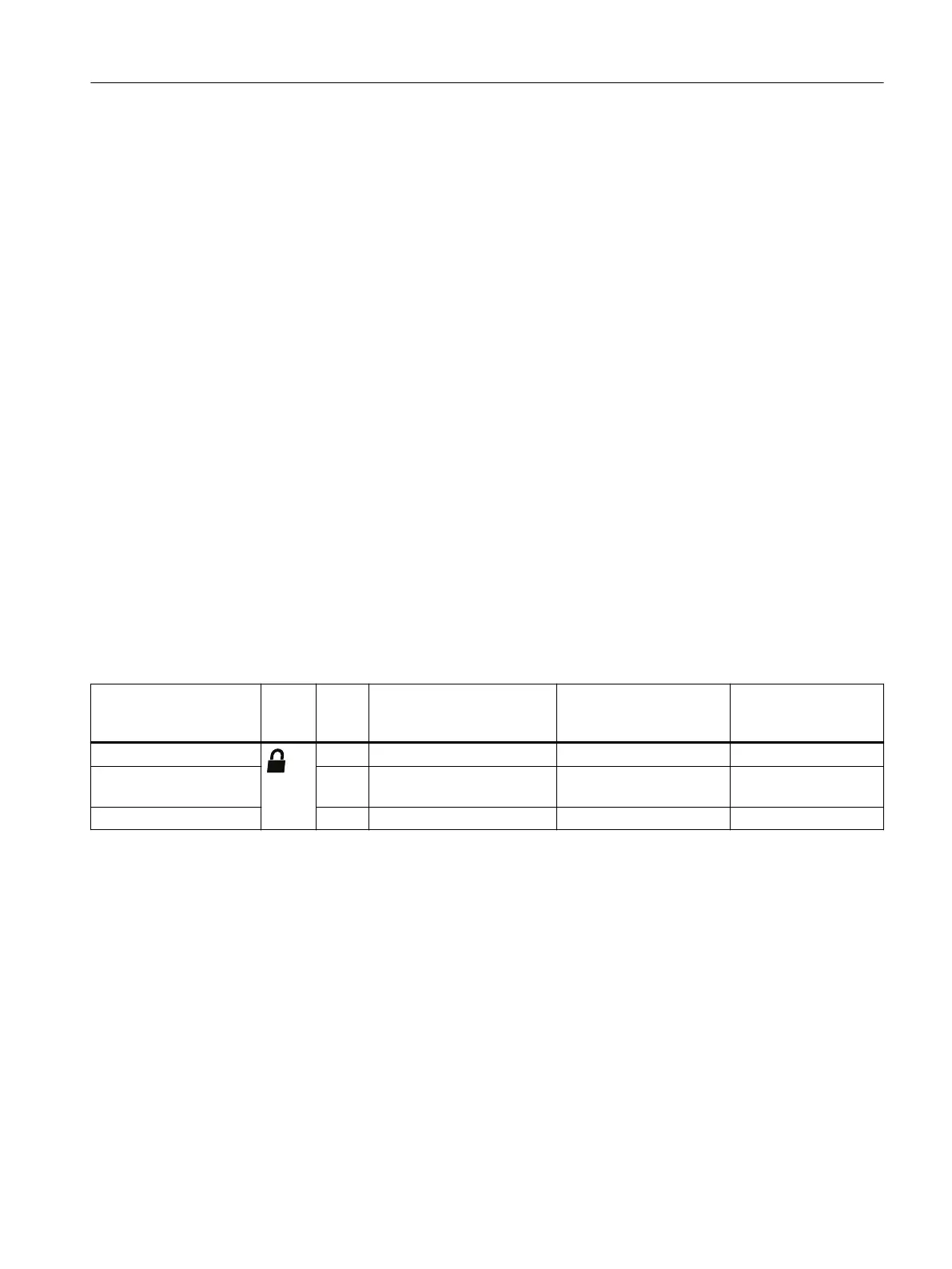
The following options are available to lock the device:
• Enable write protection using switch.
• Enable write protection using the User PIN.
• Enable write protection using the button lock.
Write protection Sym‐
bol
ID Read measured values on
the display
Read parameters on the
display
Change parameters
via the device with
display
Switch enabled
L Yes Yes No
User PIN
1)
enabled LP Yes Yes Yes, after input of the
user PIN
Button lock enabled LL Yes No No
1)
The user PIN is factory set to 2457 in the device. When delivered, write protection is disabled
using the user PIN.
Devices with functional safety
To enable functional safety, rst enable the User PIN.
7.3.2 Enable write protection with write protection switch
Introduction
The write protection switch is used for enabling write protection.
Operating
7.3 Locking the device
SITRANS TS100/TS200/TS300/TS500/TSinsert/TSthermowell
Operating Instructions, 08/2020, A5E47810090-AA 65



 To Next Page