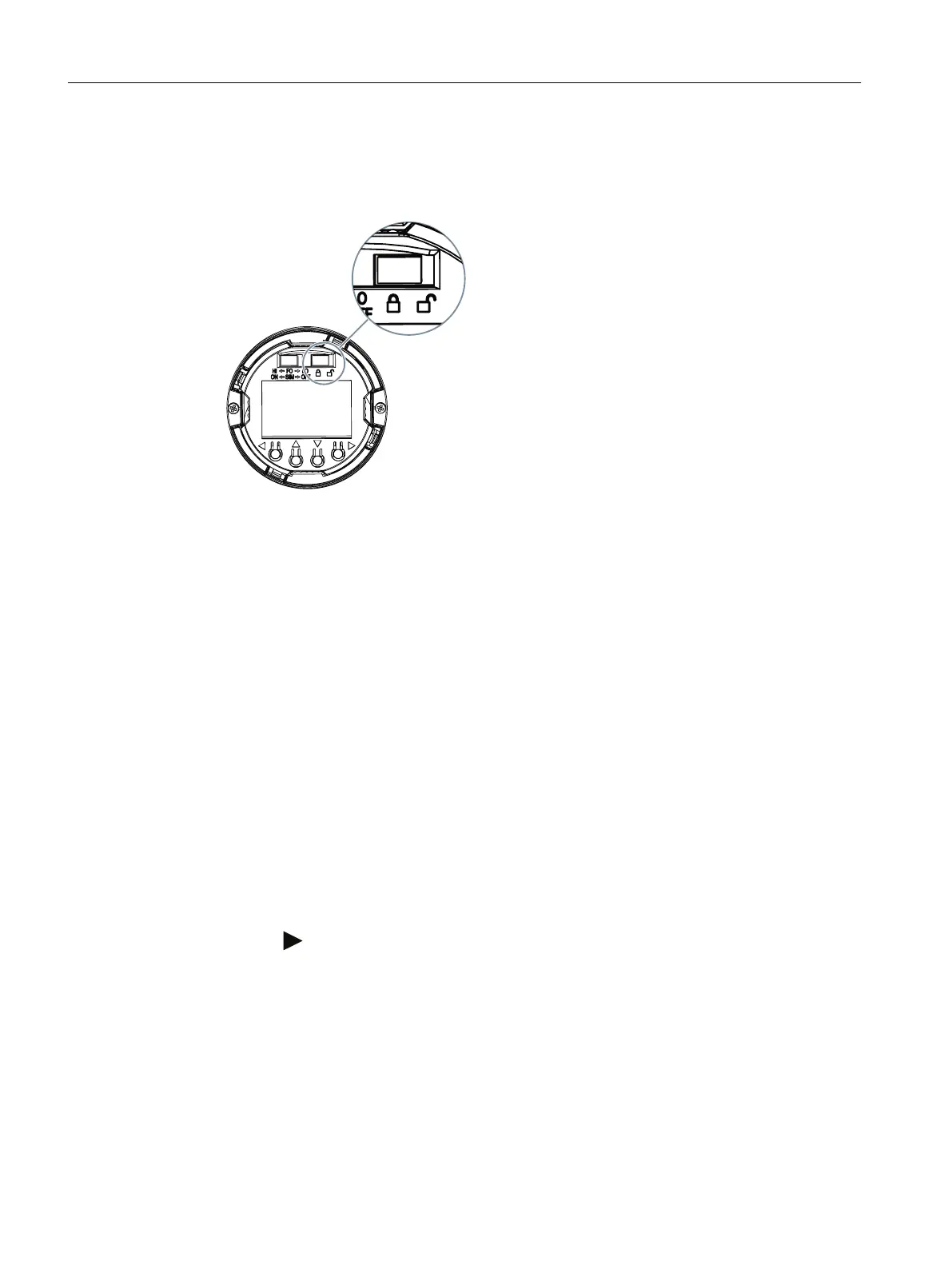
Procedure
1. Unscrew the cover.
2. Slide the write protection switch to the closed lock position.
Figure 7-6 Enable write protection using the write protection switch
Result
When the write protection switch is set to the closed lock position, measured values and
parameters can be read.
7.3.3 Enable the User PIN on the display
Requirement
The User PIN is disabled.
Procedure
1. Navigate to the parameter view.
Navigating in the views (Page 60)
2. Select the parameter "User PIN".
3. Use the
button to conrm.
The message "USER PIN ON" (User PIN enabled) appears for 2 seconds.
Operating
7.3 Locking the device
SITRANS TS100/TS200/TS300/TS500/TSinsert/TSthermowell
66 Operating Instructions, 08/2020, A5E47810090-AA





 To Next Page