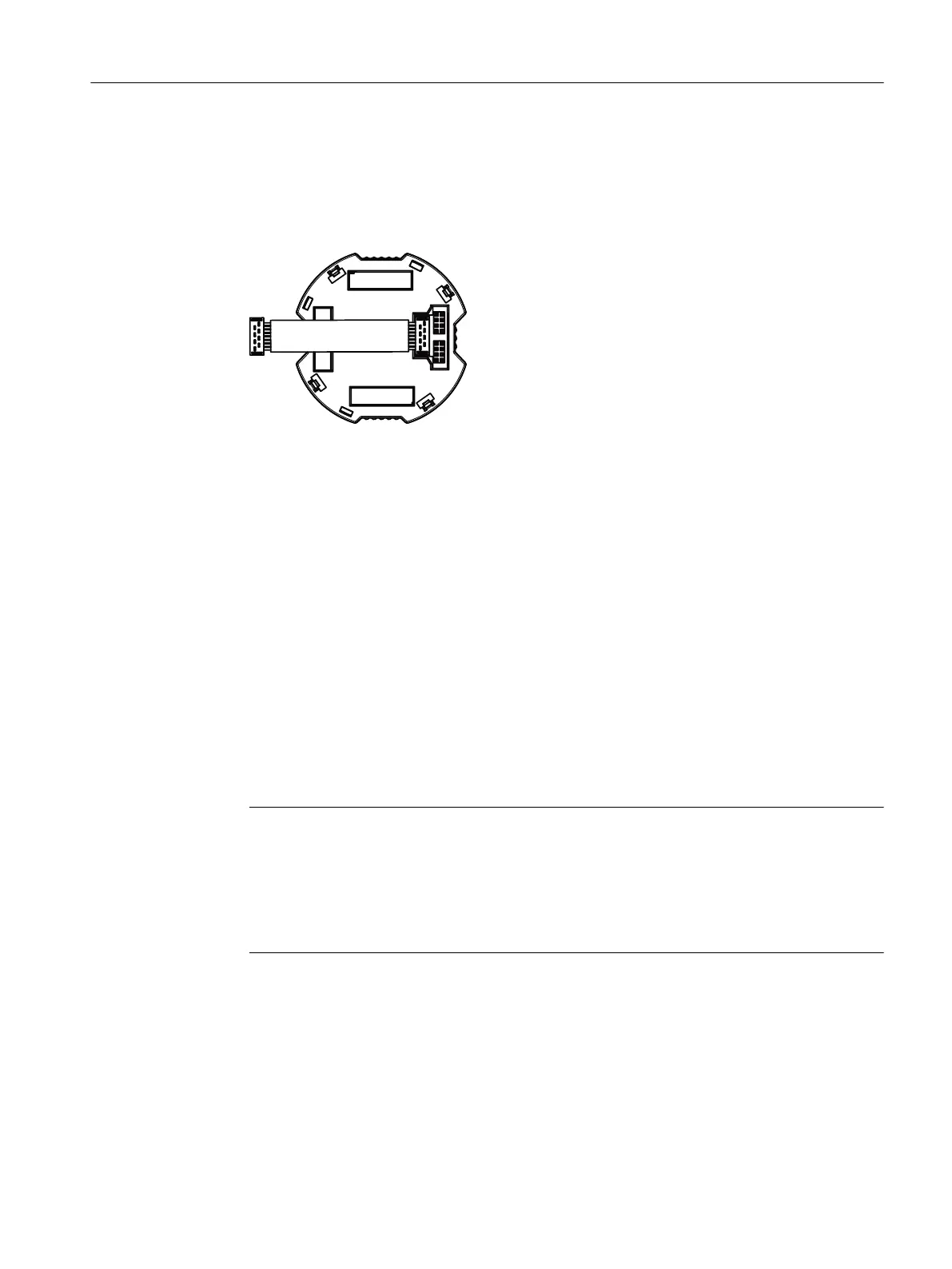
9.3.3.2 Installing the display
Procedure
1. Connect the cable to the local display as shown in the gure.
Figure 9-1 Ensure correct polarity!
2. Fasten the local display in the holder.
3. Close the device.
Closing the device (Page 48)
9.3.4 Service and maintenance
Recalibration
Temperature sensors are essentially maintenance-free. However, we recommend recalibration
under the following conditions:
• Processes with strong vibrations or changes in temperature.
• Food, pharma, biotechnology applications (annually), TS300 only.
• Processes that demand high measuring accuracy and safety.
Note
Recalibration intervals
Dene the recalibration intervals for the specic process or plant. With constant operating
temperatures and a low load, the reference values are as follows:
• < 2 years at temperatures up to 400 °C
• < 5 years at temperatures up to 200 °C
Service and maintenance
9.3 Maintenance and repair work
SITRANS TS100/TS200/TS300/TS500/TSinsert/TSthermowell
Operating Instructions, 08/2020, A5E47810090-AA 115



 To Next Page