SMARTRG INC. PROPRIETARY AND CONFIDENTIAL. ALL RIGHTS RESERVED. COPYRIGHT © 2018 132
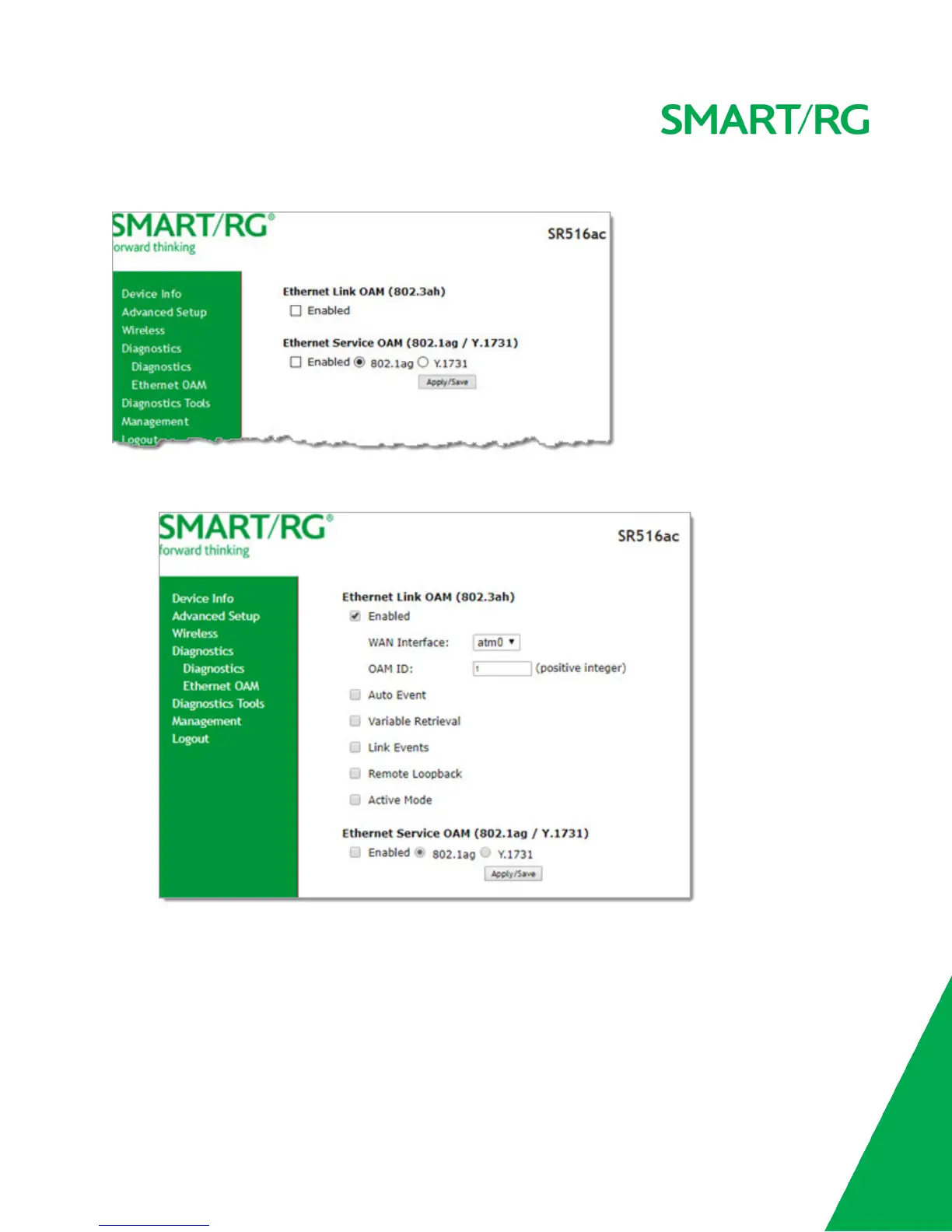
1. In the left navigation bar, click Diagnostics > Ethernet OAM. The following page appears.
2. To enable Ethernet Link OAM (802.3ah):
a. Click the Enabled checkbox. Additional fields appear.
b. Modify the fields as needed, using the information in the Ethernet Link OAM (802.3ah) section of the table
below.
3. To enable Ethernet Service OAM (802.1ag/Y.1731):
a. Click the Enabled checkbox. Additional fields appear showing values for 802.1ag. To configure Y.1731, click the
Y.1731 radio button. The page refreshes.



 To Next Page