SMARTRG INC. PROPRIETARY AND CONFIDENTIAL. ALL RIGHTS RESERVED. COPYRIGHT © 2018 133
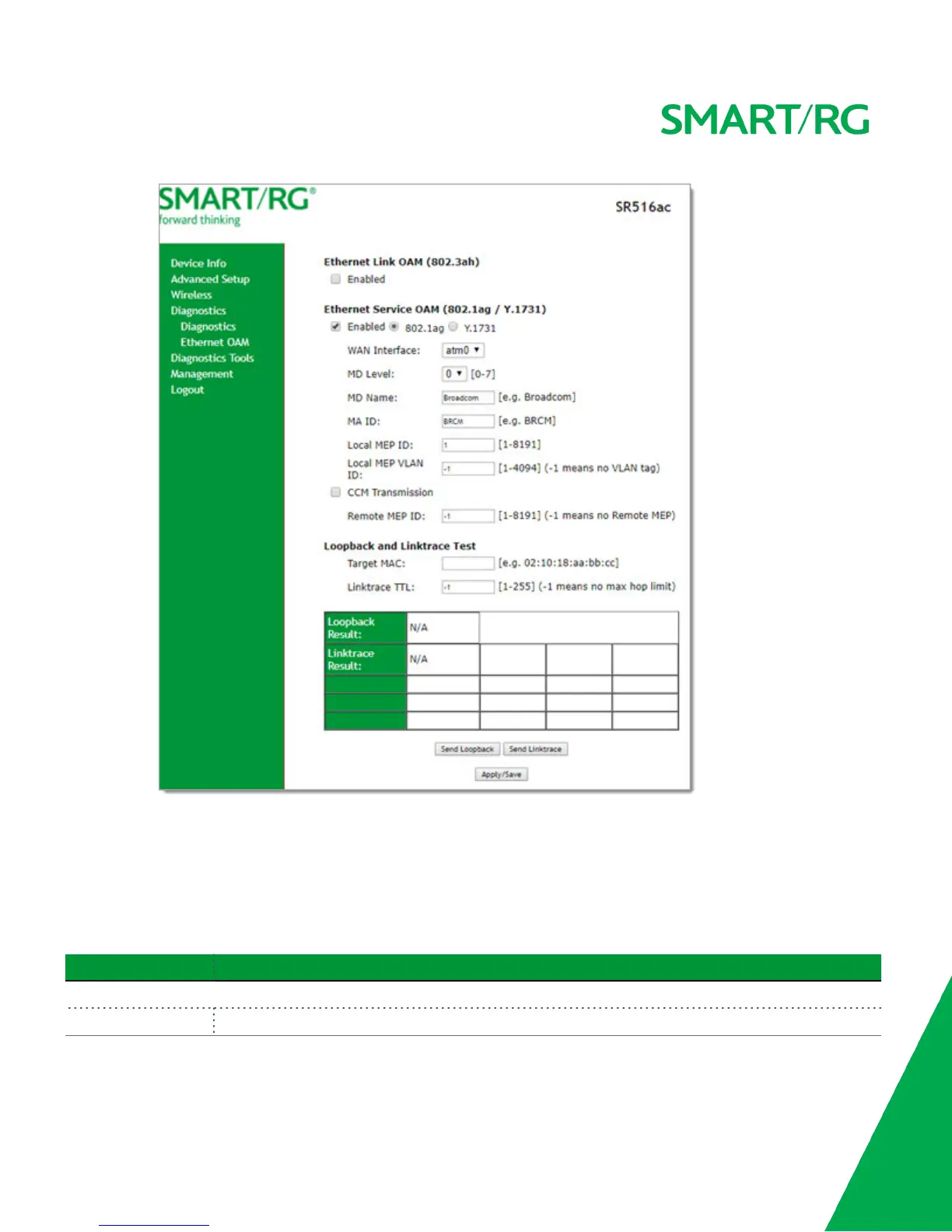
b. Modify the fields, using the information provided in the Ethernet Service OAM (802.1ag/Y.1731) section of the
table below.
4. Click Apply/Save to commit your changes.
5. To run a loopback test, enter a MAC address in the Target MAC field and click Send Loopback at the bottom of the page.
The results appear in the Loopback Result row of the table.
6. To run a linktrace test, enter a MAC address in the Target MAC field and click Send Linktrace at the bottom of the page.
The results appear in the Linktrace Result row of the table.
Field Name Description
Ethernet Link OAM (802.3ah) section
WAN Interface Select the WAN interface that you want to test.



 To Next Page