2. Once the Neptune 2 splash screen appears, continue to push the display
button until the tools indicator in the upper right corner is highlighted solid
white (see figure 2)
Figure 2: Neptune Splash Screen
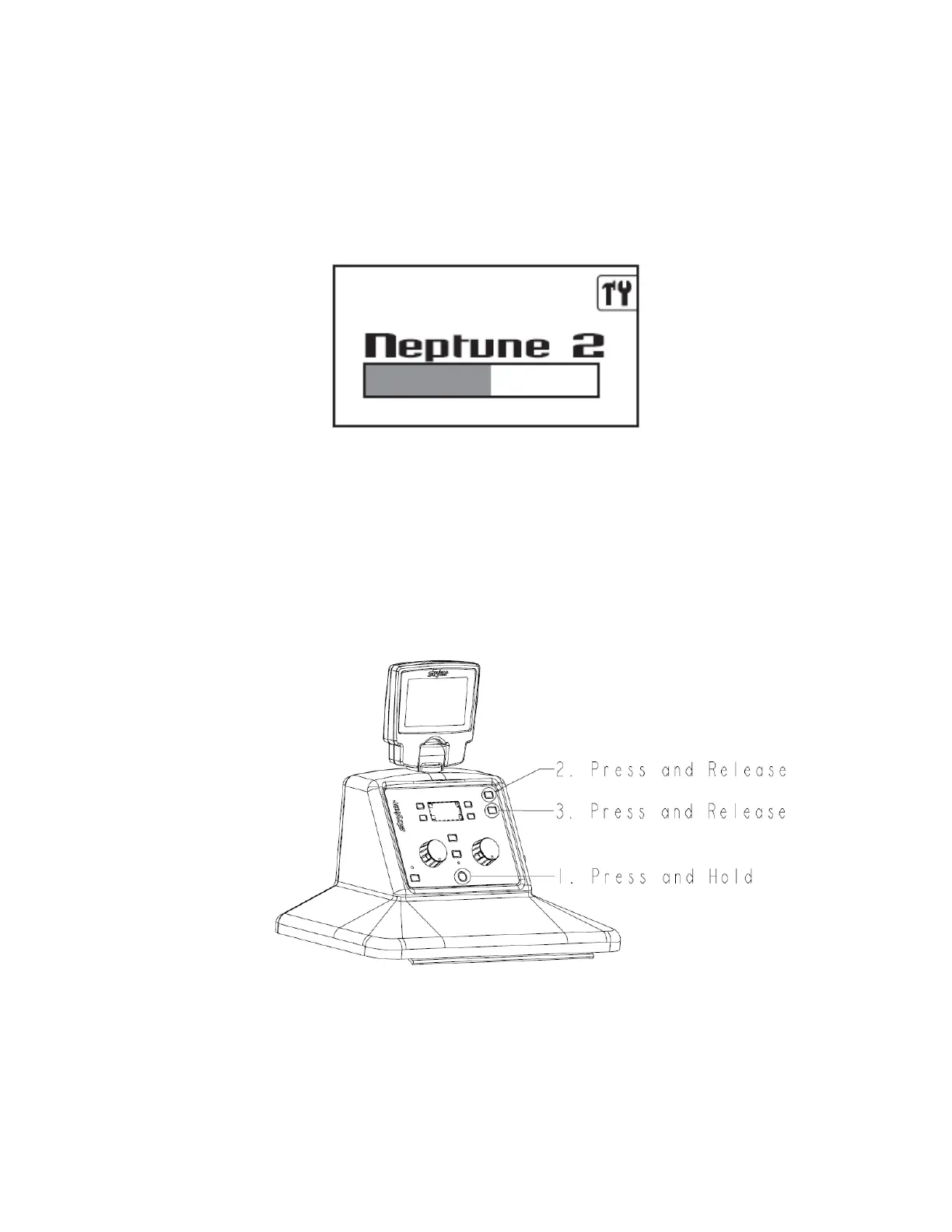
3. To access the technician menu from the system settings menu, hold down the
Vacuum System power button, then press and release the IV Pole UP button,
and then press and release the IV Pole DOWN button. (see figure 3)
Figure 3: Accessing the Technician Menu
6-30

 To Next Page
 Loading...