OTHER SETTINGS
191
SETTINGS
7
CUSTOMIZING THE SCREEN OFF IMAGES
When the screen is turned off, the desired set image
can be displayed as the screen off image. Images
can be copied from a USB memory or SD card*.
A USB memory or SD card* must be connected when
HGLWLQJVFUHHQRIILPDJHVĺ3
*: With navigation function
NOTE
O When saving the images to a USB or SD card* name the folder
that the screen off image is saved to “Image”. If this folder name
is not used, the system cannot download the images. (The folder
name is case sensitive.)
*: With navigation function
O ,PDJH¿OHVVDYHGWRWKHPDS6'FDUGFDQQRWEHSOD\HG
Q TRANSFERRING IMAGES
1. Select .
2. Select
SETTINGS
(SETTINGS).
3. Select
General
(General).
4. Select
Customize Screen Off Image
(Customize
Screen Off Image).
5. Select the device that the image is stored on.
6. Select
Copy from [device]
(Copy from [device]).
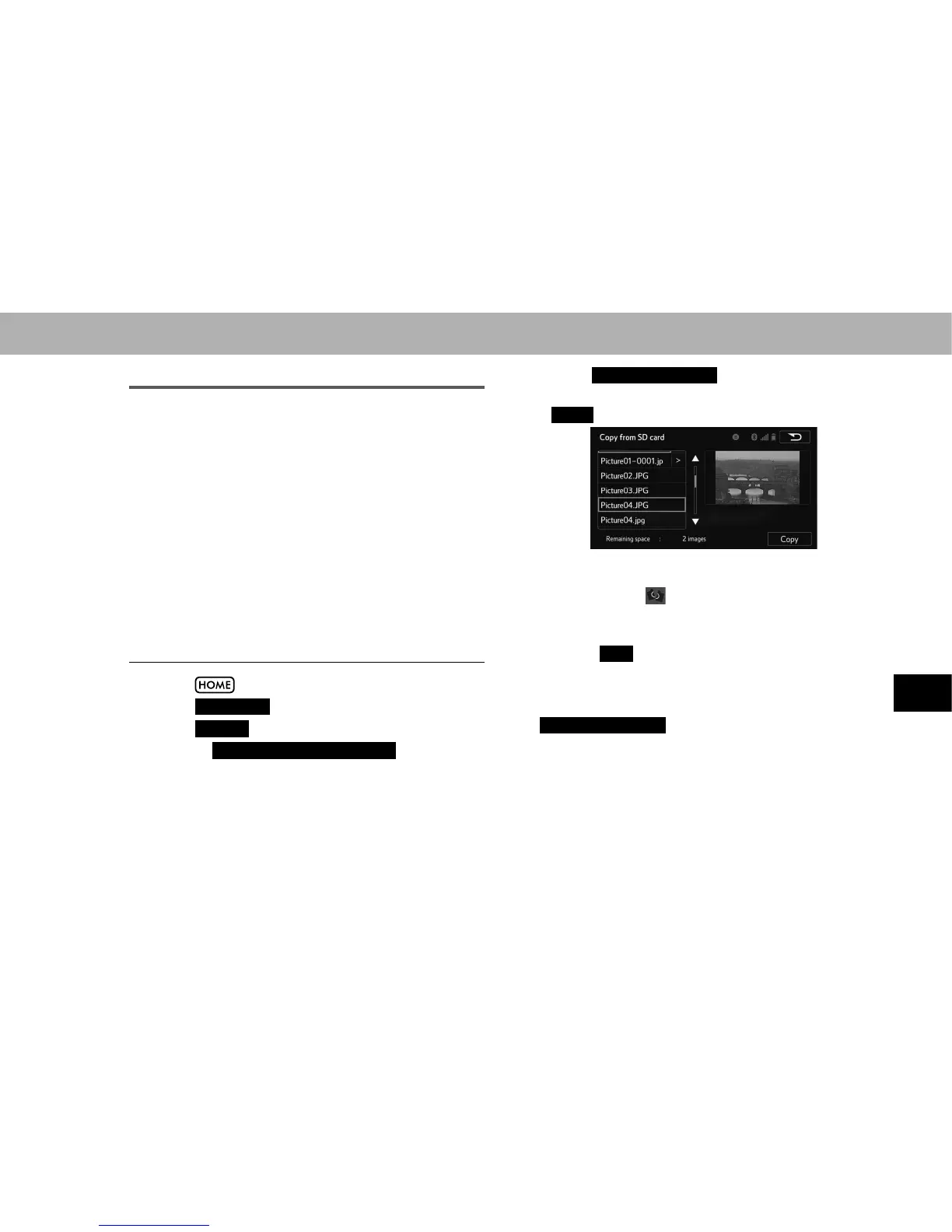
7. Select the desired images from the list and then select
Copy
(Copy).
Ɣ The selected image is displayed on the right side
RI WKH VFUHHQ ,I WKH VHOHFWHG LPDJH ¿OH LV EURNHQ RU
incompatible, will be displayed.
Ɣ 7KH UHPDLQLQJ QXPEHU RI LPDJH ¿OHV WKDW FDQ EH
transferred is displayed at the bottom of the screen.
8. Select
Yes
<HV ZKHQ WKH FRQ¿UPDWLRQ VFUHHQ
appears.
NOTE
O
Copy from [device]
(Copy from [device]) : [device] will
DXWRPDWLFDOO\EH¿OOHGLQZLWKWKHQDPHRIWKHVHOHFWHGGHYLFH
O 7KHFRPSDWLEOH¿OHH[WHQVLRQVDUH-3*DQG-3(*
O ,PDJH¿OHVRI0%RUOHVVFDQEHWUDQVIHUUHG
O Up to 10 images can be downloaded.
O )LOHVZLWKQRQ$6&,,¿OHQDPHVFDQQRWEHGRZQORDGHG















 To Next Page