MN F09 002 US DOK-383E Issue/Rev 3.65 (02/24)
Sening® is a registered trademark of FMC Technologies
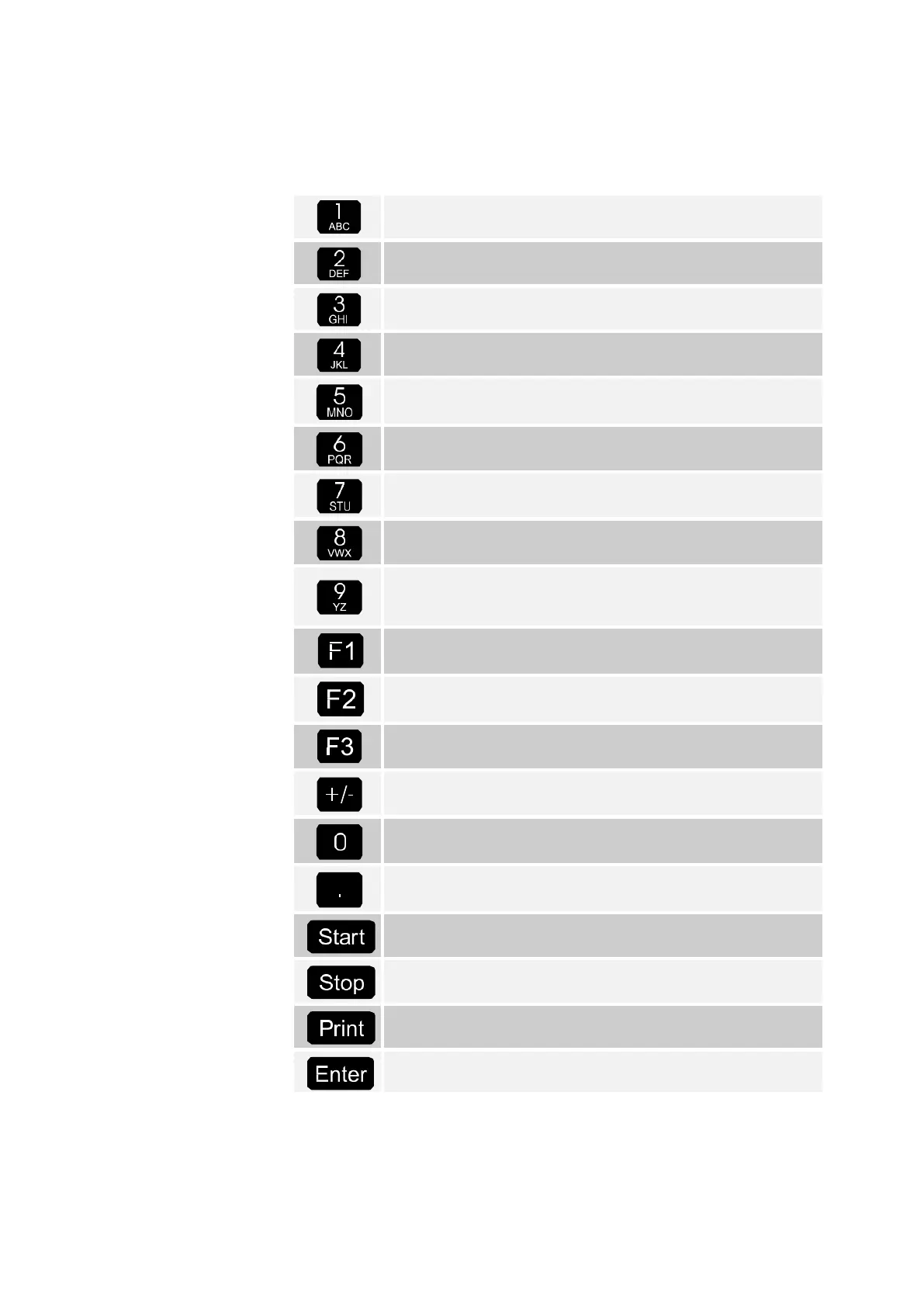
1.5 Key character assignment
Letter group A; B; C; 1 or a; b; c; 1
Upper and lowercase selection with F1
Letter group D; E; F; 2 or d; e; f; 2
Upper and lowercase selection with F1
Letter group G; H; I; 3 or g; h; i; 3
Upper and lowercase selection with F1
Letter group J; K; L; 4 or j; k; l; 4
Upper and lowercase selection with F1
Letter group M; N; O; 5 or m; n; o; 5
Upper and lowercase selection with F1
Letter group P; Q; R; 6; or p; q; r; 6
Upper and lowercase selection with F1
Letter group S; T; U; 7 or s; t; u; 7
Upper and lowercase selection with F1
Letter group V; W; X; 8 or v; w; x; 8
Upper and lowercase selection with F1
Letter group Y; Z; 9; <Space character> or y; z; 9; <Space
character>
Upper and lowercase selection with F1
Function key <F1>, assignment depends on program,
defined via SW
Function key <F2>, assignment depends on program,
defined via SW
Function key <F3>, assignment depends on program,
defined via SW
Character group # ° $ £ % & - +
Special characters Ö; Ä; Ü; ä; ö; ü; ß;
The special characters depend on the selected language.
Character group : , ; / ! ? = . ( )
Start of discharge, acceptance of packed products on the
invoice or the delivery receipt
Stops discharge, goes back one menu point
Triggers printout, confirmation of entered values for some
entries; see “Reports”, page 46
Acceptance of entered values, confirmation of values












 To Next Page