service life of at least seven years. However, the expected life also
depends on the operating conditions such as temperature and turn-on
duration of the device, so it is only a theoretical value. To replace the
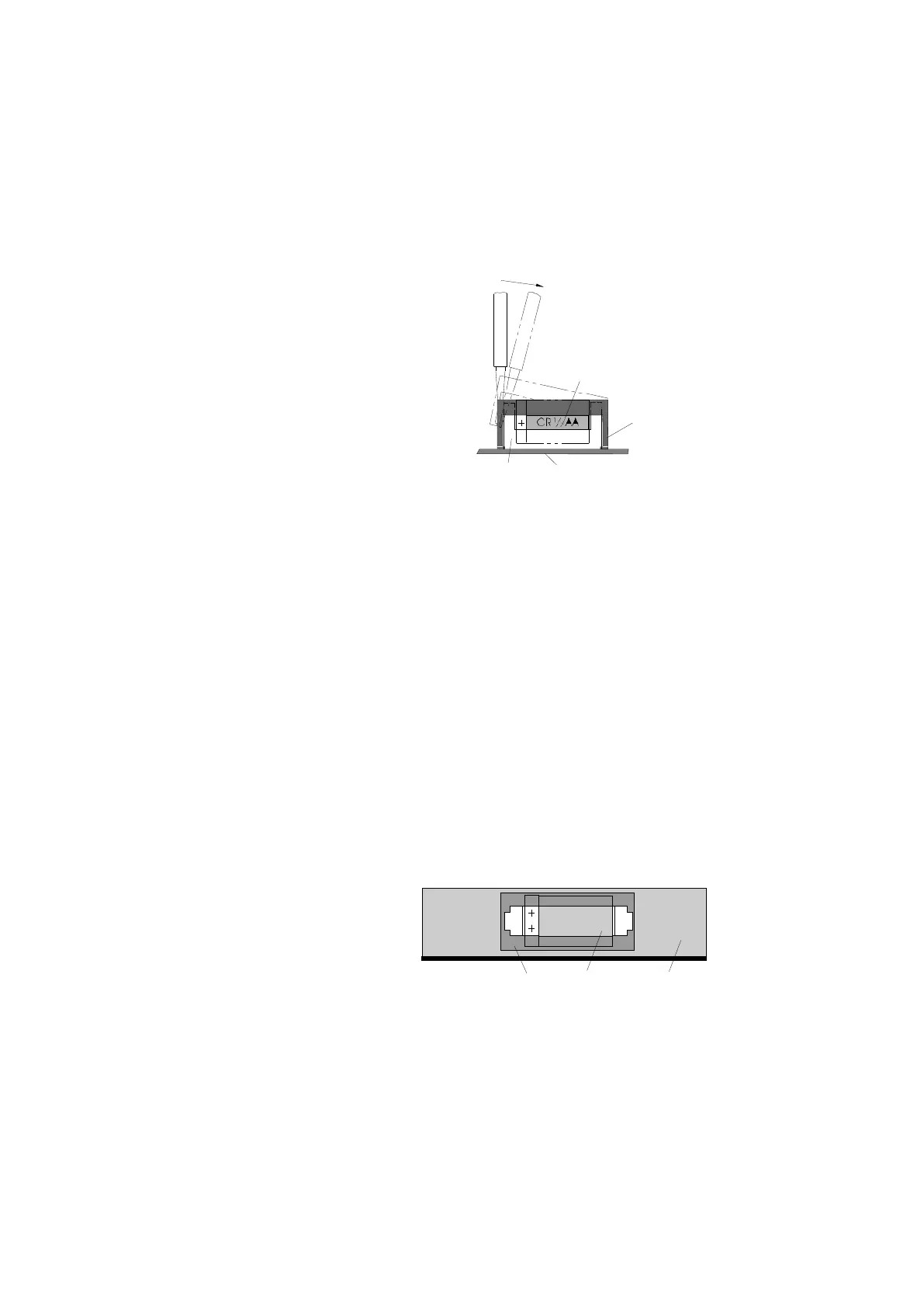
batteries the MultiFlow must be opened and the battery removed as
shown in the sketch.
Battery Holder Circuit Board
Loosening the clamp with a screwdriver
To loosen the clamp, insert the supplied screwdriver into the side slot of
the battery compartment.
Press the lugs of the clamp outwards with the screwdriver.
☺ The side snugs of the clamp are thus pressed out of the latched position.
After one side has been loosened, treat the other side in the same way.
Then you can lift the clamp.
When inserting the new battery, it is essential to ensure correct polarity. A
battery of the type Varta CR1/2AA 3V/950mAh should be used.
Clamp Battery Circuit Board
Plan View of the Battery Holder
The time, date and all parameter settings must be reset after replacing
the battery (see Chip Card Reader, <dg_ref_source_inline>VW(KTS) --->
Chipkartenleser</dg_ref_source_inline>).
Furthermore the device has to be approved by the W & M office.












 To Next Page