Chapter 3 ’Web Browser Interface’ — Advanced Settings
102 Amethyst III DTV Smart Switch
User Manual
Using the Time Delay and Synchronization Features
Amethyst III features two delay management mechanisms:
Time delay: applies a given delay on one of the two inputs.
Synchronization: consists in realigning both streams based on a
pattern.
Let us focus on a network redundancy case: your stream
is duplicated for
redundancy purposes and is conveyed by two paths, one being more
direct than the other one.
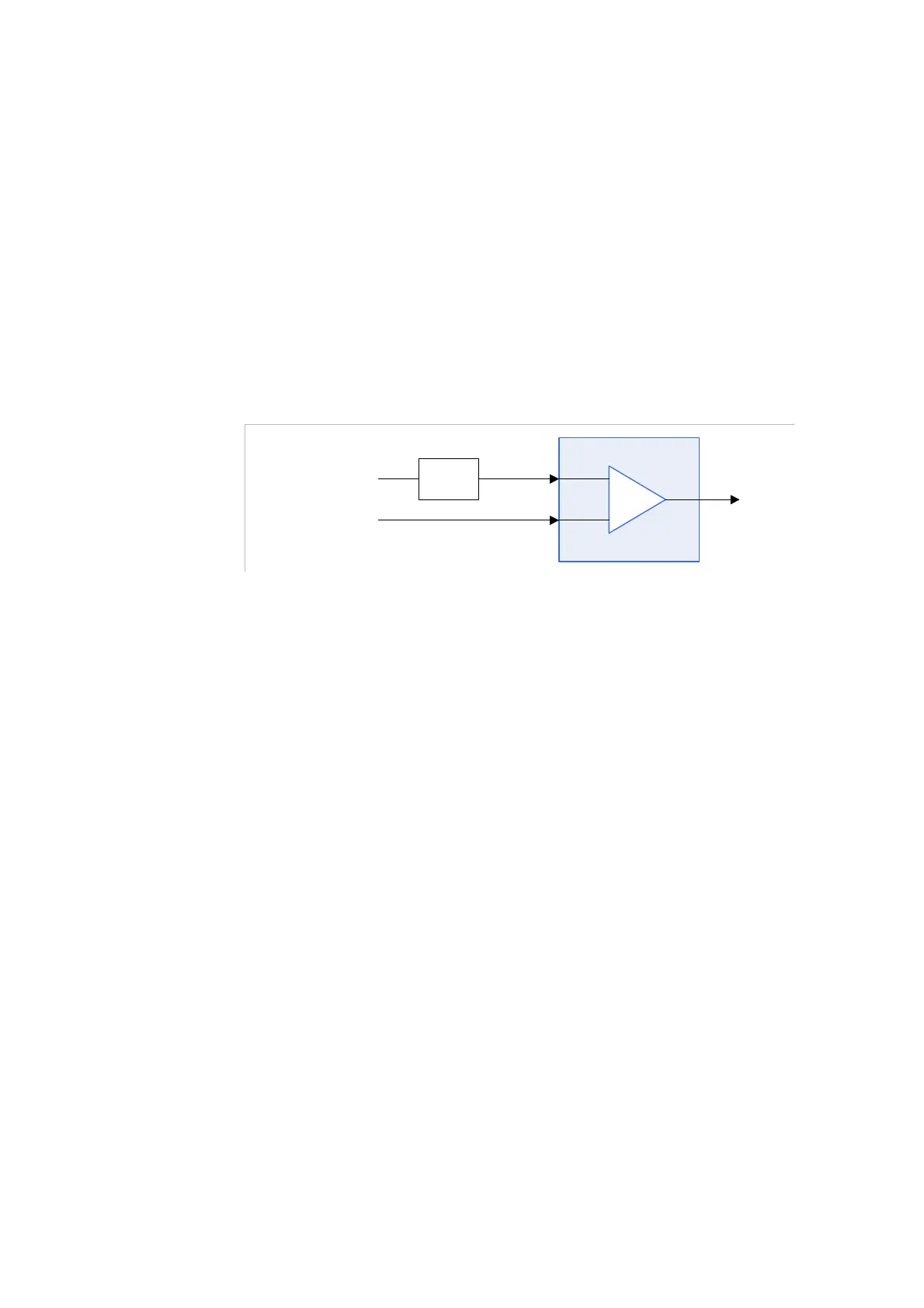
Figure 3-51. Delay management example
Identical streams
at 24 Mbps
ASI
input 3
ASI
input 4
Delay:
600 ms
Switch 2
In
Figure 3-51
, ASI input 3 is delayed by 600 ms compared to ASI input 4.
You thus want to resynchronize the two inputs so that the switch
operation
be totally seamless, without any service disruption.
To do so, you need to configure the time de
lay. However, at start, you do
not necessarily know the delay value, nor which input is delayed
compared to the other. This procedure can thus be divided into two main
steps:
1.
You first set the synchronization at a high value.
2.
Once having applied the configuration,
Amethyst III is able to indicate the real delay value. This lets you
refine your configuration: you can define a time delay value on
the input that is in advance, and reduce the synchronization
maximum value in order to reduce the latency.
Amethyst III is not able to indicate the delay. You have to find
manually the real delay defining several time delay values
before optimizing the configuration.
The configuration procedure is f
ully described hereafter.



 To Next Page