Chapter 3 ’Web Browser Interface’ — GUI Overview
Amethyst III DTV Smart Switch 67
User Manual
Customizing the Configuration Tabs’ Layout
By default, each tab is displayed as shown in
Figure 3-2
on page 61. You
can choose either to keep such a layout,
to display several tabs at a time,
or to display a single tab at a time.
To display several tabs at a time:
1.
Click a tab’s name and hold the mouse button down.
2.
Drag and drop the tab to where you want to display it in the view.
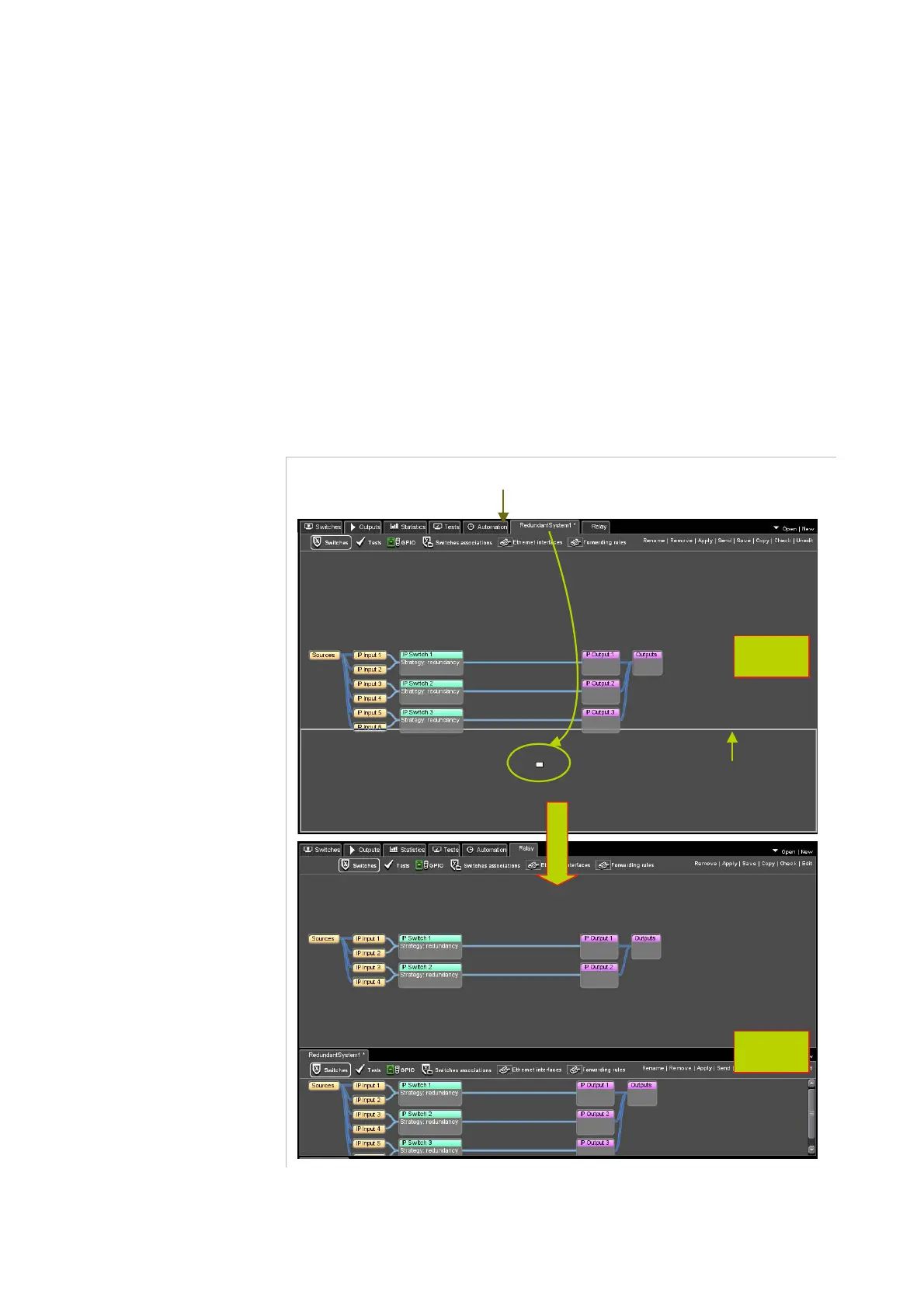
A white-outlined rectangle will appear to show yo
u the new possible
position. An example is shown in
Figure 3-5
below.
Figure 3-5. Possible tabs’ layout
1. Click the tab and hold the mouse
2. Drag the tab
3. Drop the tab
White outlined rectangle
indicating the new
position of the tab
One tab
Two tabs



 To Next Page