Chapter 3 ’Web Browser Interface’ — Basic Settings
84 Amethyst III DTV Smart Switch
User Manual
Setting an IP Forwarding (f
or IP
Amethyst III
)
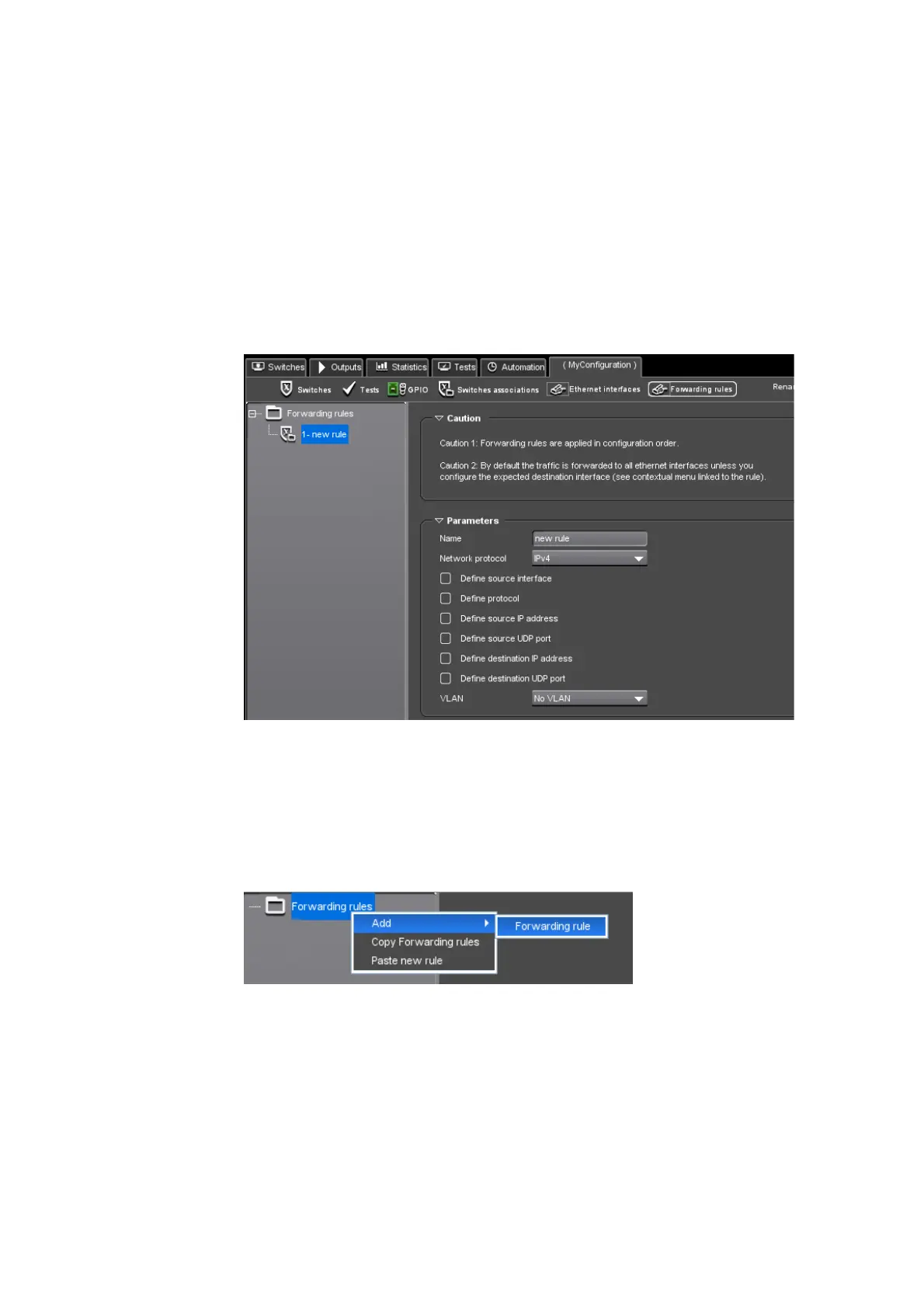
The Forwarding rules view lets you define rules to forward IP datagrams
received from an Ethernet port to another Ethernet port.
These rules are applied in addition to switc
hing rules and are made to
manage traffic such as control in-band traffic so that Amethyst III does
not c
reate a cutoff point.
Figure 3-22. Forwarding rules view
Adding a Forwarding Rule
1.
In the tree on the left, right-click the Forwarding rules root node then
select Add and choose Forwarding rule.
Figure 3-23. Adding a forwarding rule



 To Next Page