Chapter 3 ’Web Browser Interface’ — Interface Description
Amethyst III DTV Smart Switch 155
User Manual
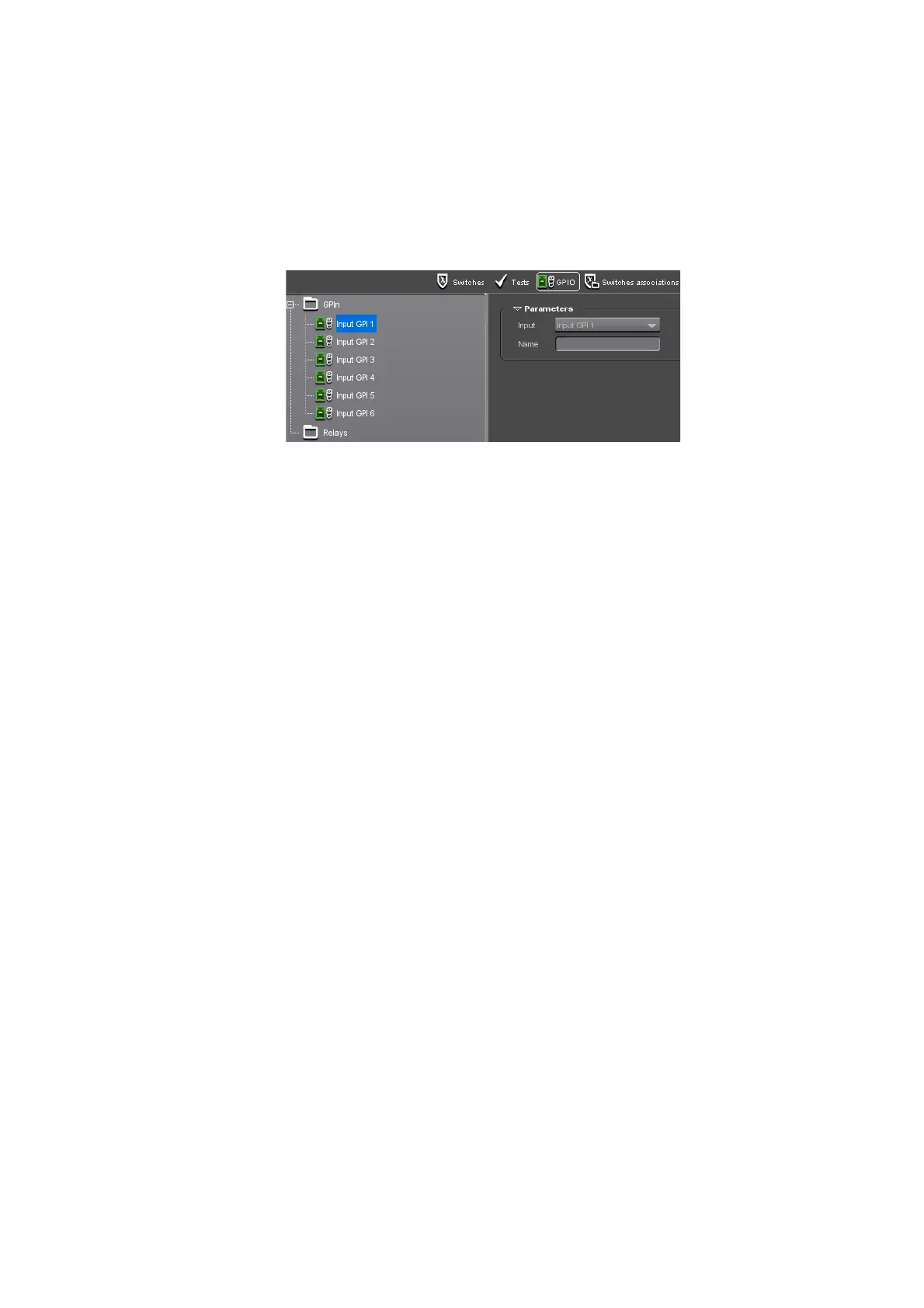
GPIO View
The GPIO view lets you define the actions that should be performed on
GPIs and relays.
Figure 3-86. GPIO view
The GPIO view is divided into two areas:
On the left, a tree contains the GPI inputs and relays.
On the right, the Parameters frame displays the parameters linked to
the selected item in the tree.
By default, there are 6 GPI inputs defi
ned, and no relays.
You may add inputs to the GPI inputs, add relays, and define their
associated actions
.
GPI Inputs
For each input you add, you have to choose if the GPI action should be
performed on Edge or Level:
On Edge, a switch request is emitted, but may be refused by
Amethyst III.
On Level, the switch operation is forced, whatever the inputs state.
Refer to
Section ’Setting GPI’
on page 107 for more information.
Depending on the GPI mode you chose, the type can be R
aising or Falling
for the Edge mode, High or Low for the Level mode.



 To Next Page