Chapter 1 ’Overview’ — Chassis Description
26 Amethyst III DTV Smart Switch
User Manual
Chassis Description
Enclosure
The enclosure is 1U height and can be freestanding or mounted in a
19-inch rack. All inputs and outputs are via rear panel connectors.
Front Panel
Amethyst III
Base unit can be supplied with a light front panel
(AMETH3-1U-2AC-LITE Base unit)
or a full front panel
(AMETH3-1U-2AC-FULL
Base unit).
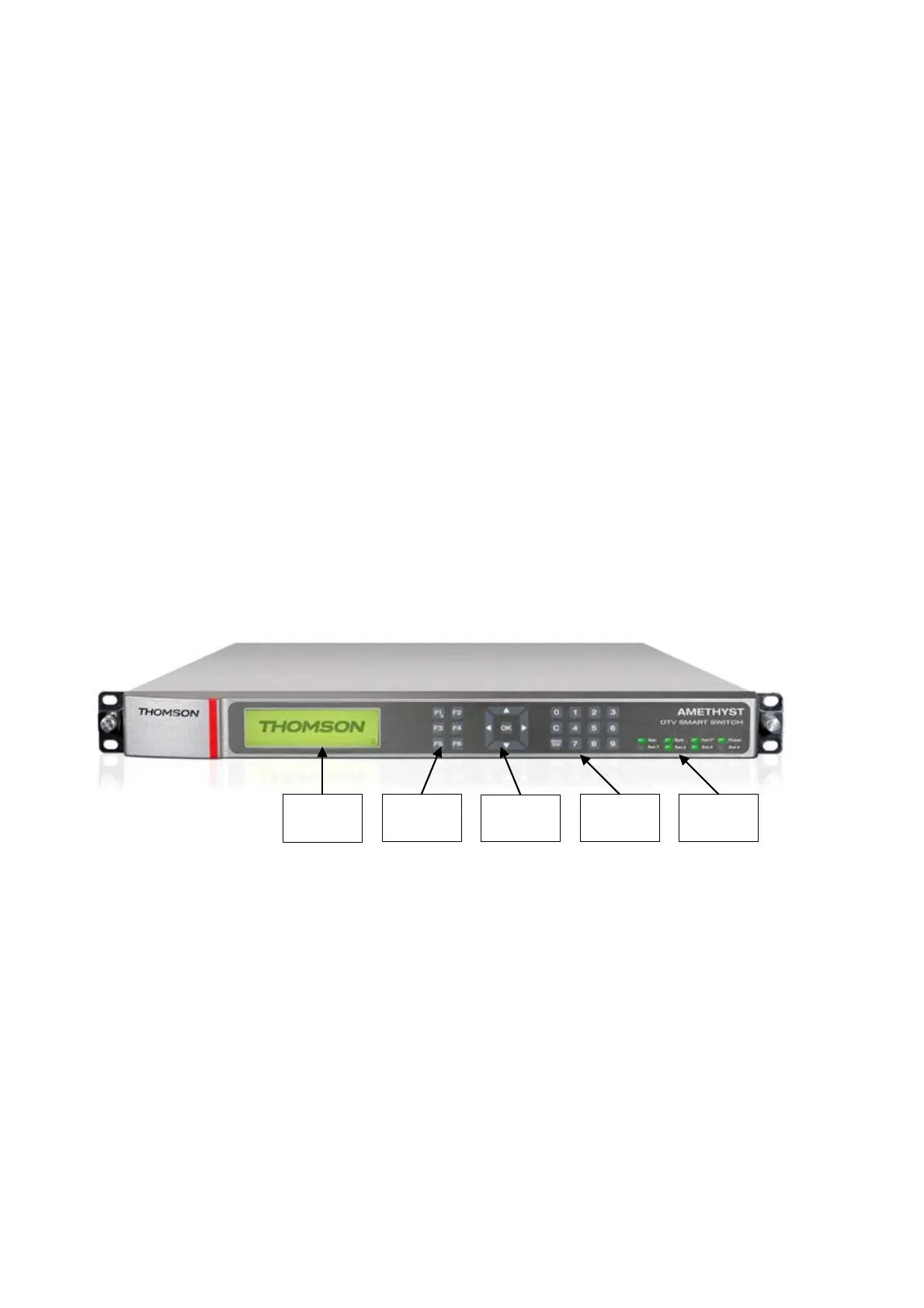
Full Front Panel
The full front panel display and navigation keys are used as a local
control method to set up the Amethyst III. They can also be used as a
qui
ck method for accessing the status of the equipment.
Figure 1-14. Amethyst III full front panel
LCD
Screen
Function
buttons
Navigation
buttons
Numerical
keypad
LED panel
The front panel features the following items:
LCD screen: to perform basic configuration and supervision
Function buttons (F1 to F6): to switch from one screen view to another
Navigation buttons: to browse the screens
Numerical keypad: to set new values in the configuration panel
LED panel: to inform you on Amethyst III’s general state. It features the
following LEDs:
App.
: indicates if there is a problem in the way the equipment is
used.
Syst.
: indicates if there is a failure on the equipment.



 To Next Page